
What is Email Marketing? The Complete Beginner’s Guide for 2026
Last updated on
by
Email marketing is sending emails to people who signed up to hear from you, so you can build a relationship with them and turn them into customers. In Litmus’s 2026 State of Email report, the top 8% of email programs earned an ROI of 45:1 or better, and those programs most often send newsletters and onboarding emails.
To start, you need a way to collect subscribers, an email service provider to send from, and a plan for what to send. I’ll walk you through each one, from your first signup to the metrics worth tracking.
Table of Contents:
What Is Email Marketing?
Email marketing is permission-based: you send campaigns only to subscribers, the people who signed up or opted in to hear from you. You use that permission to promote products, share updates, and build the kind of trust that leads to sales.
Going deeper
Before you pick a tool, it’s worth deciding who you’re emailing and what each email should get them to do.
Learn how to form your email marketing strategy.
When NOT to Use Email
Email isn’t the right channel for every message. Here’s when to hold back:
- Transactional vs. marketing: Keep order confirmations and password resets purely transactional, with no promotions slipped in.
- Consent boundaries: Only email people who opted in. Bought or scraped lists damage trust and deliverability.
- Legal compliance: In the US, the CAN-SPAM Act requires every marketing email to include your physical postal address and a clear way to opt out. In the EU, GDPR sets the standard for the consent you need before you send marketing emails.
How to Do Email Marketing in 5 Steps
Before you send a single campaign, you need a list of people who asked to hear from you. Without one, there’s no email marketing.
That’s the job OptinMonster does, and yes, it’s our tool. With OptinMonster, you can turn website visitors into subscribers using:
- Exit-Intent® popups that show your offer as a visitor is about to leave.
- Floating bars that sit at the top or bottom of the page without covering your content.
- Spin-to-win wheels that turn signing up into a game.
- Targeting rules that show each visitor the offer that fits the page they’re on.
Once you have a way to collect subscribers, here’s the step-by-step process.
Step 1: Define Your Goals
Before you pay for an email marketing tool or write that first email, it helps to decide what your list is for. Ask yourself:
- What should subscribers do after they join your list?
- What will convince them to join?
- What will you send regularly to keep them interested?
- What will convince them to buy what you’re selling?
To write effective marketing emails, you also need to know who you’re talking to. Loyal customers need different messages from new prospects, and their age, where they live, and what they buy all change how you write to them.
Step 2: Choose an Email Service Provider
An email service provider (ESP) is the software you use to write and send campaigns and see how they perform. If you pick one with the features you need now, then you’ll keep costs down.
I’ll cover eight cost-effective options:
Constant Contact
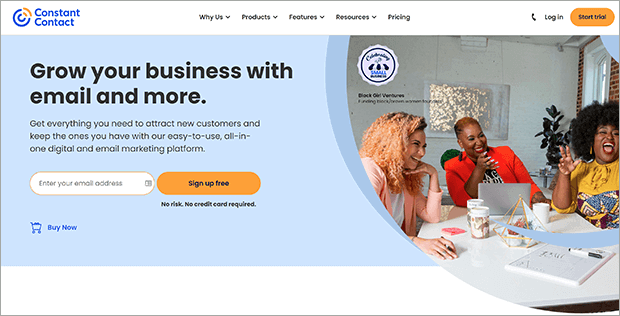
Best for: small businesses.
Constant Contact gives small businesses easy-to-use templates and automations for staying in touch with their audience.
Check out our full Constant Contact review or our tutorial for building a Constant Contact email form.
Drip
Best for: eCommerce store owners.
Drip was designed for eCommerce, and its automation features let you personalize each customer’s purchase journey.

Read our full review of Drip and learn how to add an eye-catching Drip popup.
Brevo
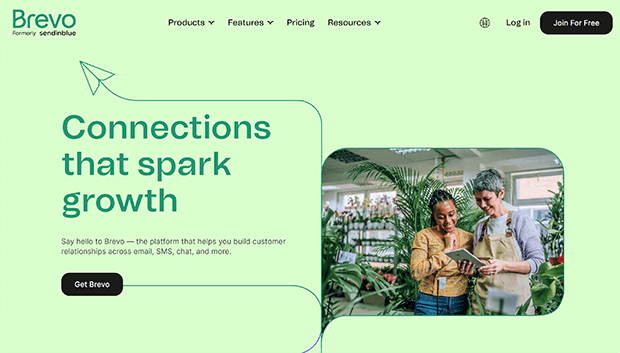
Best for: small businesses that want marketing automation.
Brevo (formerly Sendinblue) is an all-in-one email service provider for small businesses. You can send email and SMS campaigns from one account, so if text marketing interests you, Brevo is a good option.
Read our Brevo review for more details and learn how to create a Brevo popup.
HubSpot
Best for: B2B businesses.
HubSpot offers a full suite of marketing tools, and its CRM is built into its email marketing service. That makes it a strong choice for B2B and service businesses with a longer sales process.

See the full HubSpot review to decide if it’s right for you. If it is, then follow our tutorial on how to add a HubSpot popup and other signup forms.
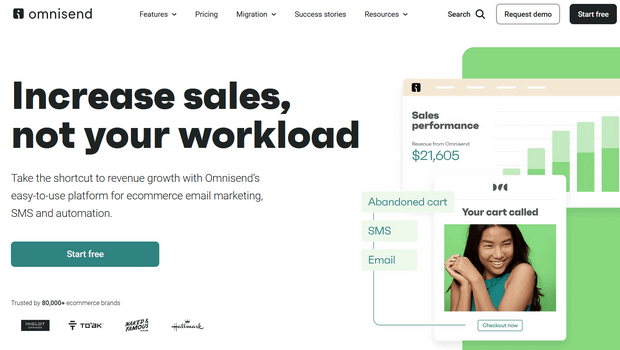
Omnisend
Best for: multichannel marketing for small businesses.
Omnisend is built for eCommerce. You can send email campaigns, push notifications, and SMS messages from one place.
Kit (formerly ConvertKit)
Best for: bloggers and digital content creators.
Built for bloggers and creators, Kit makes it easy to grow and nurture your audience, and its automations send each subscriber the message that fits them. You can even sell simple digital products straight from your Kit dashboard.
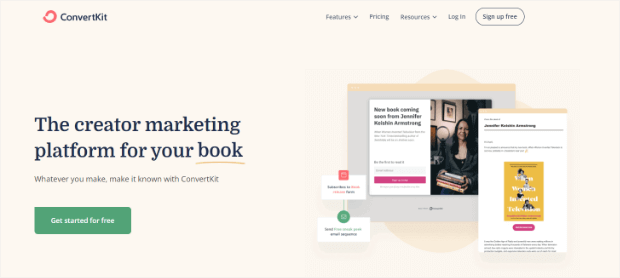
For more details, check out our Kit review and see how easy it is to create a Kit popup form.
MailerLite
Best for: small businesses and startups that want a free plan.
MailerLite is an easy-to-use ESP with a generous free plan and affordable paid upgrades.
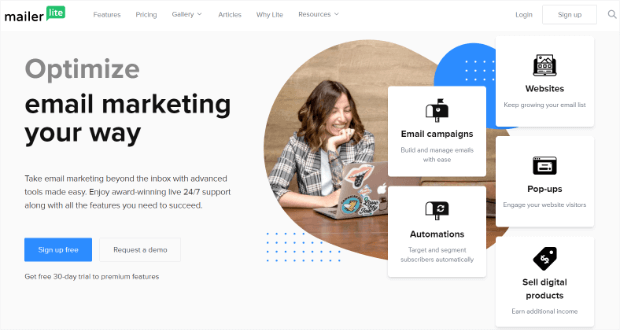 Read more in our MailerLite review and check out how to make a MailerLite popup in minutes.
Mailchimp
Best for: almost any type of business or content creator.
Mailchimp has been a go-to ESP for small businesses for years. You can create campaigns, automate your marketing, and analyze your results in one account.
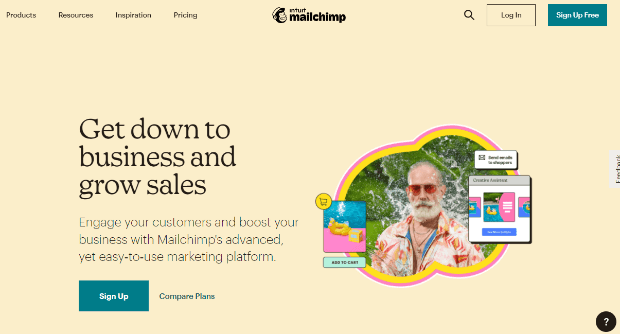
Explore our in-depth Mailchimp review or learn how to create a Mailchimp popup.
Going deeper
For pricing and a side-by-side comparison, see the full reviews.
Read our in-depth reviews of the most popular email service providers for small businesses.
Step 3: Select the Type of Email Marketing Campaign To Send
Every ESP comes with an email editor. I’ll walk through seven types of campaigns you can send with it, and each one links to more examples if you want to go further.
Welcome Emails
You’ll want to send a welcome email as soon as someone joins your list. You can use it to introduce your business and thank them for signing up.
Here’s the start of the welcome email we send at OptinMonster:

It opens with a personal welcome from OptinMonster co-founder Thomas Griffin, then links to help articles and explains how to reach support. Your welcome email should do the same job and point new subscribers to the most important next step.
To learn more about how to write the perfect welcome email, check out the video below.
Newsletter Emails
Newsletter emails are regular updates sent on a set schedule. A newsletter can carry news, tips, promotions, or curated reading related to your business, and its job is to keep your audience engaged between offers.

Here are some newsletter ideas you can use for your own list.
Lead Nurturing Emails
Lead nurturing emails go to people who’ve shown interest in your offer but haven’t bought yet. They build trust and answer objections until the lead is ready to buy.
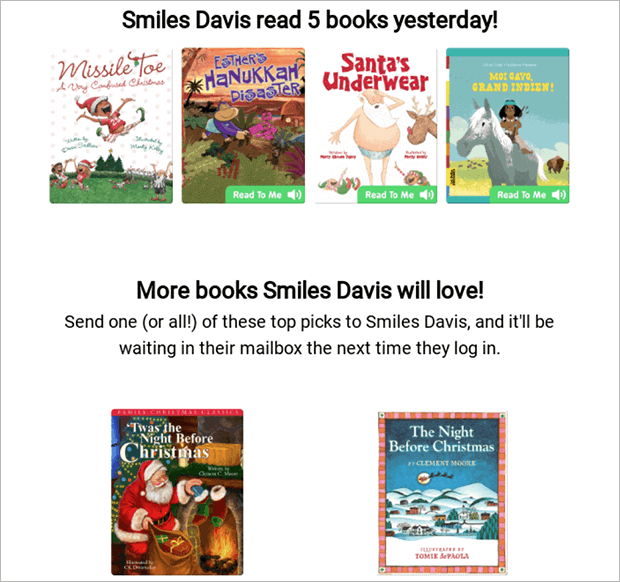
Learn how to nurture leads with an email marketing funnel.
Promotional Emails
Promotional emails announce new products, sales, or events, and they give subscribers a reason to act now. You can send them one campaign at a time or automate a whole series.

Check out these promotional email examples if you need some ideas.
Seasonal Marketing Emails
Seasonal marketing emails tie an offer or piece of content to a holiday or season. The date gives you a natural reason for urgency.
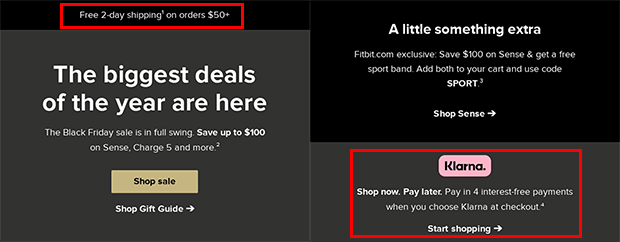
Take a look at these seasonal marketing emails for Black Friday, Halloween, or Mother’s Day.
Transactional Emails
Transactional emails are triggered by something a customer does, like updating an account, placing an order, or resetting a password. They confirm what happened.
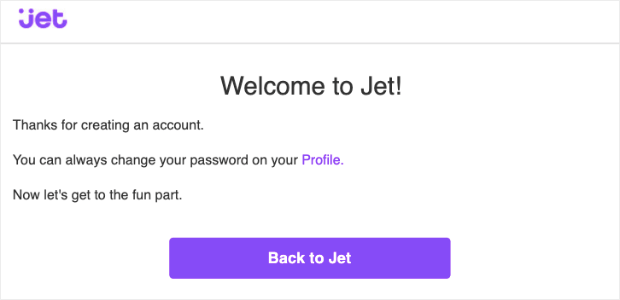
Learn more about how to write transactional emails that can grow your business.
Confirmation Emails
Confirmation emails confirm an action someone took, like subscribing to a newsletter, registering for an event, or buying a product. They usually repeat the details and tell the reader what happens next.
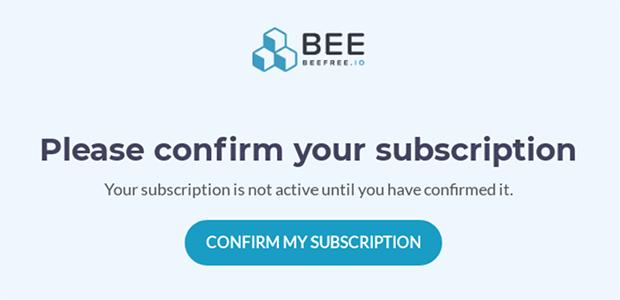
Read about best practices and examples of outstanding confirmation emails.
Step 4. Create and Design Your Email
No matter which type you send, every campaign needs four elements.
Subject Line and Pre-header Text
The subject line appears first in your subscriber’s inbox, and its job is to give the reader a reason to open.
The preview text often shows next to the subject line before the email is opened. It gives the reader a second reason to open. I recommend writing the preview text at the same time as the subject line.

Content
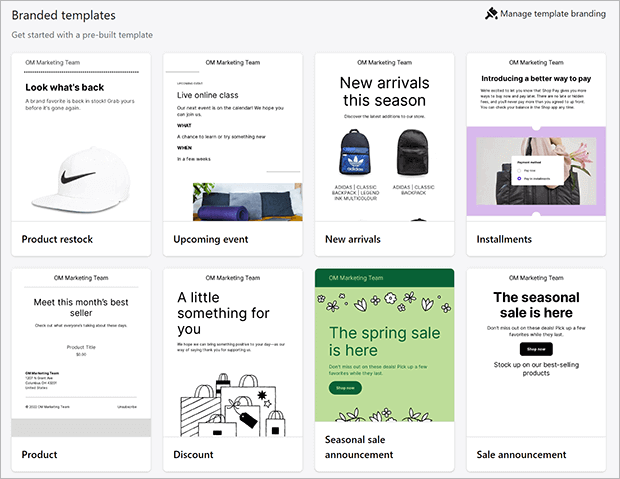
Most ESPs come with ready-made templates you can customize. You can also choose plain text if you want the email to read like it came from a person rather than a brand, and we often use plain-text emails at OptinMonster for that reason.
Call to Action (CTA)
Every email should ask the reader to do one thing after reading, and that’s your call to action (CTA).

Some common CTAs include:
- Make a purchase.
- Download a freebie.
- Read a blog post.
- Follow your brand on social media.
- Forward this email to a friend.
A good call to action can make or break an email. We teach how to create the perfect call to action in OptinMonster University (free with any OptinMonster subscription).
Subscription Management
Every email needs an unsubscribe link at the bottom. Email is a consent-based channel, and it’s better to let uninterested subscribers leave than have them send your emails to the spam folder.

To reduce unsubscribe rates, also link to a page where people can manage their subscription. Letting them opt out of certain topics or hear from you less often shows you value their time.
Step 5. Track Email Marketing Metrics

After each send, check these key email metrics:
- Open rate: how many subscribers opened the email.
- Click-through rate: how many subscribers clicked a link in the email.
- Conversion rate: how many subscribers bought, filled out a form, or took the action you want to track.
- Unsubscribe rate: how many subscribers left your list after the email.
- Deliverability rate: how many of your emails reached the main inbox.
Then you can use what you learn to improve the next campaign.
Biggest Email Marketing Challenges (And How to Solve Them)
We have a full list of email marketing best practices, but here are the most common challenges and how to solve them.
1. How to Build an Email List
The first challenge is finding people to email, and it’s the easiest one to solve.
Even with zero subscribers, you can build an email list from scratch with signup forms on your website.
Solution: To get more signups, make sure visitors can see what they get when they join your list.
- Make sure your call to action names the benefit, such as “Get your free guide now!”
- You could also show social proof, such as your current subscriber count.
- Add your optin forms to high-converting places for email signups.
- Take inspiration from high-performing email signup forms.
For more ideas, check out our top list-building tools and ways to build your email list for free.
2. How to Make Sure Emails are Delivered
If building a list is the first challenge, then getting your emails into the inbox is the hardest, and Gmail’s email sender guidelines make it stricter.
Solution: Follow email deliverability best practices to make sure your emails make it into the right inbox.
- Try to avoid spammy words that trigger spam filters, like “click,” “free,” “trial,” “cost,” “cheap,” or “prize,” and avoid unusual capitalization and punctuation.
- Clean your email list regularly to remove inactive subscribers.
- Make sure to segment your emails so that subscribers get content they actually care about.
- Make sure subscribers can manage their own subscriptions instead of unsubscribing or reporting you as spam.
- Make sure to follow Gmail’s advice for bulk senders.
3. How to Improve Email Open Rates
Solution: Send emails people want to open. Everything from the email subject line to the template design should feel useful. A subscriber who gets value from one email is more likely to open the next.
- Make your subject line exciting and informative. Its only job is to get the email opened.
- Keep your subject line short and easy to understand.
- Use preview text to add a hint of what’s inside.
- It helps to go back to your goals. What information, skills, or products do your subscribers need, and does this email deliver them?
- Make sure your design works on mobile devices and that visuals show up well on small screens. You can also make mobile optins that fit smaller devices.
4. How to Boost Email Conversion Rates
Let’s say you’re getting signups and people open your emails, but no one clicks or buys.
You aren’t alone. Most emails convert a small share of readers, and Klaviyo’s 2026 benchmarks put the average order rate for eCommerce email campaigns between 0.97% and 1.34%, depending on the industry.
Solution: Send each subscriber what they need and want.
- List segmentation means dividing your list into groups and sending each group more targeted messages. Learn about different ways to segment your email list and see what works best for your business.
- Personalized email content goes beyond “Hey, FIRST NAME!” You could send product recommendations based on past purchases, or offers based on location.
- A/B testing your email newsletters shows you which subject lines, content, and CTAs work best, and many ESPs have A/B testing built in.
5. How to Scale Email Marketing
What if your email marketing works, but it takes more time than you have?
As your list and your offers grow, your email marketing gets more complex. But you don’t need to do it all by hand.
Solution: Build on what already works, in your own campaigns or in strategies others have proven.
- Add or expand email automation. For example, you could set up an abandoned cart email series that encourages shoppers to finish their purchases. Our guide to eCommerce email marketing automation shows you how.
- You could start from proven templates and examples, like these email marketing templates and copywriting formulas, and sales email subject lines.
6. How to Run Email Campaigns in Multiple Languages
If your visitors speak more than one language, then you can reach them in their own.
Solution: Collect and segment your multilingual leads for multilingual campaigns.
- You can use OptinMonster with WPML to display popups in different languages and send each language’s signups to its own contact list.
- Then segment your leads by language and send them culturally appropriate campaigns through your email marketing integration.
Frequently Asked Questions About Email Marketing (FAQs)
What is a good open rate for email marketing?
A good open rate is one at or above the median for your industry. MailerLite’s 2025 benchmarks put the median open rate at 43.46% across 3.6 million campaigns, with industries ranging from 30.1% to 55.71%. Read those numbers as a rough guide, though. Apple Mail Privacy Protection marks emails sent to Apple Mail as opened automatically, so real open rates are lower than your dashboard shows.
How do I start email marketing as a beginner?
You can start with a signup form or popup on your website to collect subscribers, then choose an email service provider to send from. Send every new subscriber a welcome email, follow it with a regular newsletter or offer, and track clicks and unsubscribes to see what works.
How do you make money with email marketing?
You make money when subscribers buy, and each email should move readers toward an offer, like your own products or services, affiliate products you recommend, or a sponsor’s slot in your newsletter. Your email list is the asset. You can reach the same people again without paying for each visit.
Email Marketing Case Studies
These OptinMonster customers grew their email lists with the same principles, and each case study shows the campaigns they used:
- How Nick Gray Increased Conversions by up to 1000% With Smart Opt-in Popups.
- How PortraitFlip Converts Over 3% of Its Mobile Traffic into Leads.
- How Medstar Media Increased Their Clients’ Conversions by 500%.
OptinMonster has the popups, floating bars, and targeting rules covered above for building your list. See OptinMonster’s plans and start growing your email list.
Disclosure: Our content is reader-supported. This means if you click on some of our links, then we may earn a commission. We only recommend products that we believe will add value to our readers.
4 responses to “What is Email Marketing? The Complete Beginner’s Guide for 2026”
-
Great article! Email marketing can be a game-changer when done right. I’ve found that using an effective email sequence software can really enhance the process, ensuring that each message is tailored and timely. The importance of having a robust email sequence software cannot be overstated, as it automates follow-ups and personalizes communication at scale. Do you have any recommendations for the best email sequence software to use for a small business? I’m always on the lookout for tools that can streamline our email marketing efforts. Thanks for sharing these insights!
-
Glad you’ve found it helpful! Here are a couple posts that feature software suggestions that I think you’ll find helpful:
7+ Email Service Providers for Small Businesses
29 Best Email Automation Tools to Transform Your Business
-
-
Thank you for this comprehensive guide. The step-by-step approach you’ve taken is very helpful, and I’ve learned a lot that I can apply to my own projects.
-
Thank you for such a well-written and informative post! I really appreciate how clearly you explained the key features of the email marketing tools. Your insights made it so much easier for me to understand what to look for when choosing a platform. The comparisons between the tools were especially helpful, and I feel more confident in making the right choice for my business. Keep up the great work!


Add a Comment