
Black Friday Marketing Strategy: A Week-by-Week BFCM Plan for 2026
Last updated on
by
You’ve got a Black Friday sale to run and a calendar with nothing on it yet. But a Black Friday marketing strategy is really just a timeline, and it runs from the first week of October through to the week after Cyber Monday.
I recommend starting as early as you can, and I’d treat mid-October as the latest date to start building your campaigns. We run our own Black Friday sale at OptinMonster every year, and this is the order we work in.
You can jump straight to whichever week you’re on. If you want the deals and promotions themselves rather than the timeline, we cover those in our guide to Black Friday marketing ideas.
- Black Friday Marketing Guide: Week-by-Week Action Plan Summary
- 1st and 2nd Week of October: Planning
- 3rd and 4th Week of October: Build Your Marketing Campaigns
- 1st Week of November: Optimize for Conversions
- 2nd Week of November: Start Marketing
- Throughout the Holidays: Track and Analyze
- After the Holidays: Post-Holiday Retargeting
- Black Friday Marketing Strategy FAQs
- Get Started With Your Black Friday Marketing Strategy
Black Friday Marketing Guide: Week-by-Week Action Plan Summary
| Week | Tasks |
|---|---|
| 1st and 2nd Week of October: Planning | Plan Your Sales Test Your Tech |
| 3rd and 4th Week of October: Build Your Marketing Campaigns | Create Your Images and Themes Start Writing Your Copy Build Your Website Popups Create Content for Early Shoppers Run a Contest Use Social Proof |
| 1st Week of November: Optimize for Conversions | Optimize Your Content Optimize Your Checkout Process Optimize for Mobile Highlight Your Policies |
| 2nd Week of November: Start Marketing | Schedule Your Email and Social Media Marketing |
| Throughout the Holidays: Track and Analyze | Track and Monitor |
| After the Holidays: Post-Holiday Retargeting | Stay Connected After the Holidays Segment Your Audience Personalize Your Communication Shift the Focus |
1st and 2nd Week of October: Planning
The excitement for Black Friday sales starts picking up in early October, well before the day itself.
So, the two planning jobs below are the ones to get out of the way now, while you still have time to fix what breaks.
1. Plan Your Sales
I recommend deciding what goes on sale well before the day itself. Leave it to the morning of the sale and you’ll hit inventory problems, or forget to switch the sale pricing off afterwards.
Considering slashing 75% off on certain products because your rival brand is doing it? You might eat into your margins by forgetting to turn off the promotion!
You can use something as basic as Google Sheets to create a tracking spreadsheet for your sales. Here’s the information you’ll want to track:
- Product
- Regular price
- Sale price
- Sale start date and end date
- Type of sale (e.g. Flash, coupon, limited-time offer)
- Promotion channels (e.g. email, social media platforms, paid ads)
- Discount code, if any
Make sure to set the start date and the end date now, and decide whether Cyber Monday is a separate offer or the same sale running on. Those two dates drive every other deadline in this plan.
You don’t need to list all your products in this spreadsheet. Instead, use it for only special deals that you plan to promote during the BFCM season.
And you can skip it entirely if you’re marking down sitewide.
If you use an eCommerce platform like BigCommerce, WooCommerce, or Shopify, be sure to check out what’s available in their app stores. You’ll most likely find an app like Sale Scheduler or PW Sales Scheduler that will make scheduling sales easier if you don’t want to track it manually.
We schedule our own Black Friday campaigns at OptinMonster so they start and stop on their own. You can do the same with a Schedule display rule, and your campaign will switch itself on and off on the dates you set.
For full details, see our guide on how to schedule your marketing campaigns.
2. Test Your Tech
Do you know what the worst nightmare is for most digital marketing professionals?
You create a beautiful site, plan your Black Friday Cyber Monday marketing strategy to the finest detail, and craft the perfect email marketing copy. You even see an uptick in your site traffic since 5 am on your sale.
It’s 8:30 am, and you now have a significant influx of traffic from your latest email that you knew would be good.
And then, your site crashes.
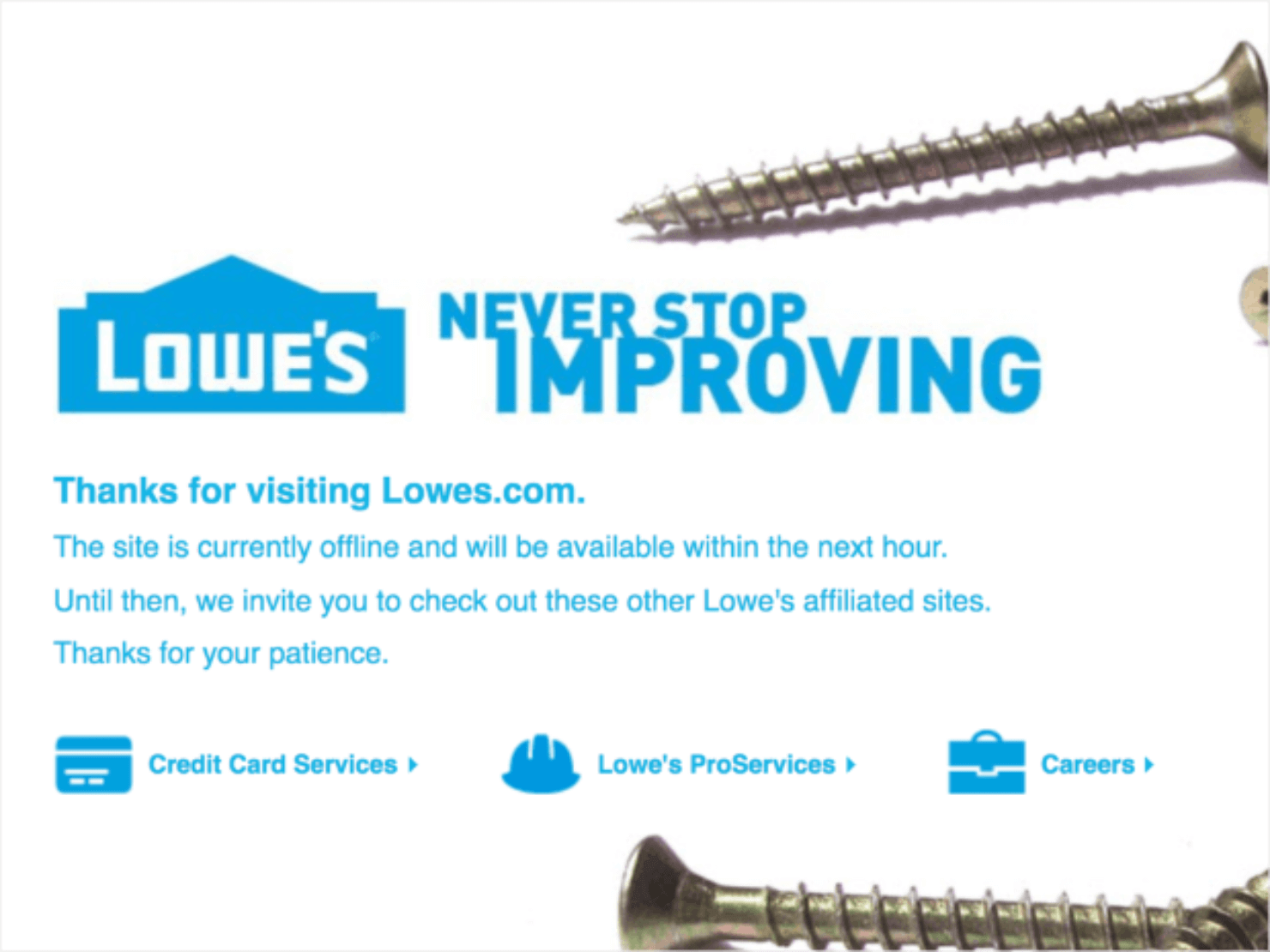
Here’s an example from Lowe’s, whose website crashed:
Here are a few tips to test your tech in advance and avoid a last-minute meltdown during Black Friday and Cyber Monday:
- Performance Testing: Simulate load testing to see if your site or app can handle the Black Friday rush. Identify bottlenecks that could slow things down.
- Security Testing: Check that your systems are secure from cyberattacks that might target increased holiday traffic.
- Usability Testing: Make sure your checkout process is hassle-free on both desktop and mobile. Test functionalities like adding items to a cart and applying discounts.
- Internal Communication: Conduct dry runs of campaign launches with internal teams like sales and customer service, so everyone is prepared for potential customer inquiries.
- CRM and Marketing Automation: Test integrations between your CRM system and marketing automation tools to avoid campaign delivery issues.
- Landing Pages and Promo Codes: Test landing pages for smooth customer experience and mobile responsiveness. Make sure promo codes automatically apply discounts and don’t lead to errors.
I recommend testing early, so you can fix any issues well before the rush and keep the shopping experience smooth for your customers.
3rd and 4th Week of October: Build Your Marketing Campaigns
These two weeks are the build time, when you make every holiday marketing campaign, every email and every piece of copy you want running on Black Friday. That leaves you time to change your mind about any of it before the sale starts.
What you actually offer is a separate decision, and I recommend settling it before you design anything. For the offers themselves, like limited-time deals, free gifts, shipping thresholds and product bundles, see our guide to Black Friday marketing ideas.
Here are some useful resources for more tips to help you craft the perfect campaign copy:
- Top 40 Sales Email Subject Lines
- Stellar Copywriting Templates Proven to Succeed (41 of Them)
- Better Email Copywriting: 17 Genius Tips
- The 700+ Power Words Behind Successful Copy
3. Create Your Images and Themes
You need to make your Black Friday campaign look like Black Friday. I recommend building it on black with one bright accent color, because a shopper scrolling past needs to know that it’s a sale before they read a word.
Almost every brand reaches for yellow, so you can stand out by picking white or orange instead. But keep in mind that green and black often reads as a Green Friday sustainability message, so I’d skip that pairing for a discount sale.
Also, you don’t need to be a graphics design whiz to create beautiful images for your website or Black Friday marketing campaigns. Check out these free visual content creation tools to make it easier for yourself.
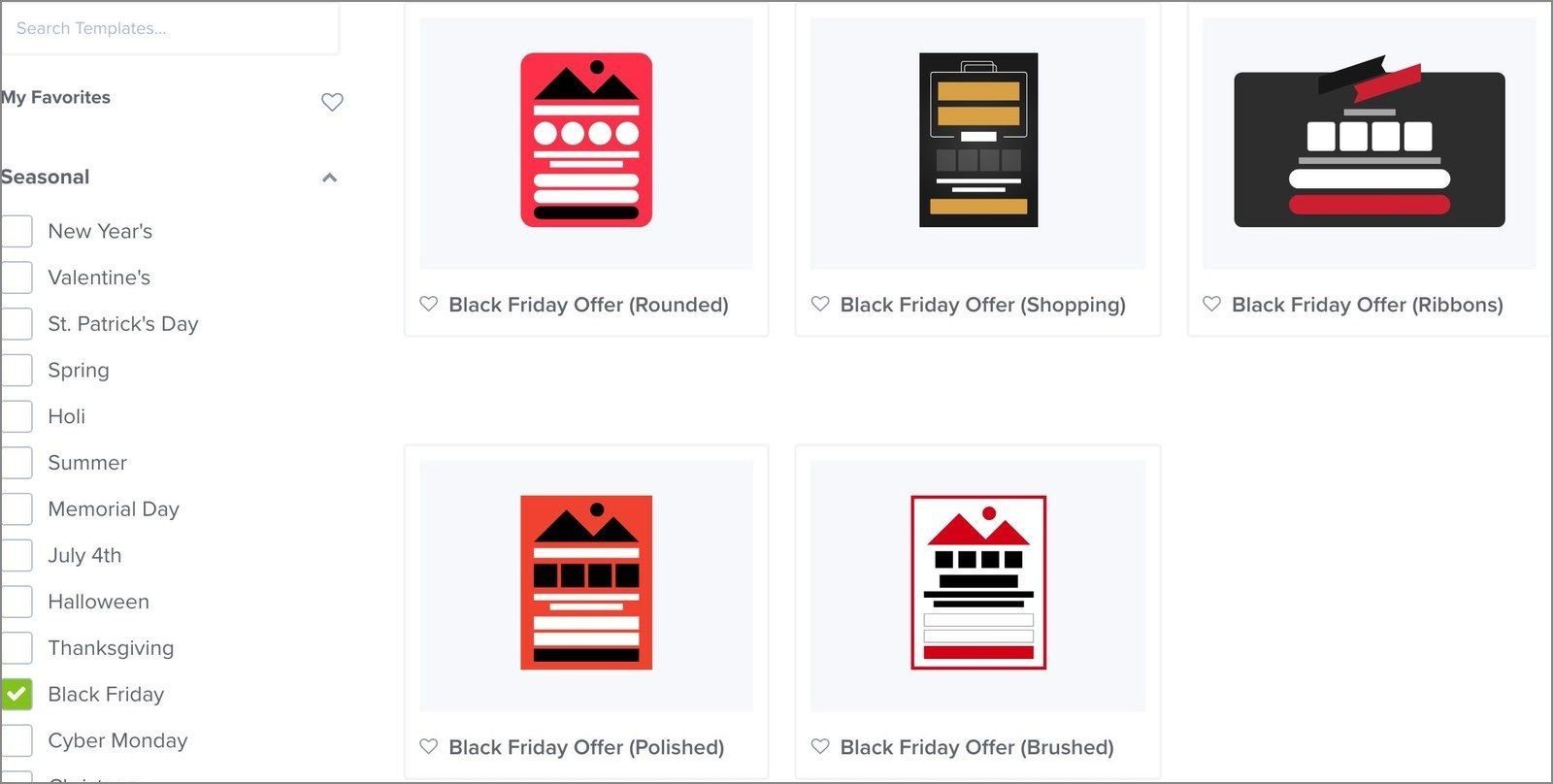
In OptinMonster, you can start in the template library filtered to Seasonal, where the Black Friday templates are already designed for you.
4. Start Writing Your Copy
There are several different types of holiday sales events and announcements. But not all have to include the words ‘Black Friday’ or ‘Cyber Monday’ to attract buyers looking for those deals.
Here’s a list of several different types of Black Friday Cyber Monday marketing pieces you can create for your email, social media, and print campaigns:
- Doorbuster sale announcements: Use these for a deep discount on one product, in limited numbers, to get people into a physical store. Name that product and the discount in your subject line.
- Exclusive sale announcements: Send these to one group only, whether that’s your mailing list-only shoppers or your Instagram followers, and say out loud that the deal isn’t public.
- Time limit sale (24 hours only!): This is where fear of missing out (FOMO) does the work, so I’d only run one when the deal genuinely ends. Continually extending a deadline just teaches people to wait.
- Black Friday sale announcement: This is your main send, so keep it to the offer, the dates, and one link to your sale page.
- Cyber Monday sale announcement: Write this one fresh instead of forwarding Friday’s email, because the people who ignored the first one need a different reason to look.
- Sale reminders: Use these to keep the sale visible while it runs, on whichever channel your customers actually read, like email, SMS, social, or your app.
- Reminder sent before the sale ends: I suggest sending this a few hours before the deadline, and naming exactly what closes and when.
- Order deadline announcement: Tell shoppers the last day they can order and still get it in time. If you ship physical products, then don’t skip this one.
- Abandoned cart emails: Set these up before the sale starts, because Black Friday often fills carts that nobody comes back to.
Interested in creating better content overall? Have a look at our beginner’s guide to content marketing.
5. Build Your Website Popups
Your emails only reach the people who already gave you an email address. Popups let you reach everybody else that your Black Friday ads, posts, and search listings are about to send you.
Build them now and schedule them for the day the sale opens. If you leave it until sales week, you will be building campaigns on the same morning that you are answering customer emails.
Here are the campaigns worth building for a Black Friday sale, and what to set each one to do:
- Early-access signup: Offer a first look at the sale in exchange for an email address. I’d show it after about 15 seconds, or once somebody has scrolled half way down your page, so it reaches a visitor who has started reading. Run it through October and switch it off when the sale opens.
- Sale announcement: Put the offer and the closing date in a floating bar across the top of your site. Schedule it to appear when the sale starts, so you are not switching campaigns on by hand at six in the morning.
- Cart abandonment: Show an exit intent popup on your checkout page and nowhere else. Repeat the code you already published or offer free shipping, rather than inventing a fresh discount, or you might teach shoppers that leaving gets them a better price.
- Shipping cutoff: Name your last order date for delivery before the sale and show it on your product pages. Update it as each courier deadline passes instead of building a new campaign every time.
- After the sale: Traffic does not stop on Cyber Monday. Send that campaign to your VIP club or to January’s new arrivals to keep the momentum going.
For more information on what each type does best, see our guide to the different types of website popups.
6. Create Content for Early Shoppers
Bankrate’s 2025 survey found that 49% of holiday shoppers start before the end of October, and a quarter of them start purchasing during October itself. So by the time you’re building your campaigns, some of your customers are already buying.
That’s why you need to create content for the early shoppers before it’s too late and they’ve already done their holiday shopping.
For example, retailers like Best Buy plan their Black Friday deals earlier than their rivals:

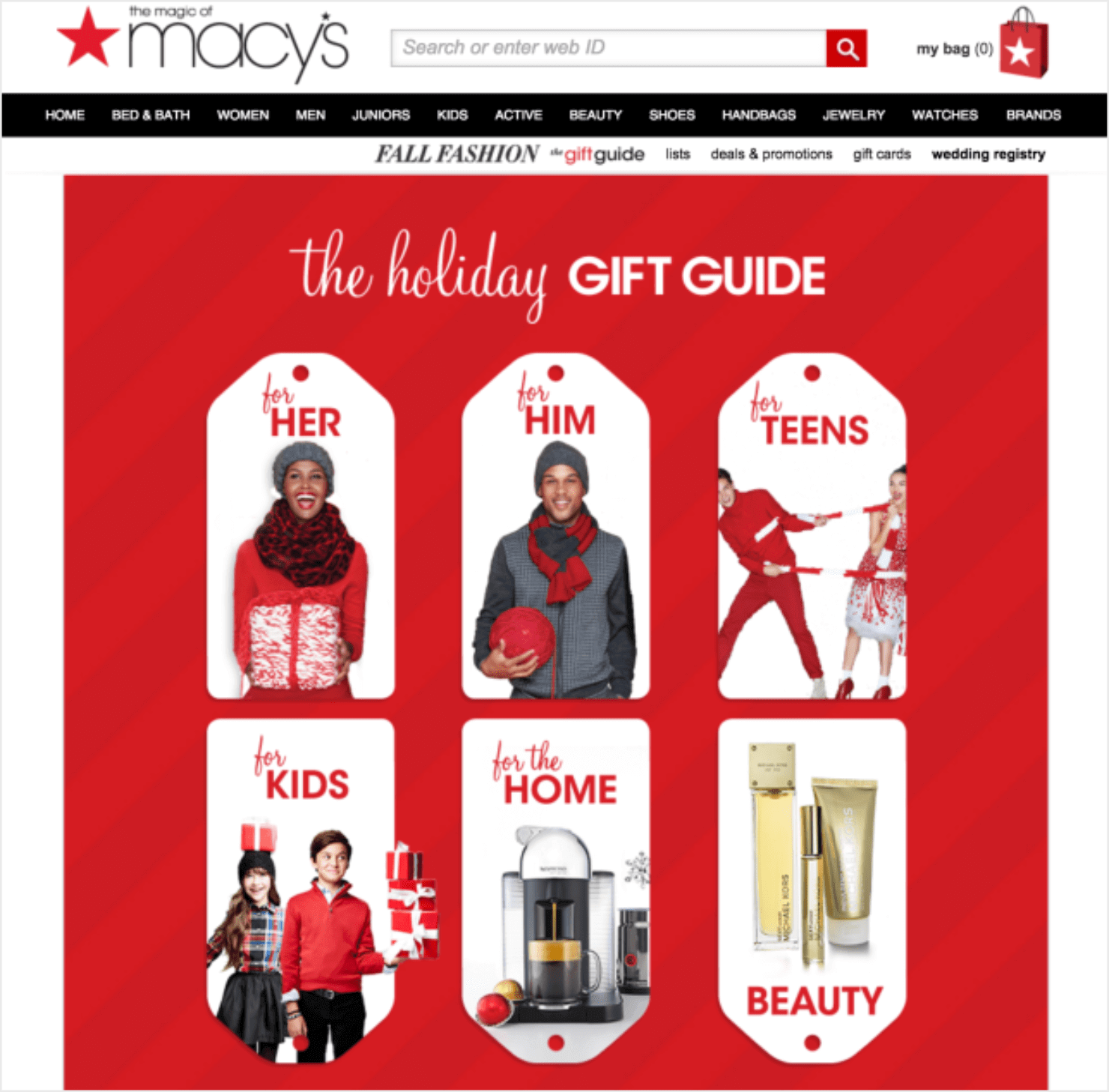
Gift guides work well for early shoppers, too.
You can add these to your website, print them on glossy paper for your brick-and-mortar store, and share them on social media.
Here’s an example from Macy’s, who have their gift guide published on their website:
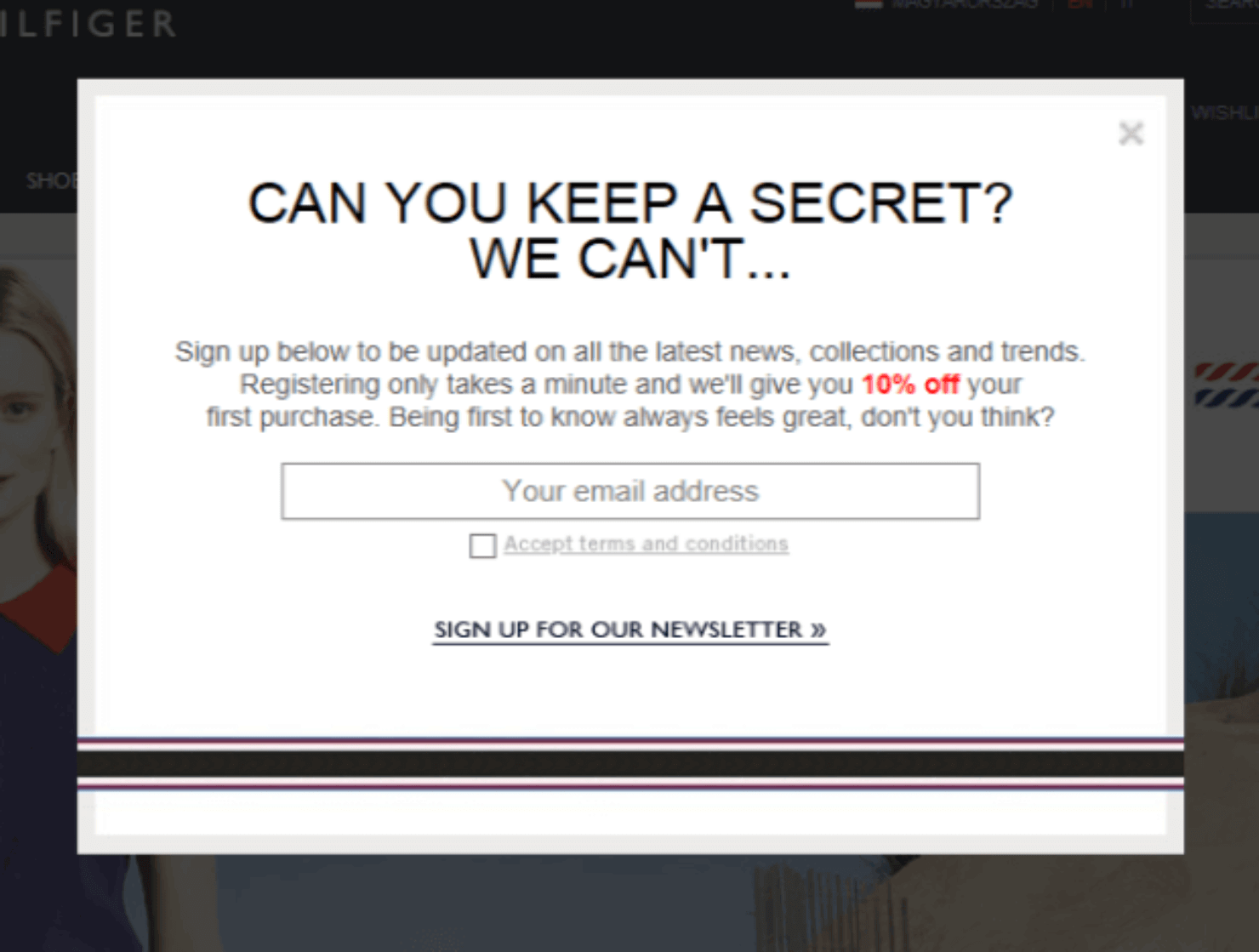
An early-access signup popup is the first campaign we like to build for our own Black Friday sale, because it turns October traffic into a list that you can email on the first morning of the sale.
For details, see our guide on how to create a newsletter popup.
7. Run a Contest
Online contests can grow your email list, boost your social media followers, increase referral traffic, and generate targeted leads.
Plus, you can easily create, manage, and run an online contest quickly and easily with a tool like RafflePress.
RafflePress is a WordPress giveaway plugin with a drag-and-drop builder, so you can put together a contest landing page or a giveaway widget without a developer.
We ran our own Black Friday giveaway on RafflePress with bonus referral actions. That single giveaway led to 24,372 entries, 3,500 new users, and a 3X increase in email list growth.
Read Next: RafflePress Review: Is This Giveaway Plugin Any Good?
8. Use Social Proof
A third of shoppers won’t buy anything without reading reviews first, according to a ConsumerAffairs survey of 2,000 Americans in December 2025.
This is because potential customers want to know that other folks are happy about doing business with your company.
TrustPulse is one of the best ways to add social proof to your site. TrustPulse lets you show off the most recent site activity from your customers in the form of small, eye-catching popups.
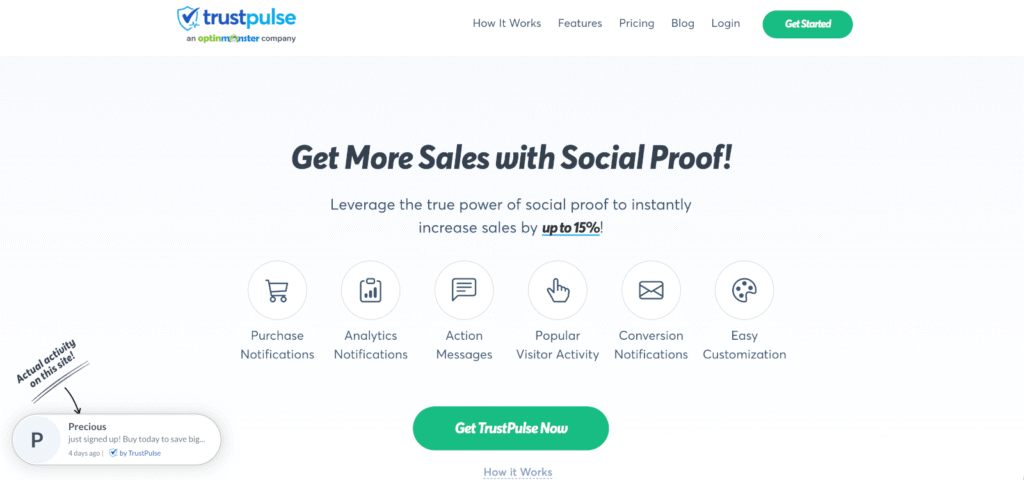
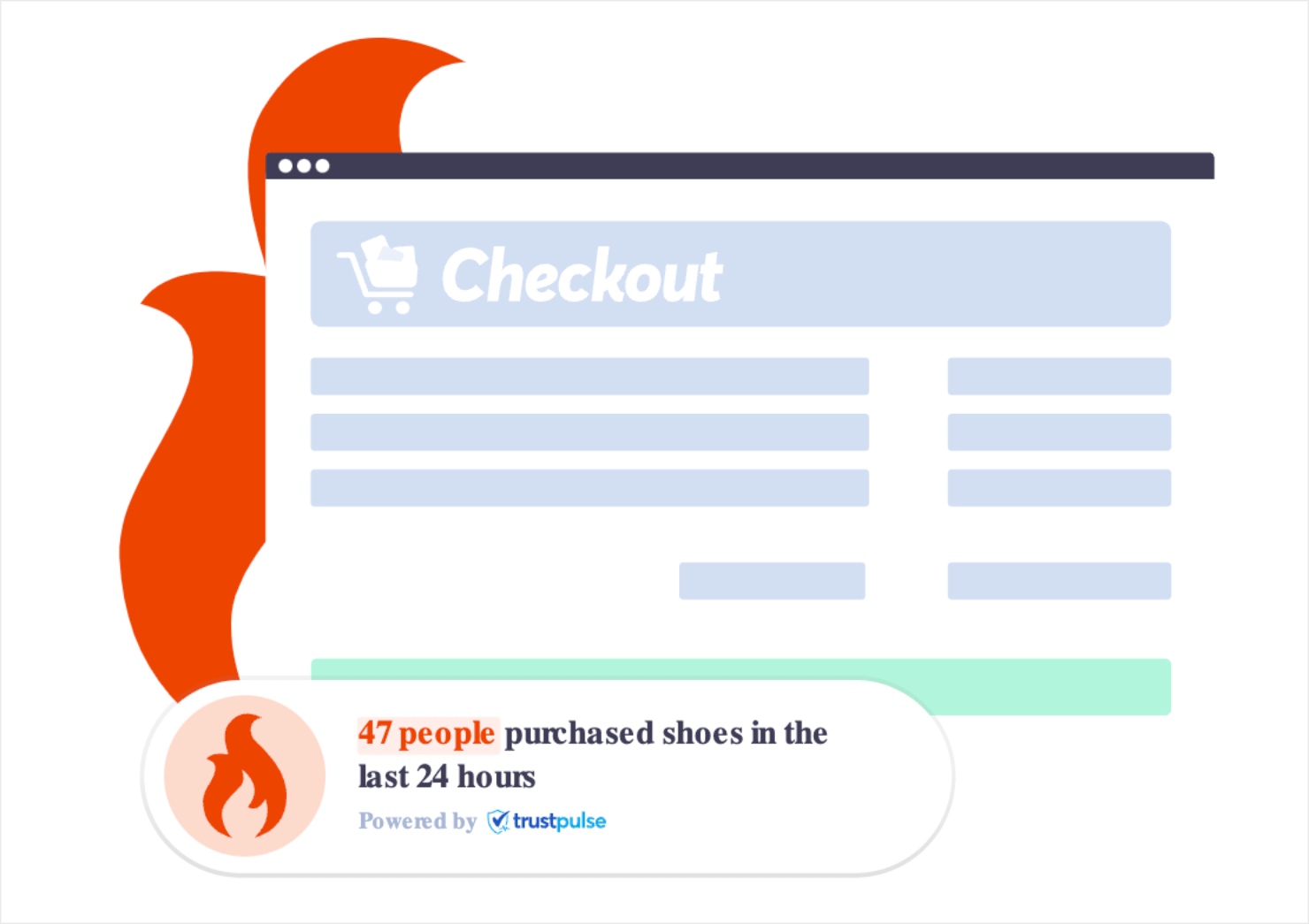
You can show purchases, registrations, signups and any verified site activity, and use the ‘on fire’ notifications when you have a popular product.
They work well on your homepage and your checkout page, where a visitor is still deciding whether other people trust you.
Show Shoppers Your Sale Is Busy
TrustPulse shows each purchase on your site as a small notification, so shoppers can see other people buying. New sites start free with up to 500 sessions.
1st Week of November: Optimize for Conversions
Before you launch your BFCM campaign, there are a few things to fix on your category and product pages so that they can convert the traffic you send them.
9. Optimize Your Content
Go through your category and product pages to make sure that your descriptions contain useful keywords and information to help shoppers find your products.
Northmen gets rid of conventional product descriptions altogether and tells the story of their product. This is how they describe one of their products, an American Felling Axe:
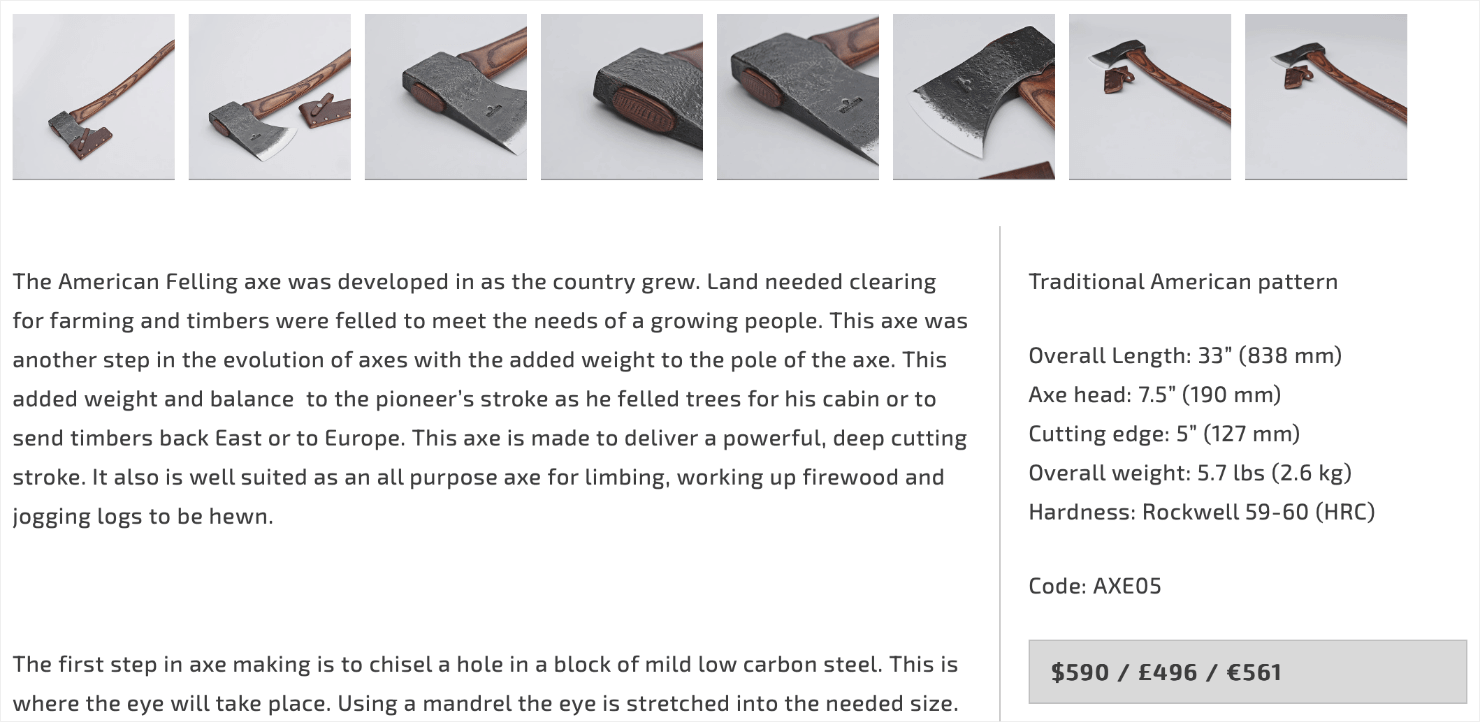
Writing original product descriptions also allows you to incorporate the right keywords in your product page and get you the SEO ranking benefits.
For more ways to get your product pages converting, see our guide on creating high-converting product pages.
10. Optimize Your Checkout Process
There are several things you can do to make it easier for shoppers to complete their purchases.
Here are some specific tips:
- Minimize the checkout process to offer an easy user experience (UX). The fewer steps a customer needs to take, the fewer instances of cart abandonments you’ll see.
- Trigger an exit intent popup that appears as shoppers try to exit your site from the checkout page.
- Create a countdown timer to add a sense of urgency before your sale price ends.
- Show total costs upfront including taxes, shipping fees, and any additional charges clearly to avoid hidden surprises.
- Include multiple payment options to make it convenient for customers to choose what they prefer.
- Offer guest checkout as an option alongside account creation. Many users prefer the convenience of guest checkout, especially for smaller purchases.
For more ideas, check out this detailed list of the best ways to optimize your checkout page.
Want a Black Friday popup built for you?
Our conversion experts will design 1 free campaign for you to get the most out of your Black Friday sale.
11. Optimize for Mobile
Mobile devices accounted for 55.2% of online sales on Black Friday in 2025, which was $6.5 billion out of $11.8 billion. That means your store needs to look good on a smartphone.
The best way to do it is to go through the entire purchasing process yourself on mobile, from browsing through checkout. This will help you know where things could break for the customer.
For example, how many fields does your checkout process require the shopper to fill out? If it’s too many, then they may bounce.
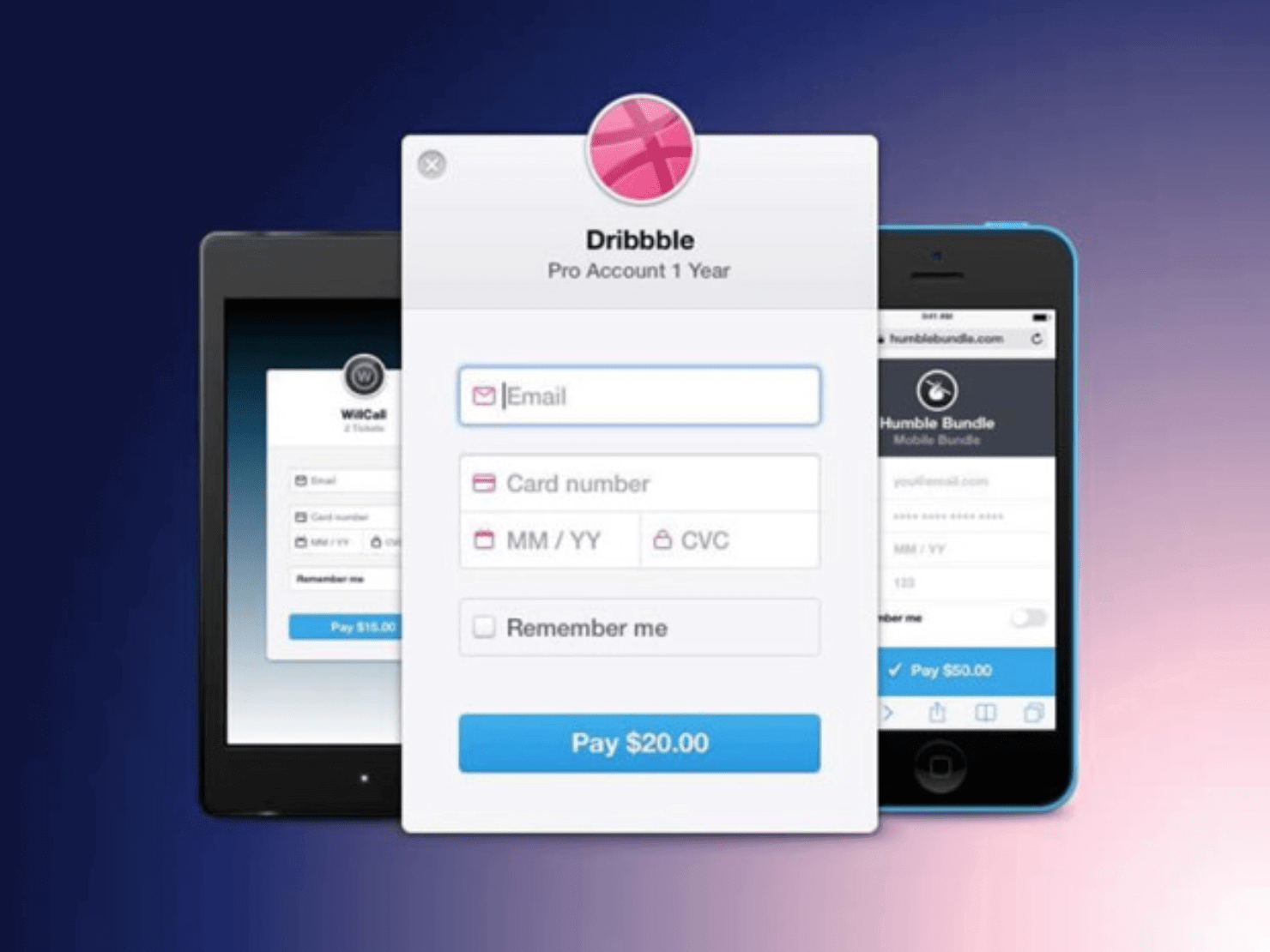
Check with your eCommerce platform to see what payment options you can offer and find one like Google Pay that lets shoppers autofill saved information to reduce keystrokes.
Your own campaigns need checkingm too. We built a Mobile Preview toggle into the OptinMonster builder, so you can see how a popup looks on a small screen before you publish it.
For more information, see our guide on how to improve UX on mobile popups.
12. Highlight Your Policies
Write your shipping, returns, and refund policies in plain language, and make them easy to find.
I recommend repeating them at checkout, because that’s when a shopper decides whether to go through with the order. Make sure to also specify the return window and any restocking fees too, so both you and the customer know where you stand before any money is spent.
You can even show them directly on each product page. Zappos has a separate landing page dedicated to its shipping and returns policy:
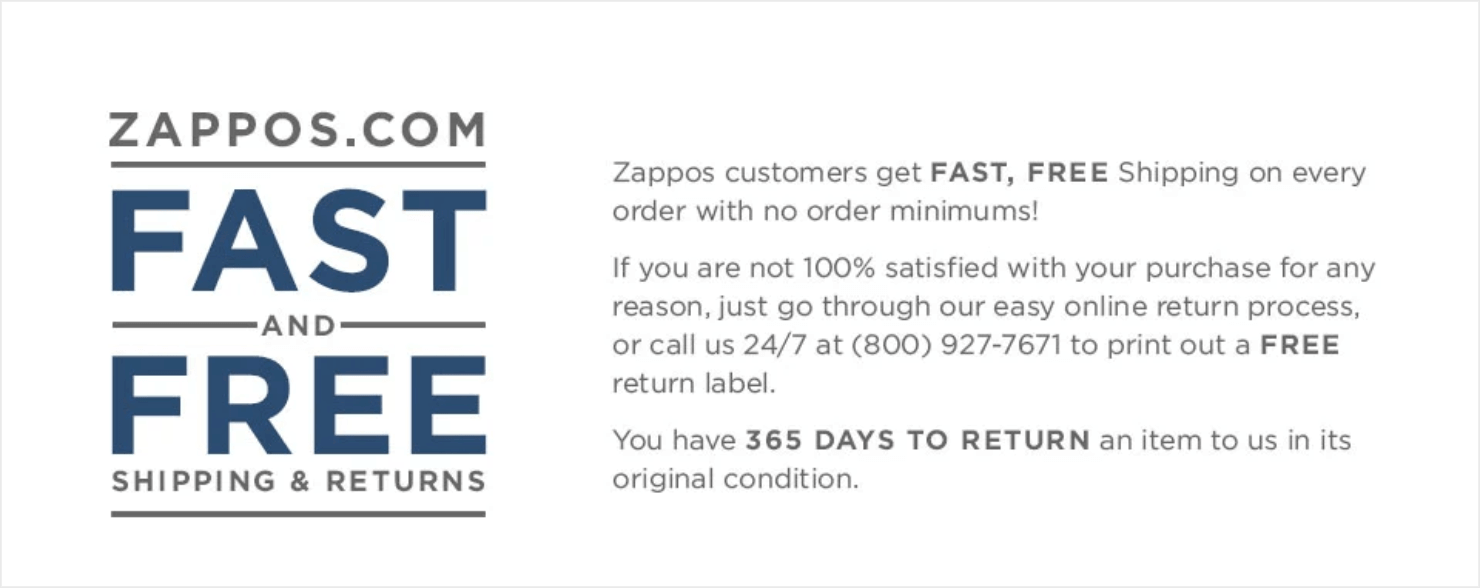
More importantly, customers who aren’t sure about your return policies or shipping costs might abandon their carts at checkout. Making these policies available upfront helps them complete the purchase without any doubt.
2nd Week of November: Start Marketing
The second week of November is when your full promotion should go live. That means the announcement email, the scheduled social posts, the festive decoration on your website, and your holiday product offers or gift bundles.
If you followed step 6, then your content for early shoppers has already been out since October. Now is when you need to show the offer.
I recommend this timing because most Black Friday and Cyber Monday emails arrive on the same two days. A promotion that opens a couple of weeks earlier has less competition, and you still have time to add to it before the sale.
13. Schedule Your Email and Social Media Marketing
You can kick off your Black Friday Cyber Monday marketing with a sneak peek of your upcoming sales and promotions.
On your own site, that sneak peek is a popup or a floating bar. Build it now and schedule it for the day the promotion opens, so you are not logging in to switch campaigns on while the sale is running. Scheduling needs Pro or higher.
You’re getting your customers into a festive mood with holiday email marketing campaigns and social media posts about the upcoming holiday season.
Related Content: How to Create a Social Media Holiday Strategy in 5 Easy Steps
If you’re open on Thanksgiving, or running a customer appreciation event, then say so in those posts, too.
Make sure to schedule emails and posts that remind customers of the order deadlines for delivery by a specific date. A few years back, Sock It To Me used this calendar for its December sales:
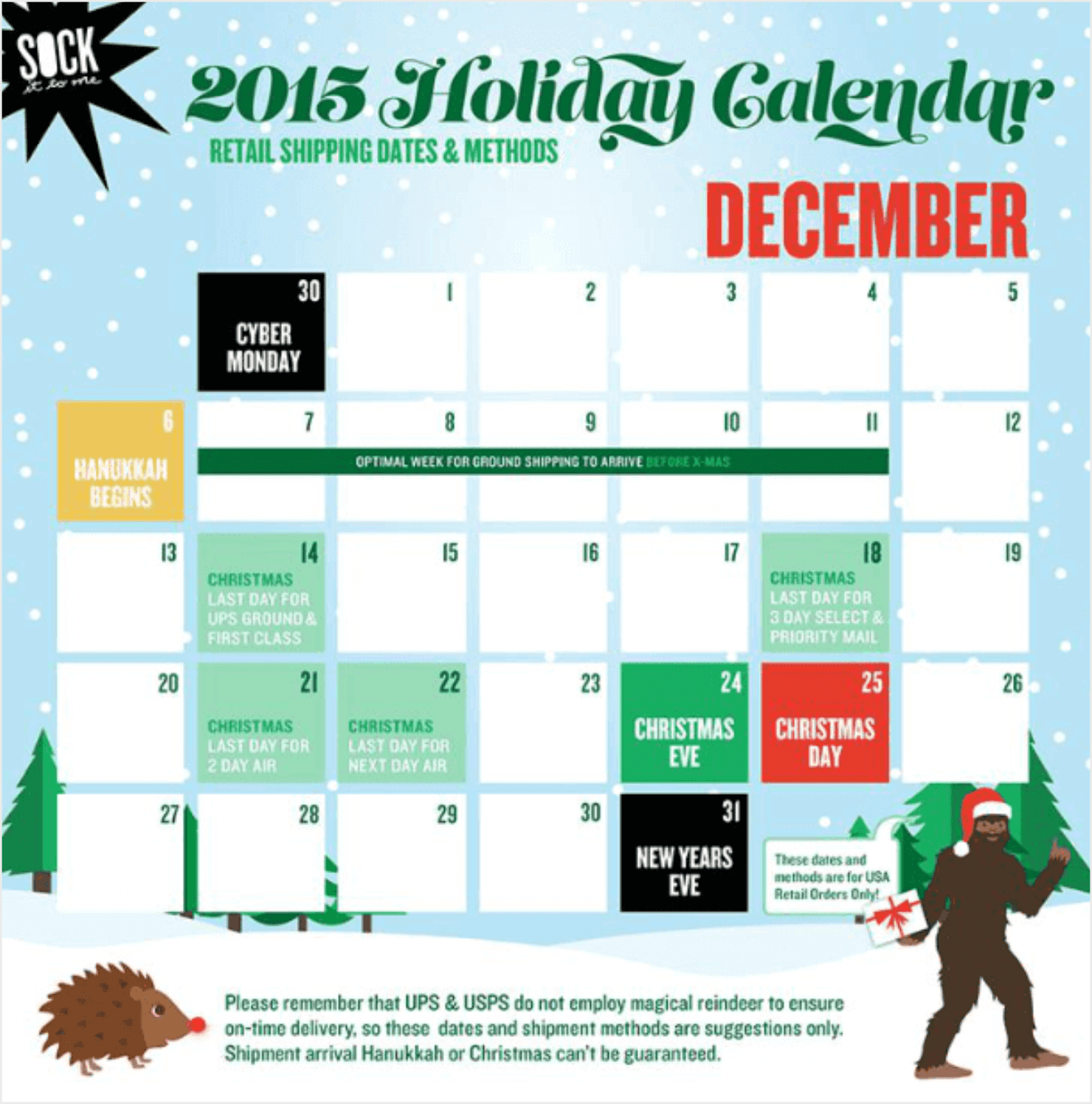
For each sale event, I recommend three email sends:
- One Day Before a Big Sale Event: email your list to announce the sale, and post about it on social media.
- The Day of the Event: send a reminder email and post again.
- A Few Hours Before the Event Ends: send a final reminder that the sale is closing, and post once more.
You can also check the best time to post on social media for peak engagement.
Throughout the Holidays: Track and Analyze
This step runs across the whole season.
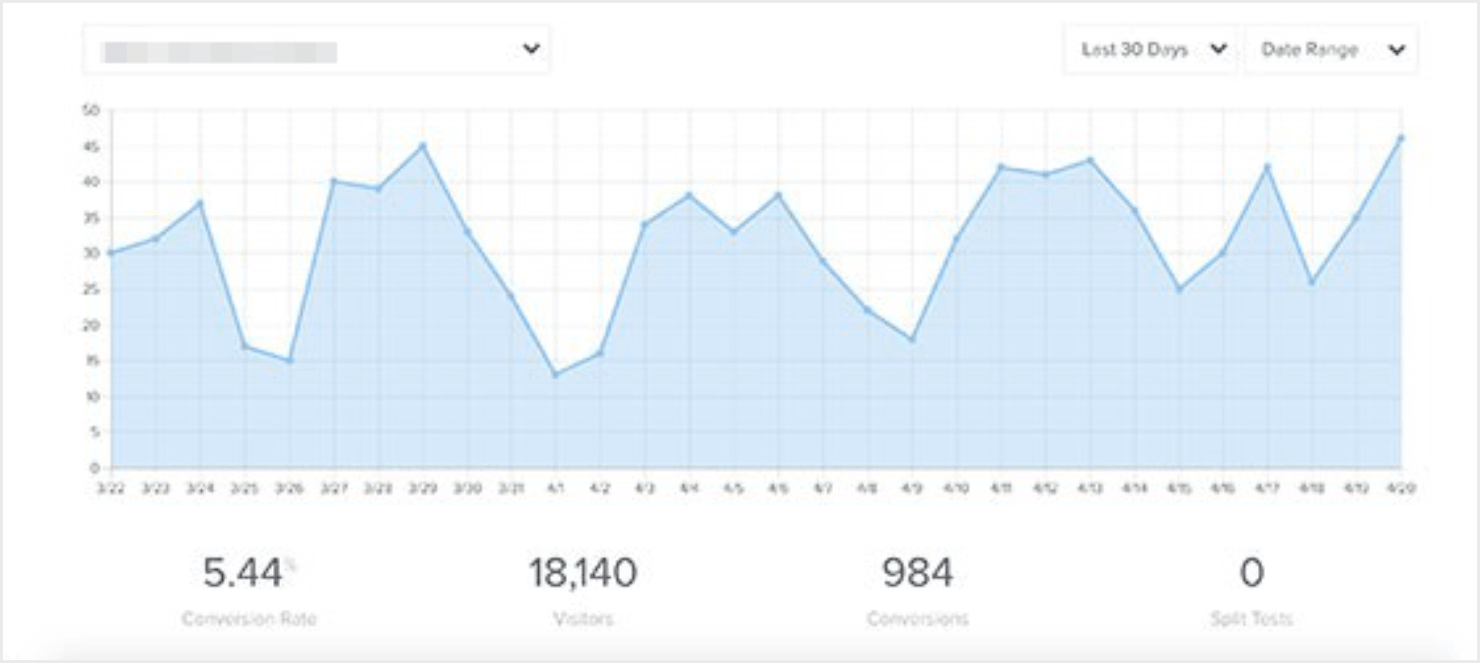
I recommend checking your numbers while a sale is still running, because that’s when you can still change a subject line or extend an offer.
14. Track and Monitor
I suggest following each sale and each campaign separately in Google Analytics. That way you can tell which email or which campaign earned the revenue.
MonsterInsights is a Google Analytics plugin for WordPress, and it puts those reports in your WordPress dashboard.
To set up conversion tracking on your own website, follow our step-by-step guide to Google Analytics.
After the Holidays: Post-Holiday Retargeting
Your list is bigger than it was in October, and most of the people on it bought once. Everything in this phase is aimed at the second purchase.
15. Stay Connected After the Holidays
Keep the newsletter going, and give your December buyers somewhere to go next. For example, you could offer:
- A loyalty program or VIP club.
- Discounted gift cards, which bring them back in January with money already spent.
- Content targeted at the categories next to what they bought, which is where a repeat purchase usually comes from.
16. Segment Your Audience
Don’t send the same message to everyone. Instead, split the list by what each person did in November.
Here are three ways to split:
- What the customer bought.
- What they looked at and did not buy.
- Whether they bought at full price or only once you discounted.
I recommend using a separate campaign per offer, or passing the campaign name through to your email marketing provider so the tag arrives attached to the email address.
17. Personalize Your Communication
Then, write to each customer split about the thing they already showed interest in:
- The coffee-maker buyer gets the coffee subscription.
- The winter-jacket browser gets your postseason sale.
- The discount-only buyer gets your next sale, not your full-price launch.
The same logic works on the site. Page-level targeting shows a different campaign depending on which category someone is browsing, so the jacket browser and the coffee buyer do not get the same offer.
18. Shift the Focus
Finally, you need to take the holiday theme off your site. Then, put your new arrivals in front of the people who bought in November, and send your regulars to your VIP club.
Black Friday Marketing Strategy FAQs
When should you start Black Friday marketing?
I recommend starting as early as you can, and I’d treat mid-October as the latest you should start building.
October is for planning the sale and making the campaigns and the copy. The first week of November is for tuning your website, and the promotion goes live in the second week.
How long should a Black Friday sale run?
You’ve got two common windows to choose between. The first is the single weekend, from Black Friday through Cyber Monday.
The second is a week-long Cyber Week sale that opens on the Monday or Tuesday before Thanksgiving and closes on Cyber Monday. Whichever you choose, set the start date and the end date before you build anything, because your emails and your campaigns are all scheduled against those two dates.
Is Black Friday a dying trend?
No. Online sales over Cyber 5, the five days from Thanksgiving through Cyber Monday, reached $44.2 billion in the U.S. in 2025, according to Adobe Analytics figures published by Digital Commerce 360.
Black Friday itself came in at $11.8 billion, up from $10.8 billion the year before. The event has changed shape, though.
Discounts start earlier, and more than half of Black Friday’s online sales now happen on a phone.
What is the best time to send Black Friday marketing emails?
There isn’t a single best hour, and any specific time you read is an average of somebody else’s list. I’d test two send times against your own list and compare the clicks.
For the sale itself I suggest spreading it across three sends. Send an announcement the day before it opens, a reminder on the day, and a last call a few hours before it closes.
For what the research says about send times in general, see our guide to the best time to send emails.
Get Started With Your Black Friday Marketing Strategy
We use OptinMonster to run our own BFCM sales.
Every year, we put a banner on the homepage and schedule a floating bar across the blog and the docs. When the sale closes, we archive the campaigns and switch the banner back.
You can set up all three of these features before your sale opens:
- An Exit-Intent® popup shows your offer to a visitor who is on their way off the page, on a phone as well as a desktop.
- A countdown timer puts the deadline on the screen, and I recommend setting it to a real one so the timer runs out when your sale does.
- Page-level and location targeting lets you run one offer on your deals page and a different one on your blog, or a shipping cutoff only for the shoppers it applies to.
Ready to build your Black Friday campaigns? Get started with OptinMonster today!
More on Black Friday Cyber Monday Marketing:
Disclosure: Our content is reader-supported. This means if you click on some of our links, then we may earn a commission. We only recommend products that we believe will add value to our readers.
Add a Comment