
What Is the Best Website Builder for Small Business in 2026
Last updated on
by
Over the years, working as a professional SEO, I have had the opportunity to create websites from the ground up for several clients and small businesses.
Thanks to website builders, I could create and run a website without requiring professional help or knowledge of coding.
In this article, I share my expert opinion on the best website builders for small businesses I have worked with.
Website Builders for Small Business Comparison
| # | Website Builder | Best For | Social Sync Score | AI-Agent Readiness | Starting Price |
| 1 | Managed WordPress | Ultimate Scale | 7.5 / 10 | High (Custom) | $25.00/mo |
| 2 | Shopify | High-Growth Retail | 9.8 / 10 | High (Commerce) | $29.00/mo |
| 3 | Wix | AI Autonomy & Services | 8.5 / 10 | 9.5 / 10 (Agentic) | $17.00/mo |
| 4 | Square Online | Brick-and-Mortar Sync | 7.2 / 10 | Low (Utility) | $0.00/mo |
| 5 | Hostinger | Budget Startups | 6.8 / 10 | Moderate (Generator) | $1.99/mo |
| 6 | HubSpot | B2B Lead Gen | 7.0 / 10 | High (Sales AI) | $15.00/mo |
| 7 | GoDaddy Airo | Speed & Local Service | 8.0 / 10 | Moderate (Setup AI) | $9.99/mo |
| 8 | Squarespace | Visual Branding | 8.2 / 10 | Moderate (Guided) | $16.00/mo |
In 2026, the website builder market has moved far beyond simple “drag-and-drop” editors. To stay competitive, builders now focus on Agentic AI (tools that work for you while you sleep), Social Sync (how easily your products live on TikTok and Instagram), and Managed Performance.
The best website builders for small businesses are discussed in detail below.
How We Do Reviews at OptinMonster
OptinMonster reviews are based on in-depth testing and unbiased analysis. Our experts thoroughly evaluate plugins for features, usability, and performance. We value transparency and trust, so our recommendations are impartial and reflect the author’s experience.
1. Managed WordPress Hosting: The New Standard for Scale
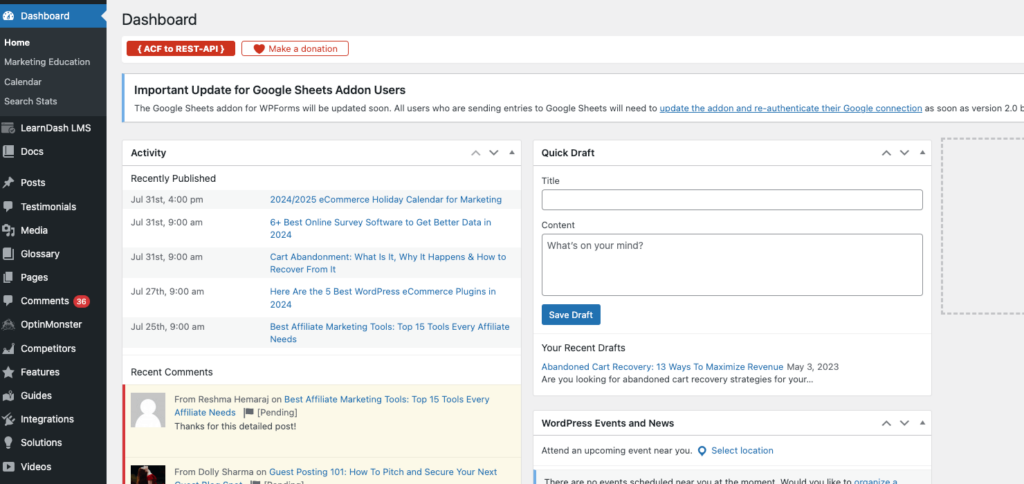
For years, I told my clients to go “self-hosted” with WordPress.org to get the most freedom. But in 2026, managing your own server is becoming a headache small business owners just don’t have time for. I’ve shifted my recommendation to Managed AI Hosting (like WP Engine or SiteGround). Instead of you worrying about updates, these hosts use “Agentic AI” to handle the technical heavy lifting.
I recently saw a client’s site automatically patch a security vulnerability and optimize its own database without them lifting a finger. It gives you the power of WordPress without the manual “technical debt.”
Social Sync Score: 7.5/10
Pros:
- Uses “Agentic AI” to proactively fix errors, clear caches, and optimize images before you even notice a slowdown.
- Includes specialized staging environments that let you test new AI plugins safely before pushing them live.
- Provides built-in security that stops bot-driven attacks using predictive AI patterns.
- Offers near-infinite customization through the vast ecosystem of plugins and themes.
Cons:
- Costs significantly more than basic “bargain bin” hosting, which can be a hurdle for brand-new startups.
- Restricts certain high-resource plugins that might interfere with the host’s specialized speed optimizations.
Pricing:
- Startup Plan: Starts at $20.00 per month
- Professional Plan: Starts at $40.00 per month
- Growth Plan: Starts at $77.00 per month
2. Shopify: The Social Commerce Powerhouse
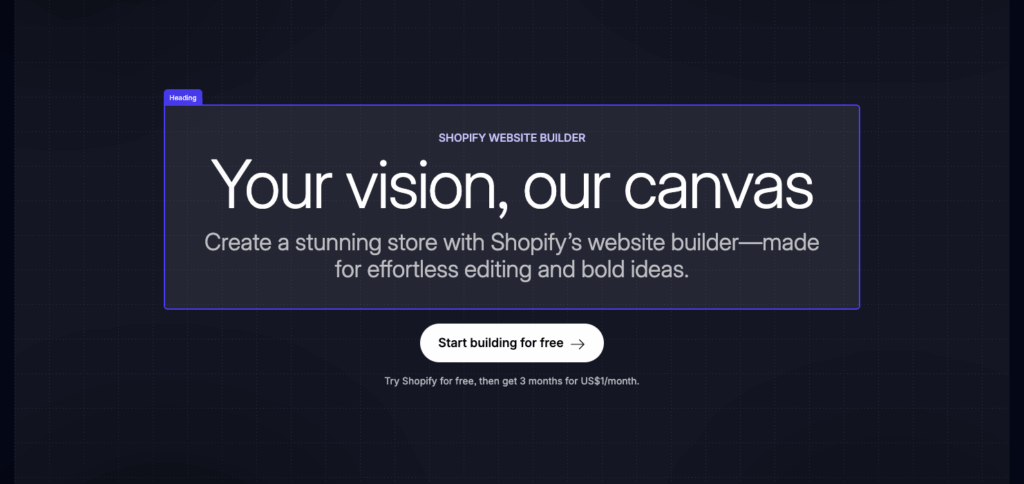
In 2026, a website is no longer an island; it’s a hub. I’ve stopped looking at Shopify’s “templates” and started focusing on its Commerce Components. This modular approach is a game-changer for my retail clients. You can now take Shopify’s world-class checkout and “drop” it directly into a blog post or a custom landing page.
The real winner here is the Social Sync. Shopify has built the deepest integration with TikTok Shop and Instagram Checkout I’ve ever seen. You aren’t just sending people to your site; you’re bringing your store into their feed.
Social Sync Score: 9.8/10
Pros:
- Allows you to sync your entire inventory to TikTok and Instagram in real-time with virtually zero lag.
- Features a modular “Components” architecture that lets you use their high-speed checkout on any page of your site.
- Includes Shopify Magic, an AI suite that I use constantly to generate high-converting product descriptions and SEO metadata.
- Provides the most reliable scaling infrastructure for stores handling thousands of orders per minute.
Cons:
- Charges additional transaction fees if you don’t use their proprietary “Shopify Payments” system.
- Can feel overwhelming for a service provider because the dashboard is built entirely around product logistics.
Pricing:
- Starter Plan: Starts at $5.00 per month
- Basic Plan: Starts at $29.00 per month
- Shopify Plan: Starts at $79.00 per month
3. Wix: Best for AI-Agent Readiness
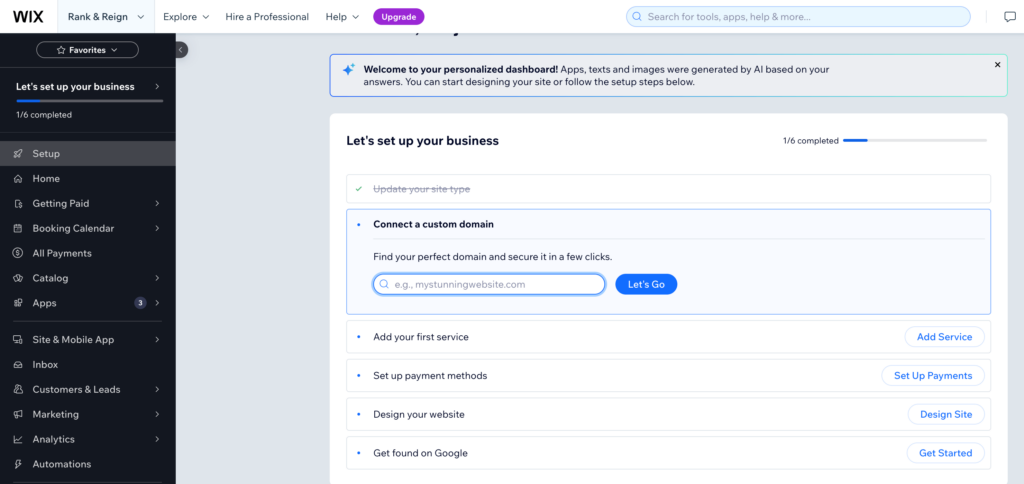
Wix has made the biggest leap in what I call “AI-Agent Readiness.” People don’t want to fill out forms; they want to talk to your business.
I helped a local spa set up Wix’s Custom AI Agent, and it now handles all their booking questions, checks staff availability, and schedules appointments, all through a natural chat interface.
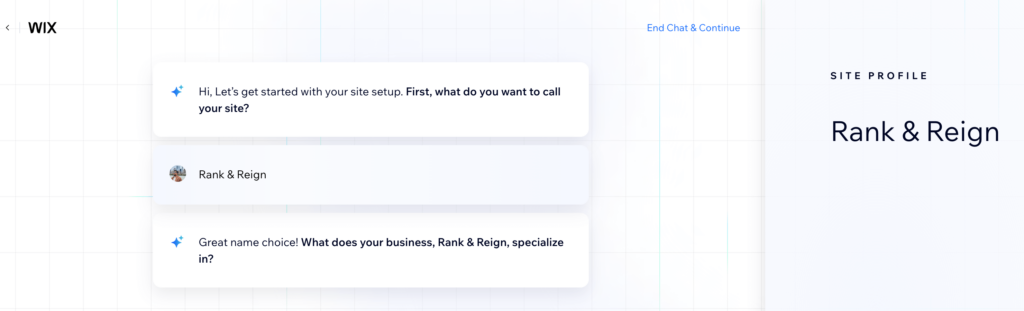
If your business relies on appointments or client inquiries, having an “autonomous agent” on your site is the single best way to generate leads while you sleep. It creates a professional layout based on a five-minute conversation.
Social Sync Score: 8.5/10
Pros:
- Features a truly autonomous AI Agent that can book appointments and handle customer service without human intervention.
- Provides a complete “Chat-to-Site” builder that creates a unique, professional layout based on a short interaction.
- Includes built-in marketing automation that sends personalized follow-ups based on agent interactions.
- Offers one of the most intuitive drag-and-drop editors for those who want total creative control.
Cons:
- Locks you into their ecosystem, making it very difficult to migrate your site to another platform later on.
- Becomes pricey at the higher tiers if you need high-volume data storage for video or large assets.
Pricing:
- Light Plan: Starts at $17.00 per month
- Core Plan: Starts at $29.00 per month
- Business Plan: Starts at $36.00 per month
4. Square Online: Best for Real-World Sync

I’ve moved Weebly to my “legacy” list and now steer my clients toward Square Online. If you have a physical store, Square is the better move for 2026. It’s built on the same simple foundations as Weebly but is engineered for an omnichannel world.
I recently helped a boutique owner switch to Square, and the difference was night and day. Instead of manually updating stock counts at the end of every shift, the website does it for you the second a customer taps their card at your register. It’s the most efficient way to run a local business.
Social Sync Score: 7.2/10
Pros:
- Offers a flawless inventory sync that updates your site to “Out of Stock” the second you sell an item in-person.
- Includes the best built-in tools for curbside pickup and local delivery for cafes or bakeries.
- Uses a clever AI generator to turn simple product names into professional, SEO-friendly descriptions.
- Provides a unified dashboard where you can manage your payroll, team, and online sales in one spot.
Cons:
- Limits your creative freedom because you’re working with a strict “block” system rather than a free-form editor.
- Feels a bit cluttered with retail tools if you are just a blogger who doesn’t sell physical goods.
Pricing:
- Free Plan: Starts at $0.00 per month (plus transaction fees)
- Plus Plan: Starts at $29.00 per month
- Premium Plan: Starts at $79.00 per month
5. Hostinger: Best for Budget-First AI Creation
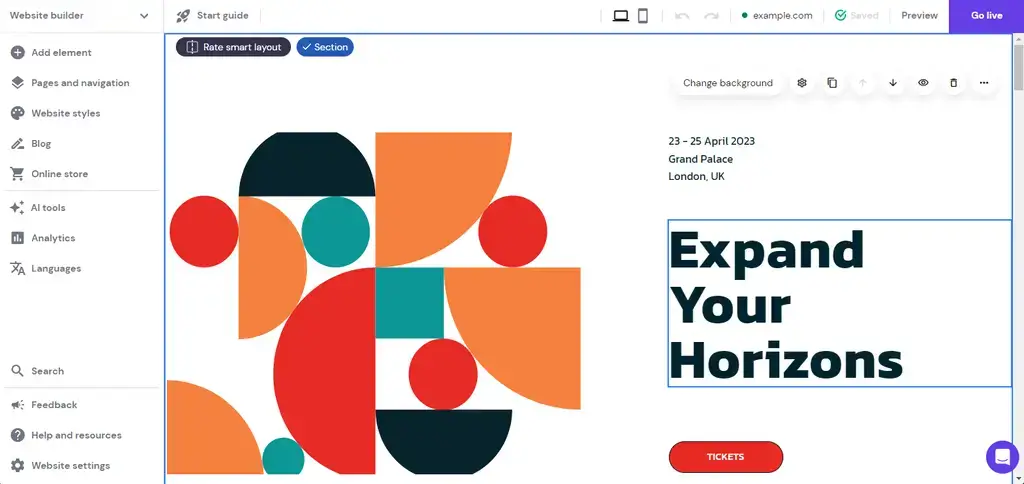
If you’re just starting out and every dollar counts, Hostinger is the builder I consistently point people toward. They’ve really leaned into their “AI Website Builder,” and the results are impressive for the price.
I recently used it to mock up a landing page for a friend’s side hustle, and we had a professional-looking site with unique images and copy in under ten minutes. It doesn’t have the deep modularity of Shopify, but for a simple business site, it’s hard to beat the value.
Social Sync Score: 6.8/10
Pros:
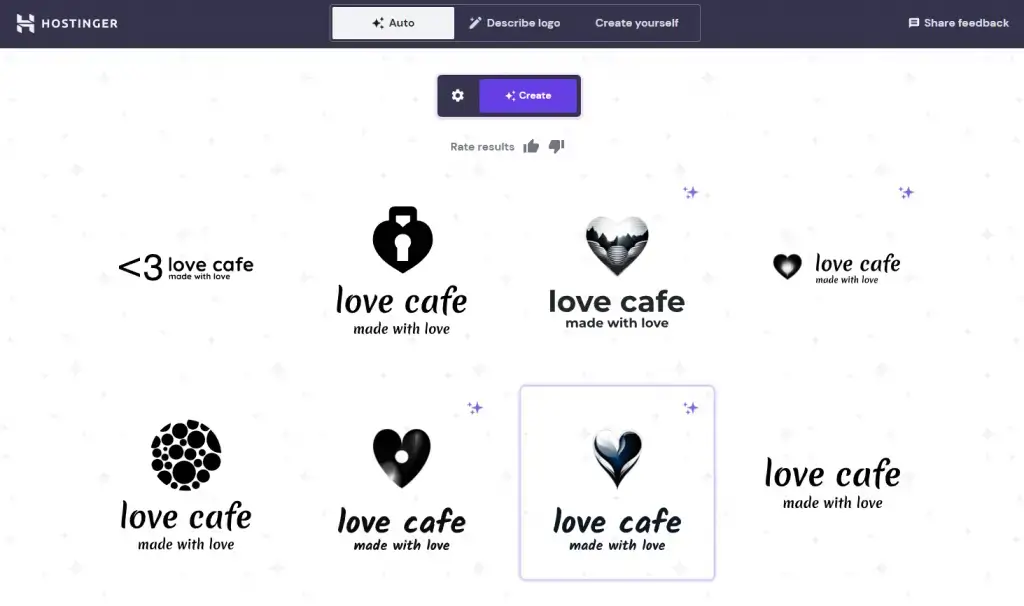
- Includes a full suite of AI tools that generate your logo, website copy, and even a heat map to show where visitors click.
- Provides some of the fastest loading speeds I’ve recorded for a budget builder, which is a massive plus for SEO.
- Offers an incredibly low introductory rate that includes a free domain name and business email for the first year.
- Features a clean, simplified drag-and-drop editor that is perfect for those who find WordPress too cluttered.
Cons:
- Increases significantly in price once your initial promotional term expires, so you need to budget for the renewal hike.
- Lacks a deep app market, meaning you’re stuck with the built-in features for things like memberships.
Pricing:
- Premium Plan: Starts at $1.99 per month
- Business Plan: Starts at $2.99 per month
- Cloud Startup Plan: Starts at $8.99 per month
6. HubSpot Content Hub: Best for Sales and CRM Integration
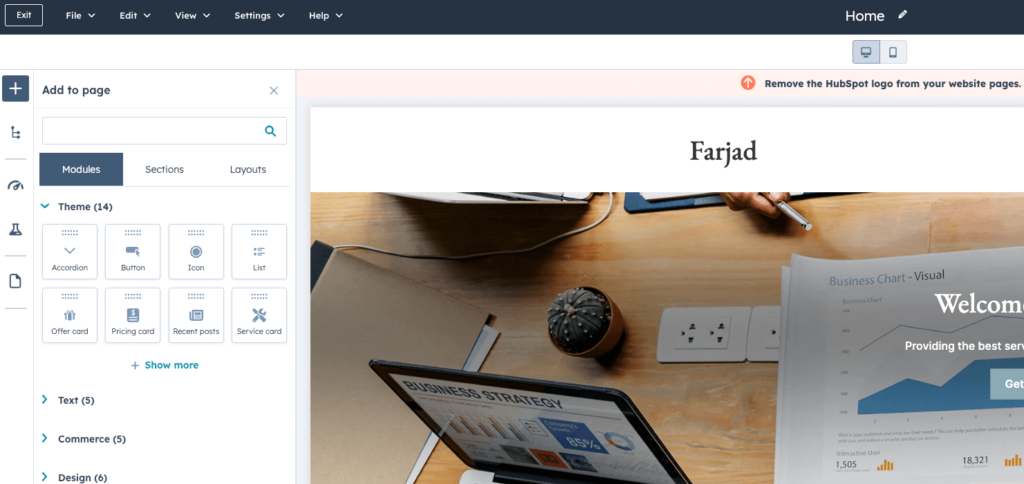
I often tell my B2B clients that if their website’s main job is to generate leads for a sales team, HubSpot is the only way to go.
Their “Content Hub” is smarter than ever. The beauty of HubSpot is that the website isn’t a separate tool; it’s just the “front door” to your CRM. I love their new “Breeze AI” features, which can look at who is visiting your site and personalize the content on the fly to match their industry.
Social Sync Score: 7.0/10
Pros:
- Integrates natively with the HubSpot CRM, allowing you to track exactly which pages a lead visited before they called.
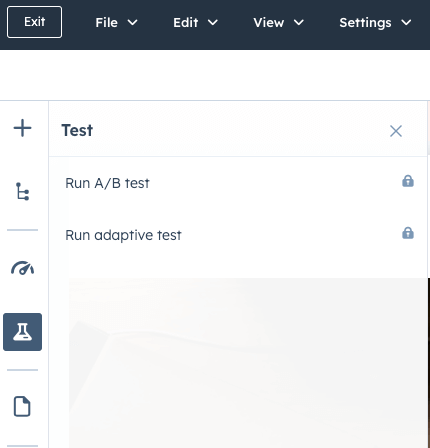
- Uses Adaptive Testing to automatically show different versions of a page and pick the one that gets the most sign-ups.
- Includes powerful AI-driven SEO suggestions that tell you exactly what to change to rank higher for business terms.
- Features a unified inbox that pulls in messages from your site’s live chat, WhatsApp, and email in one view.
Cons:
- Scales in price very aggressively as you add more “seats” or advanced marketing features for larger teams.
- Requires a bit of a learning curve to understand how to map your website data into your sales pipelines.
Pricing:
- Starter Plan: Starts at $15.00 per month
- Professional Plan: Starts at $500.00 per month
- Enterprise Plan: Starts at $1,500.00 per month
7. GoDaddy Airo: Best for Speed and Local Services
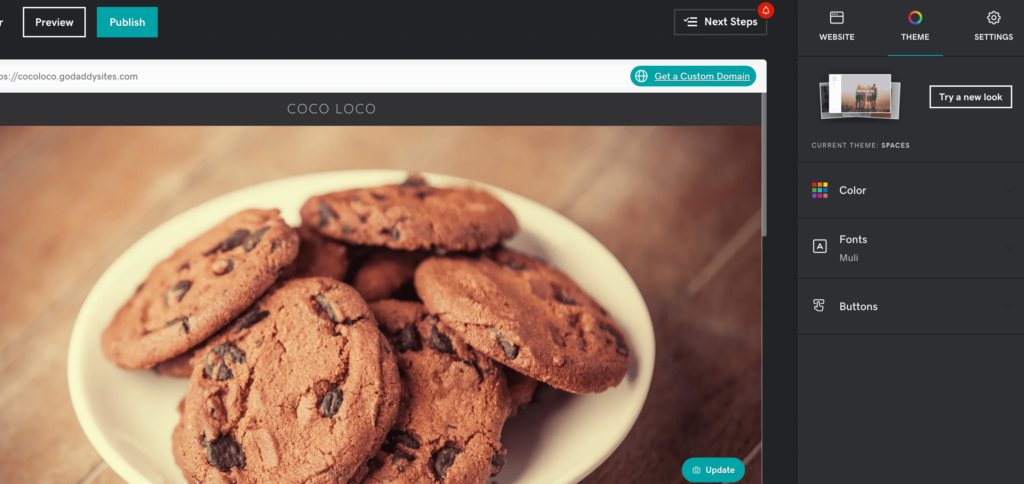
GoDaddy has undergone a major rebrand recently with GoDaddy Airo. If you need a site live today, this is the builder I recommend. It’s built for the “I don’t have time for this” business owner.
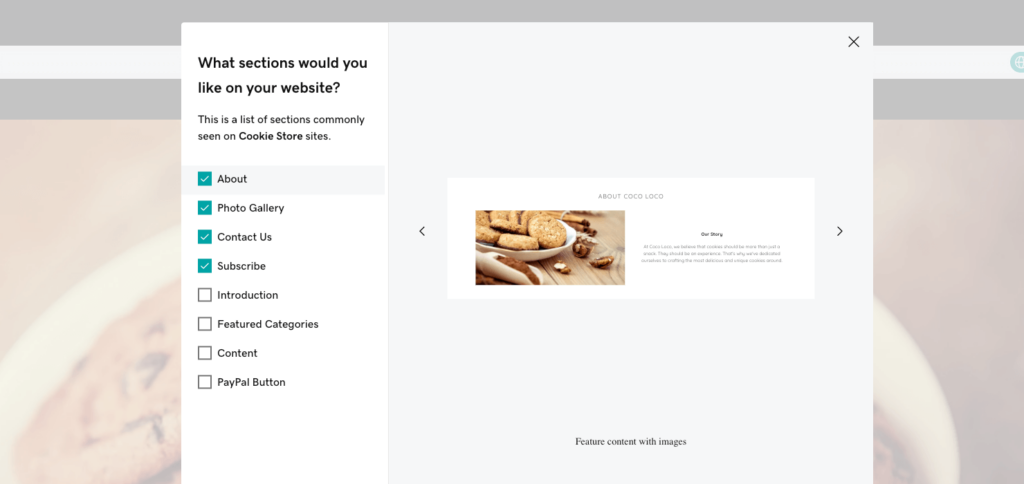
When I tested the Airo setup, it didn’t just build a site; it suggested a domain, generated a logo, and drafted my first social media post. It’s perfect for local service providers like landscapers or plumbers who just need a professional digital business card.
Social Sync Score: 8.0/10
Pros:
- Generates a fully functional website, including industry-specific images and contact forms, in less than 60 seconds.
- Includes a built-in “Marketing Suite” that lets you create and schedule social media posts directly from your dashboard.
- Provides a very simple “InSight” score that compares your site’s performance against other businesses in your niche.
- Offers excellent appointment scheduling features that sync directly with your Google or Outlook calendar.
Cons:
- Uses a very rigid design system that prevents you from moving elements freely outside of their pre-set “blocks.”
- Lacks the deep technical SEO controls that you’d find in a platform like WordPress or Shopify.
Pricing:
- Basic Plan: Starts at $9.99 per month
- Premium Plan: Starts at $14.99 per month
- Commerce Plan: Starts at $20.99 per month
8. Squarespace: Best for Visual Design and Portfolios
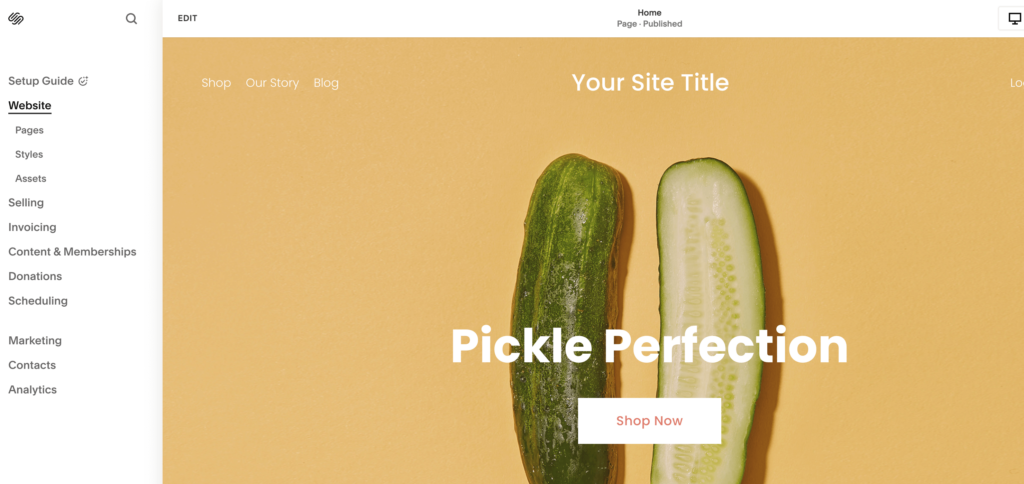
Squarespace has always been my “designer’s darling,” and in 2026, their Blueprint AI has made high-end design accessible to everyone.
Unlike other AI builders that can feel a bit “cookie-cutter,” Squarespace’s AI acts more like a creative director. It asks about your brand “vibe” and then suggests layouts that feel expensive and polished.
I recently helped a photographer launch their portfolio, and the mobile animations were smoother than anything I’ve seen on a DIY platform.
Social Sync Score: 8.2/10
Pros:
- Delivers the most polished, professional templates on the market, with a heavy focus on high-quality imagery.
- Features Blueprint AI, which guides you through a curated design process rather than just dumping a random layout.
- Includes powerful built-in tools for selling digital products, subscriptions, and memberships without extra plugins.
- Provides a seamless mobile editing experience, allowing you to make high-impact design changes from your phone.
Cons:
- Does not offer a free tier, and the starting prices are slightly higher than budget competitors like Hostinger.
- Can have a slightly steeper learning curve for users who aren’t used to a “section-based” editing style.
Pricing:
- Personal Plan: Starts at $16.00 per month
- Core Plan: Starts at $23.00 per month
- Plus Plan: Starts at $27.00 per month
Note: There are many web builders not included in the list because I did not want to put our readers into decision paralysis. Rest assured, the tools mentioned are the best website builders for small businesses.
Key Features To Consider in a Website Builder
When selecting a website builder for your small business, several key features should be on your radar, but I highly suggest prioritizing the following four as the most important:
- User-friendly interface ensures fast and smooth navigation
- Customization options let you tailor your site to your brand
- Ecommerce capabilities are essential for online sales
- Responsiveness ensures your site looks great on mobile devices
Don’t forget the search engine optimization tools that boost your visibility on search engines.
What Comes After Picking a Website Builder?
Even if you’re still working on your business website, I recommend building your email marketing list and audience before launching your site.
The sooner you start building your list, the more leads and conversions you can see.
OptinMonster, a premium WordPress plugin, has advanced targeting features for effective marketing. Regardless of which website builder you choose, I want to help your business grow.
OptinMonster’s targeting features include:
- Exit-Intent Technology: Grabs visitors’ attention before they leave your small business website
- Page-level Targeting: Lets you create page-specific offers relevant to your customers
- Onsite Retargeting: Shows different offers to people who’ve seen previous marketing campaigns
OptinMonster also integrates with major ecommerce platforms and industry-leading email marketing services.
With its range of templates and themes, you can create a unique website for your business. OptinMonster lets you build high-converting marketing campaigns matching your company’s design.
Start Your OptinMonster Account Today!
30 days money back guarantee
FAQs
Q1. What Is the Best Website Builder for Small Business?
WordPress is my pick for the best website builder for small businesses. It’s flexible, scalable, and easy to use.
With four out of ten websites running on WordPress, there’s a huge community with resources and tutorials to provide help.
Q2. Can I create a business website for free?
Free business website creators often have limitations and don’t look professional.
Plus, many “free” website creators aren’t free when you look deeper. Using a free website platform for small businesses usually means:
- You can’t use your domain
- Your website has ads you can’t control
- You may have to pay for templates and add-ons
- You don’t have complete control over your site
- Having to pay for things you weren’t expecting
That said, I did include a few free options in my list of business website builders because “free” doesn’t always mean “bad.” Pay attention to what’s on offer and make sure your chosen business website creator fits your needs.
Q3: How much does it cost to build a website for a small business?
The cost of building a website for a small business owner can vary widely depending on factors like complexity, features, website design, bandwidth and the platform you choose. Using a DIY website building tool can start as low as $5 to $20 per month, while hiring a professional web developer might range from $1,000 to $10,000 or more. Remember, investing in a quality website is an investment in your business’s online presence.
Q4: What is the best free website builder for small business?
Wix is generally considered the best free website builder for small businesses. It offers a great balance of user-friendliness, design flexibility, and features.
Resources for Your Small Business Website
Disclosure: Our content is reader-supported. This means if you click on some of our links, then we may earn a commission. We only recommend products that we believe will add value to our readers.
4 responses to “What Is the Best Website Builder for Small Business in 2026”
-

Great Article!
Thanks for sharing.
This informative blog is really helpful in developing my new website.
clear all confusion.
Thanks a lot again.
Keep sharing…-

So happy you enjoyed it! Thanks for reading 🙂
-
-
I just added this blog to my feed reader, excellent stuff. Cannot get enough!
-
I really like wix.com designs. yoyosites.com also offer elegant templates at much more affordable budget.


Add a Comment