
12 Giveaway Ideas for Every Type of Business (With Real Examples)
Last updated on
by
TL;DR
The best giveaway ideas are built around a prize only your customers would want, so the people who enter are people who might buy from you. With a generic prize, you tend to fill your email list with freebie hunters who will leave the day you announce the winner.
I’ll show you 12 giveaway ideas grouped by business type: eCommerce stores, local businesses, SaaS companies, and content creators. Each one comes with a real popup I built in OptinMonster, so you can see what a visitor would see.
Giveaways often end the same way, with a pile of new email addresses, a prize given to a stranger, and a bunch of unsubscribes the week after. The prize was usually a tablet, so the people who entered wanted a tablet, not your products.
When a giveaway works, then it’s usually because the business gave away something only a future customer would want, and showed the popup to people who were already on its website. I picked every idea in this post with that in mind.
I’ll go through the 12 ideas by business type first, then walk you through the setup, with RafflePress for the giveaway itself and OptinMonster for the popups.
How to Pick a Prize for Your Giveaway
Who will enter your giveaway depends on the prize you’re offering.
If the prize is cash or a gadget, then almost anyone enters, and your email list fills with people who may never buy from you. If the prize is something only your customers would want, then fewer people enter, but more of them are likely to buy from you.
For example, in our case study with KnivesShipFree, an online knife store, they ran a monthly giveaway where the prize was one of their own knives.
They then launched a new knife, and 31 people from the giveaway list bought it on launch day. That was worth $10,118.20 in sales, and 22 of those buyers were first-time customers.
Three kinds of prizes are worth offering:
- Your own product. Most of the people who enter already want what you sell, and the ones who don’t win know which product to buy next.
- Credit to spend with you. This could be a gift card to your shop or a free month of your plan. The winner has to come back to use it.
- Access. This could be early access to a launch, or a call with you. Giving away access costs you time instead of products, and it mostly interests people who already care about your business.
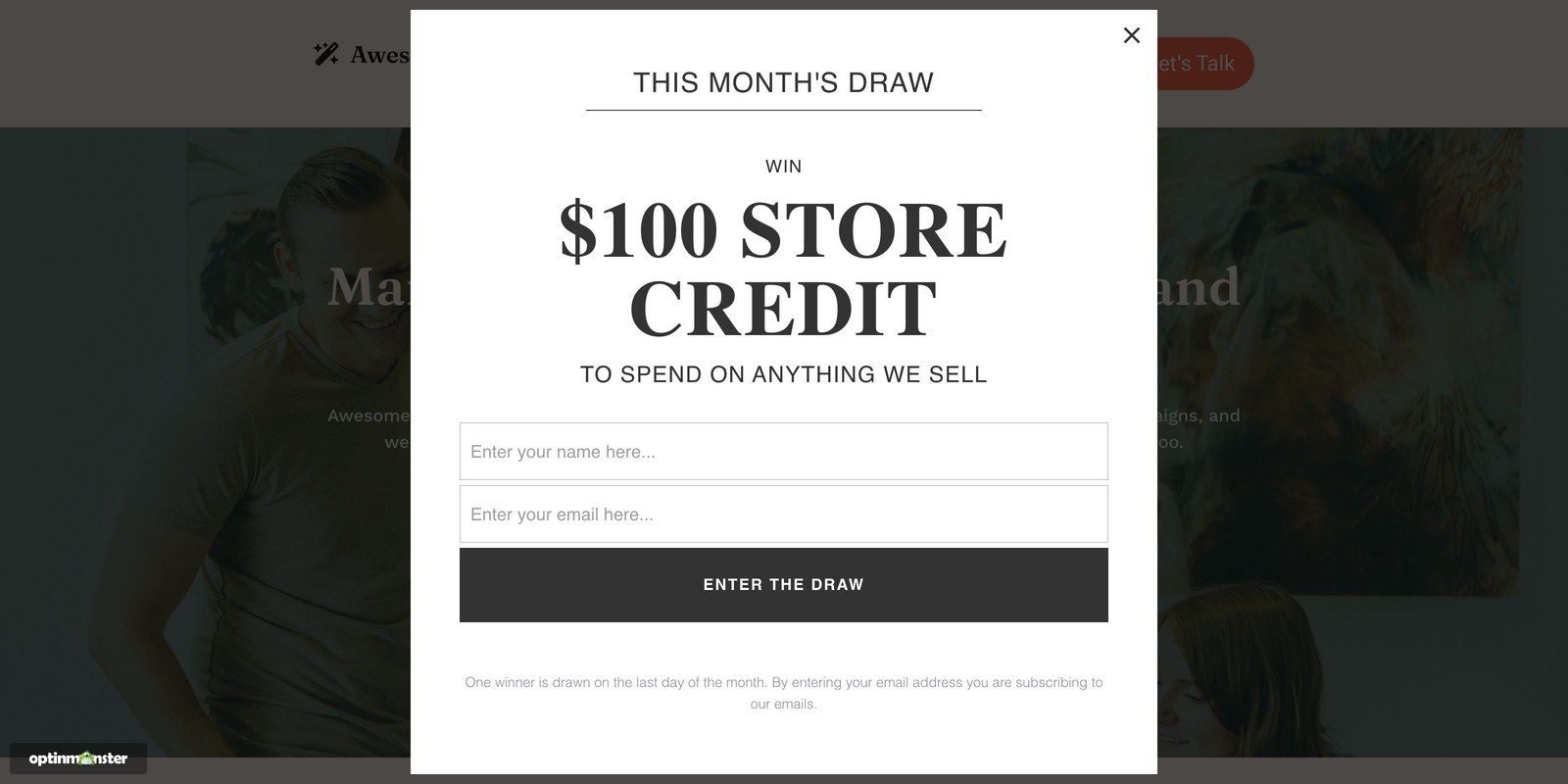
Here’s the second kind, store credit, as a shopper sees it on a store’s homepage:
Giveaway Ideas for eCommerce Stores
For an eCommerce giveaway, I’d recommend offering a product you sell and putting the entry form on the pages shoppers already visit.
1. A monthly product giveaway popup
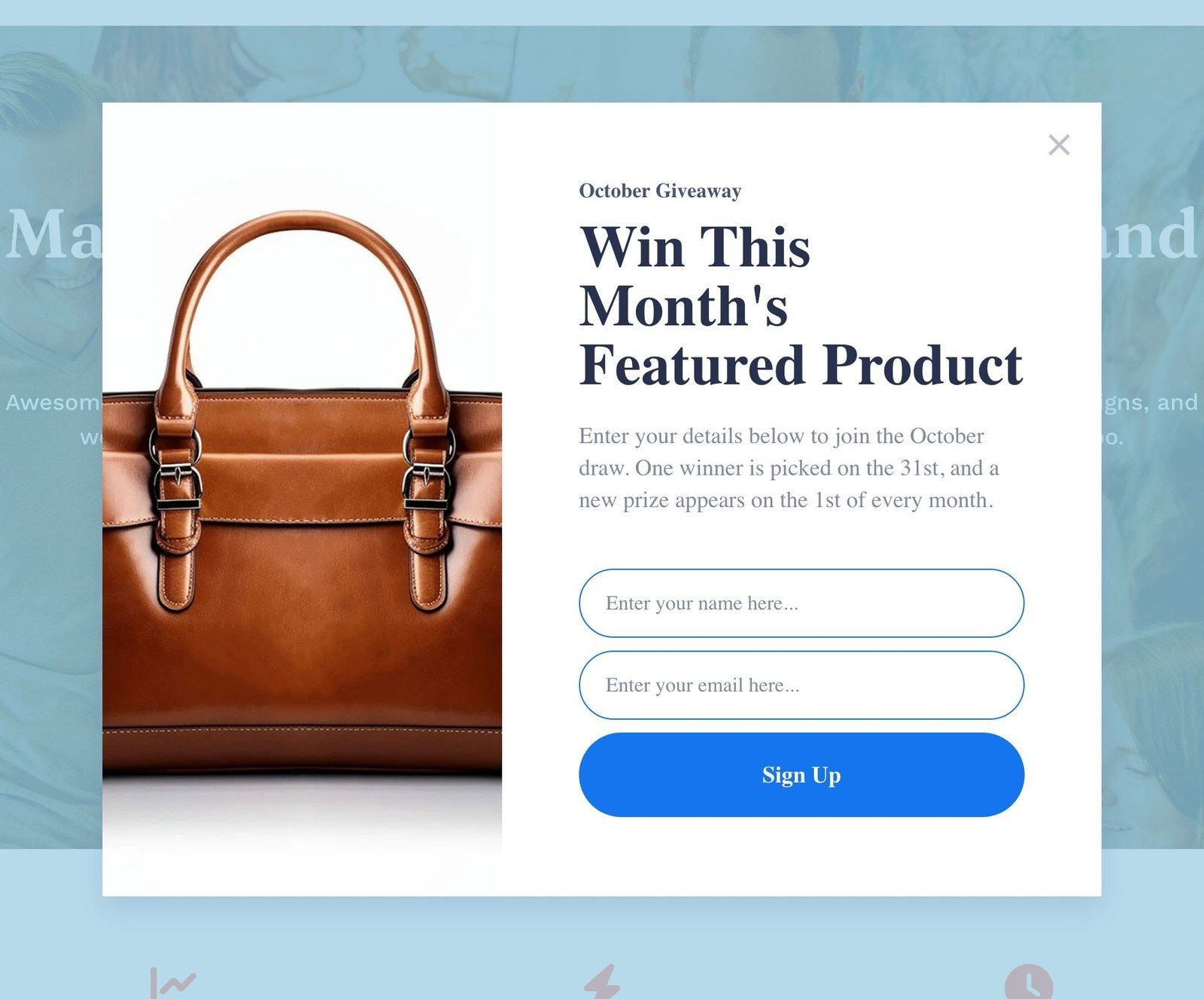
One product a month can be a great prize. You show a popup that collects a name and email as the entry, and you draw the winner on the last day.
With a new prize on the first day of the month, returning shoppers have a reason to enter again, and the people who join the email list you build are more likely to want your products.
KnivesShipFree ran exactly this giveaway with a lightbox popup. That’s the kind that opens over the page and dims everything behind it.
In the case study, their desktop popup converted 8.64% of the visitors who saw it, and the mobile version converted 10.31%. Together they collected more than 5,000 email addresses in under four months.
I built the popup below in OptinMonster from the Subscribe for Gift template.
You could then schedule each month’s popup in OptinMonster to go live and end on its own.
For full details, see our guide to scheduling a campaign by date and time.
2. An order-to-enter sweepstakes for leaving shoppers
Every order placed this week could be an entry in your giveaway to win the order back, or a bigger bundle.
Your only cost would be refunding one order, and shoppers who were going to wait now have a reason to buy from you this week instead.
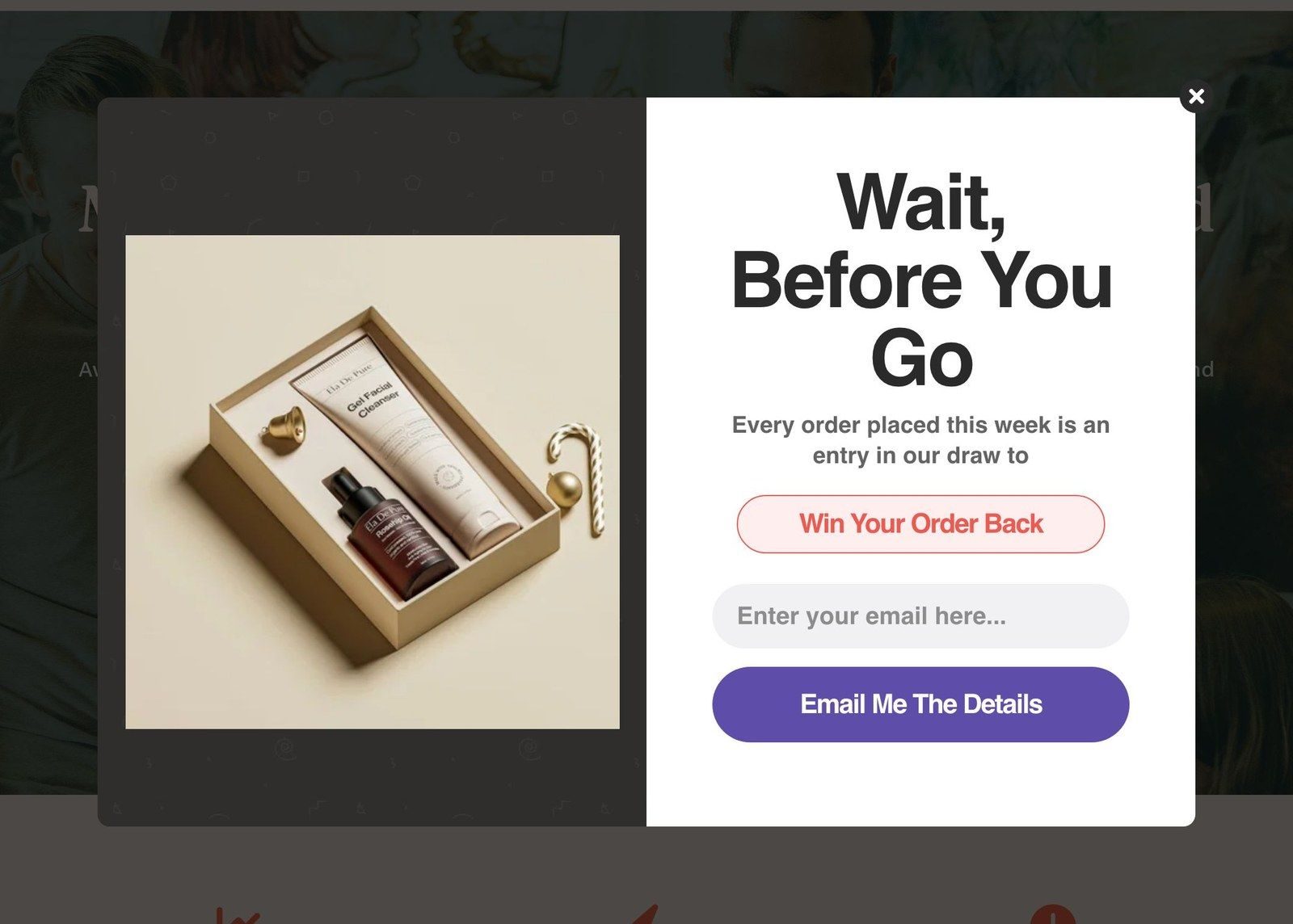
The popup above is OptinMonster’s Abandoned Checkout Discount template with the copy changed. The template comes with a cart icon on the left, and I swapped it for a photo of the bundle the shopper could win.
Keep in mind that in the US, a sweepstakes that requires a purchase also needs a free way to enter. So, make sure to add a no-purchase entry route, and check the rules where you sell.
You could show the sweepstakes popup only to shoppers who are about to leave the cart or checkout page, with OptinMonster’s Exit-Intent® trigger. There’s no reason to interrupt someone who is already paying.
Our guide to activating Exit-Intent® shows how to turn it on and which devices it runs on.
3. An everyone-wins spin wheel
With a spin wheel, every shopper who spins wins something, from free shipping to 25% off, and they give you their email address to spin.
The wheel works because the shopper feels like they won something. And the discount is usually one you’d have offered anyway.
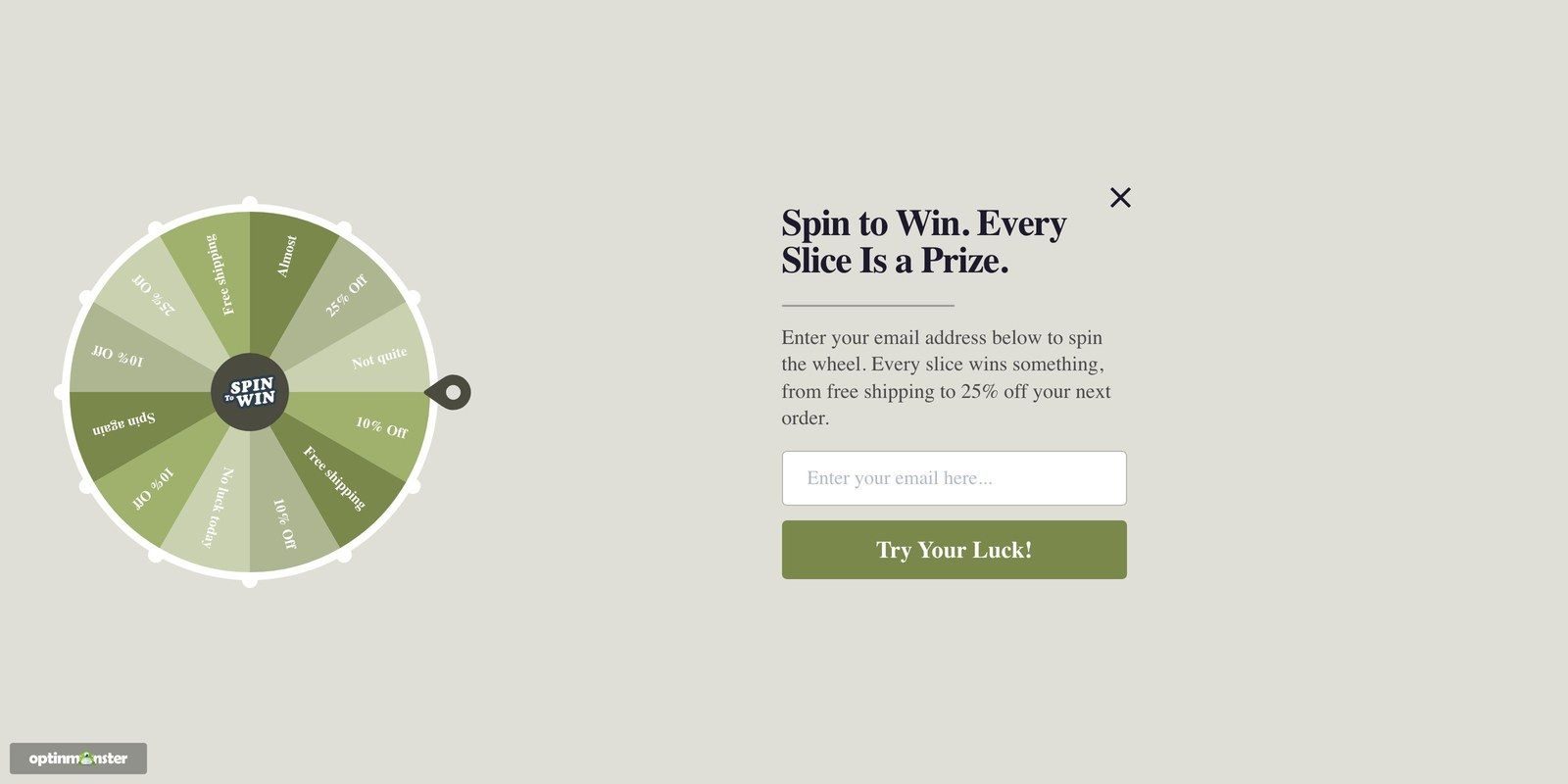
The wheel above is OptinMonster’s Spin for a Discount template. It fills the whole screen, and the only copy I touched was the headline and the one line under it.
You can set how often each slice wins in OptinMonster’s Coupon Wheel campaign, and a slice set to 0% will show on the wheel without ever winning. That’s the setting I’d check first, because the odds decide what the wheel costs you.
The Coupon Wheel campaign comes with OptinMonster’s Growth plan, so it’s the one example in this post that isn’t on every plan.
Our roundup of the best spin the wheel plugins shows the tools and settings that real stores can use.
Giveaway Ideas for Local Businesses
If you run a local business, then the prize can be something the winner has to walk in to collect, and customers can enter while they’re still in your shop.
4. A feedback-for-entry draw
In this giveaway type, customers tell you what they enjoyed about their visit, and everyone who answers goes into a monthly draw for a $100 gift card.
You get feedback you can quote and an email address for every entry. The winner also has to come back to spend the gift card.
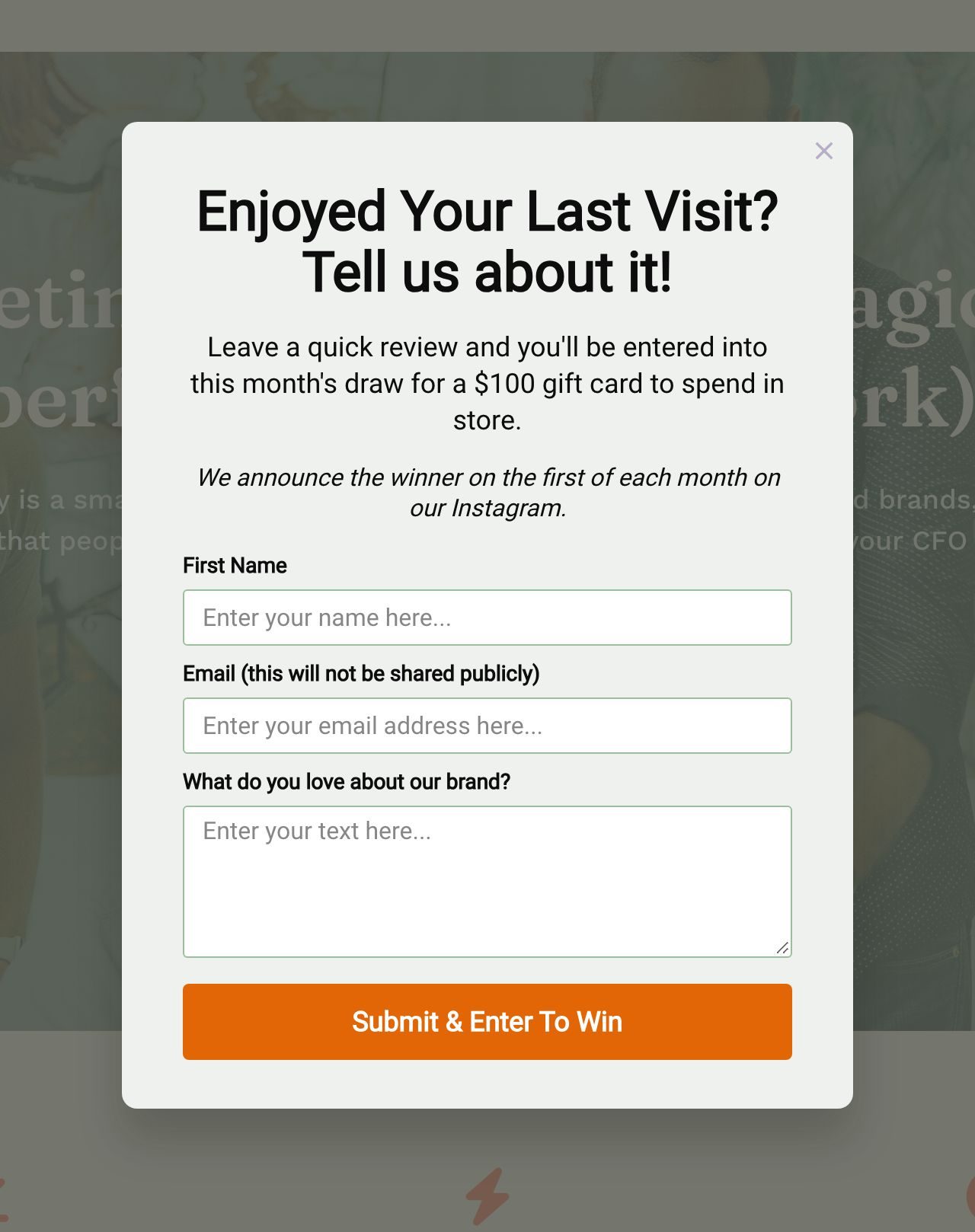
You could show the feedback popup in OptinMonster on your website’s thank-you page, or to anyone who comes back within a few days of a purchase.
5. A birthday club draw
People can give you their birth month in return for a birthday treat. Then each month, everyone with a birthday that month goes into a draw for a bigger prize, like dinner for two.
People then have a reason to come back for the bigger prize in their birthday month, when they may already be planning to celebrate.
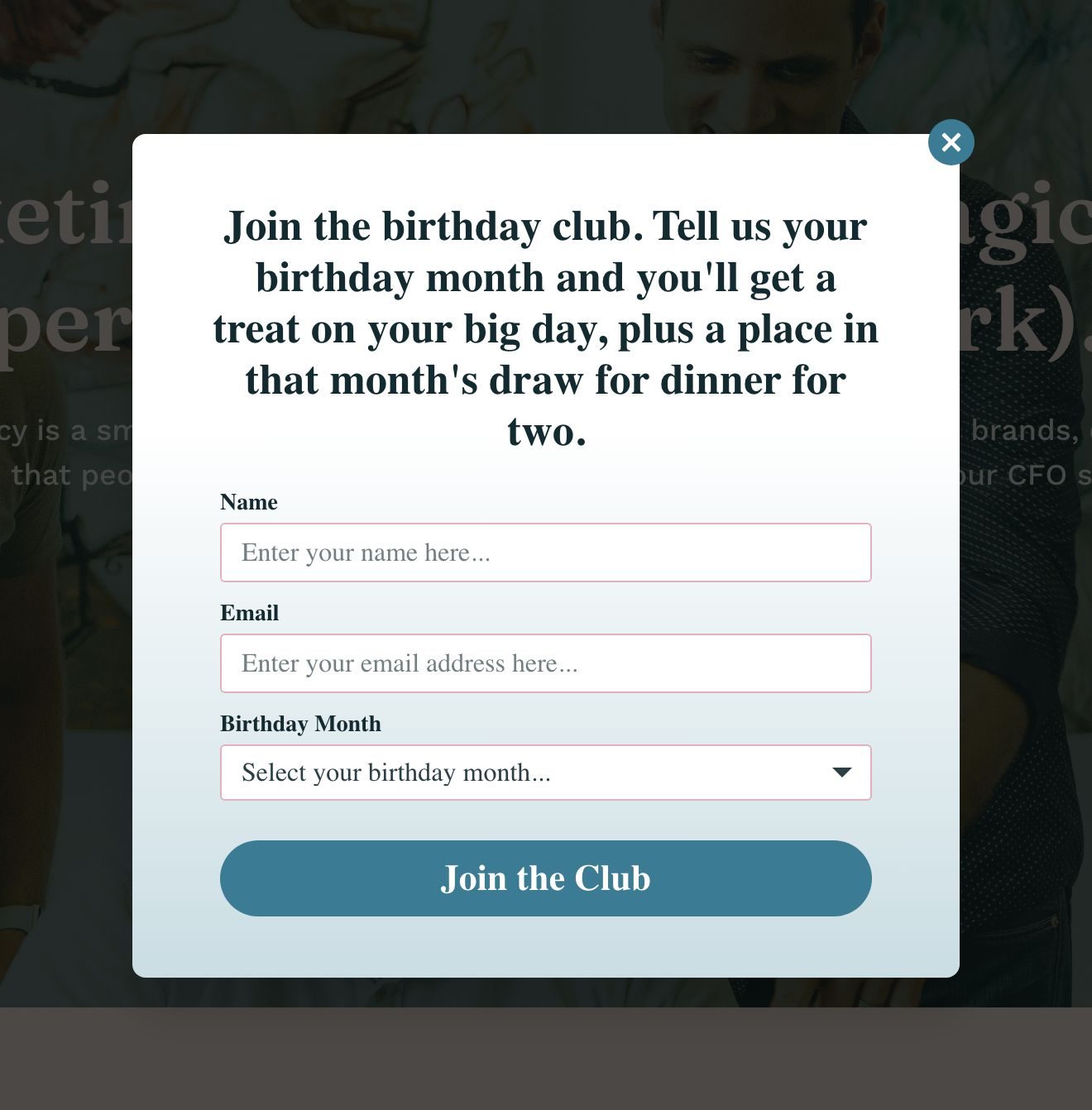
I created the popup above using the Birthday Discount template with the copy rewritten for the draw. The birthday month dropdown was already in the form, so I didn’t have to add it.
You could connect the popup to your email platform in OptinMonster, and that platform then sends the monthly draw email.
6. An in-store QR code to the giveaway page
A QR code on receipts or the counter could open a giveaway page on your website. People who just bought from you can enter while they wait, and you get the email address of someone who already shops with you.
You build the giveaway page in RafflePress, and I’ll cover that in the setup section.
If you’d rather not build a page at all, then you can use an OptinMonster Shareable MonsterLink™ instead. It’s a link that opens your popup on its own hosted page, with the form already on it.
For full details, see our guide to using MonsterLink™.
Giveaway Ideas for SaaS Companies
For a SaaS giveaway, the prize is usually your own plan. You can ask people to enter by doing something you already want users to do, such as inviting a teammate.
7. A refer-a-teammate draw
Each time a user invites a colleague who starts a trial, that user gets one entry in a quarterly draw for a free year on a higher plan.
Referred trials are usually the cheapest trials you’ll get, and the prize only costs you one account for a year.
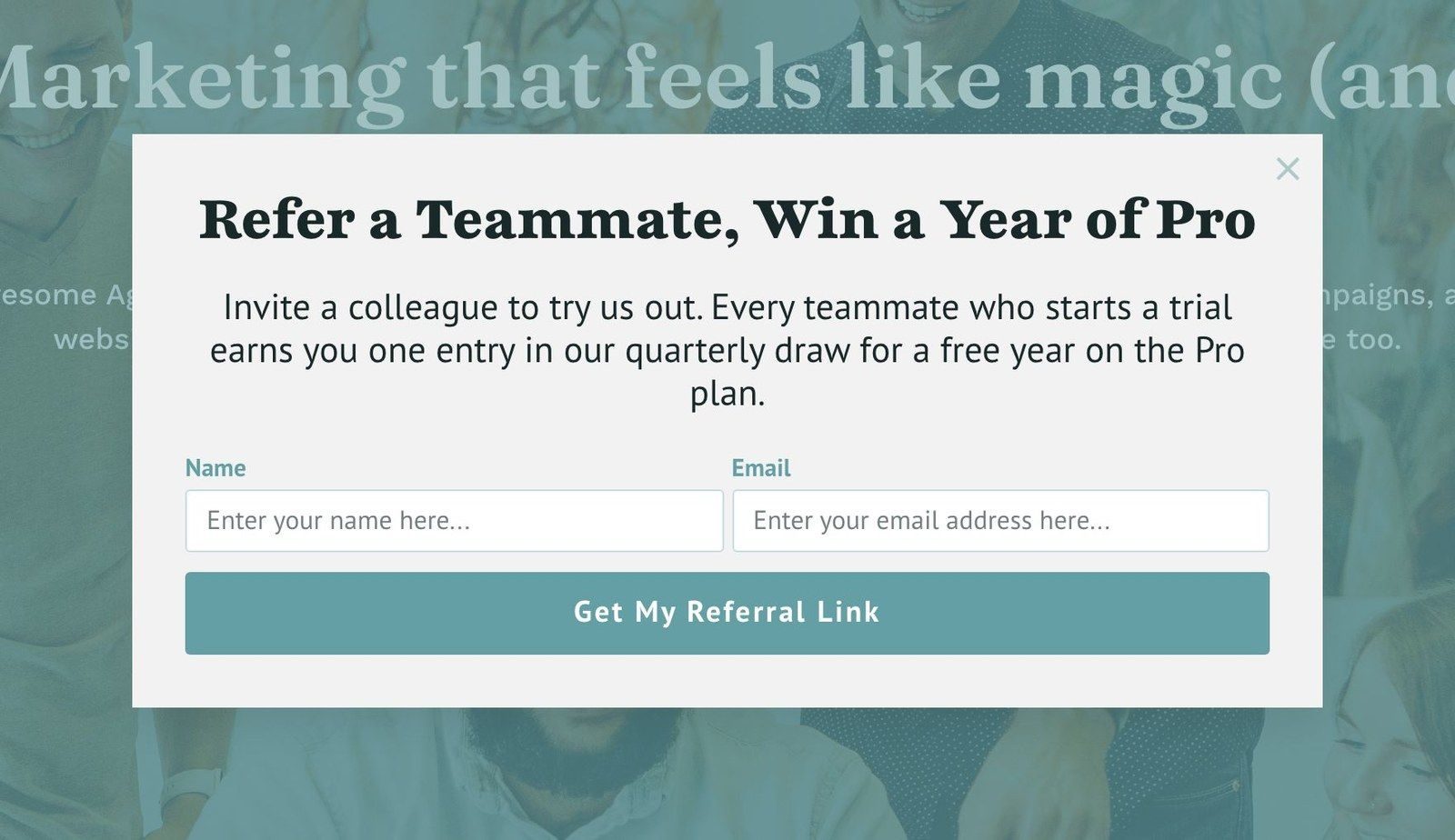
You could show the referral popup to users who have logged in a few times. A brand-new user probably isn’t ready to recommend you to a colleague yet.
The Refer a Friend action in RafflePress tracks the referrals, and you can cap how many each person makes. That cap is the first setting I’d turn on. Otherwise, one person spamming invites can spoil the draw for everyone else.
8. A gift card for booking a demo, with a Yes/No step
In this giveaway idea, your visitor sees a question first, something like “Want a $25 gift card for taking a 15-minute demo?”, and only the people who click Yes see the form.
So, the people who fill in the form have already said yes to a demo call.
In our case study with SnackNation, they showed a fullscreen Yes/No popup to visitors who were leaving the free trial page. 31.85% of those leaving visitors took the gift-card offer, and SnackNation got around 1,200 email addresses a week from it.
For full details, see our guide to creating a Yes/No campaign.
9. An early-access draw
Before a launch, you can open a waitlist and draw a set number of people from it to get early access. Early access costs you very little, and you were going to let people in anyway.
You can also use the size of the waitlist to judge how much demand there is before you ship.
You could show the waitlist popup in OptinMonster on your changelog or roadmap page, where the people who care about new features already are. In RafflePress, you could give bonus entries to people who share the waitlist, so it reaches people beyond your existing users.
Want your giveaway popup to show at the right moment?
OptinMonster’s Pro plans and higher include Exit-Intent®, campaign scheduling, and MonsterLink™, and every plan includes the popup templates I used for the examples in this post, apart from the spin wheel.
Giveaway Ideas for Content Creators and Publishers
If you’re a creator, then the prize is usually access to you, and people enter the giveaway when they subscribe.
10. A subscriber-only monthly draw
Every subscriber is automatically in the monthly draw, and the prize changes each month. For example, you might offer a signed book one month and a call with you the next.
New readers can subscribe to enter, and existing subscribers get a reason to stay on your mailing list.
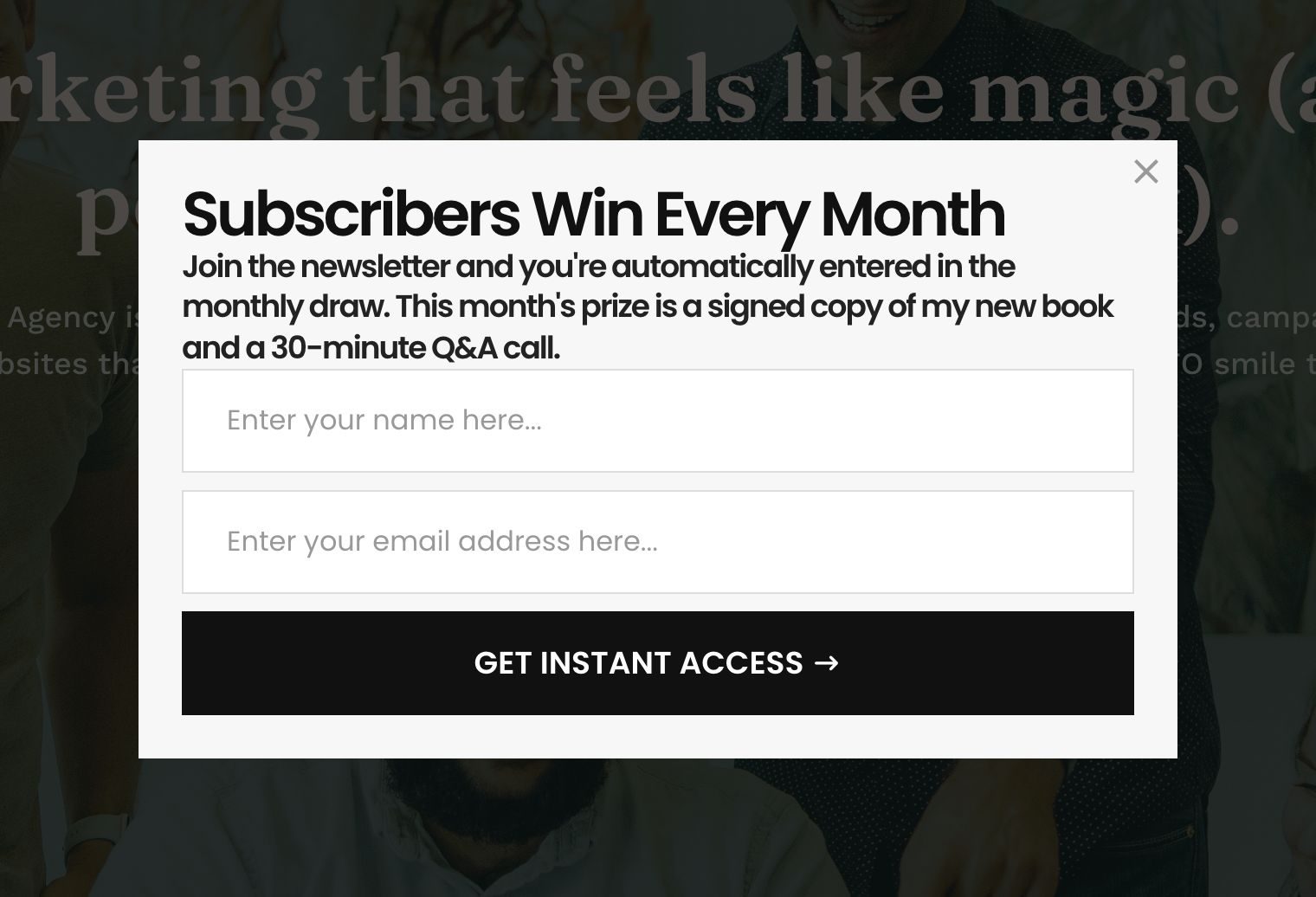
You could show the subscriber popup to readers who have scrolled through most of an article. Those readers probably like your writing already.
11. A milestone giveaway
A birthday or a product launch is a good reason for people to pay attention. Affiliate partners who want to reach your audience can also provide the prize bundles, so you can offer a bigger prize at no cost.
For OptinMonster’s own 10th birthday, we ran a multi-prize giveaway with three bundles, and you can see the page in RafflePress’s giveaway landing page examples.
You could announce the milestone giveaway with a popup to every visitor for the week it runs. This is the one giveaway where I wouldn’t narrow the targeting.
12. A viral referral giveaway with bonus entries
Entrants get one entry for subscribing to your list, and extra entries for every friend who joins through their link. Your entrants can share the giveaway with their friends, and those friends are more likely to trust a link from someone they know.
We ran our own Black Friday giveaway on RafflePress and got 24,372 entries and 3,500 new users. Our email list grew 3X faster because of it.
You set the bonus entries up in RafflePress. I’ll come to that in the setup section.
How to Run These Giveaways With RafflePress and OptinMonster
You need to build the giveaway page, the entry actions, and the winner draw in RafflePress. You then use OptinMonster to show the popup to the right visitor at the right moment, and for a simple draw like the monthly product giveaway, you can collect the entries with the OptinMonster form instead.
Before your giveaway goes live, make sure to write the rules.
They need to cover:
- Who can enter
- The start and end dates
- How you choose the winner
- A free way to enter, if a purchase is involved
Our guide to running an online contest has a section on each of those rules.
Step 1: Build the giveaway in RafflePress
RafflePress is a WordPress giveaway plugin built by the same team as OptinMonster, and it has a free version on WordPress.org.
Here’s how you create the giveaway:
- From the RafflePress dashboard, click Add Giveaway.
- Give the giveaway a name and pick a blank layout or one of the pre-made templates.
- Add the prize name, with an optional description and image.
- Set the start and end dates.
- Add your actions. These are the things that earn entries, such as joining your email list or following you on a social network.
- Save your changes, then open the Publish tab and copy the shortcode, or add the giveaway block to a page or post.
The page you put that shortcode on is the page your popup will send people to. RafflePress’s own guide to creating your first giveaway has screenshots of each step.
Step 2: Build the popup in OptinMonster
Here’s the easiest way to build a popup:
- From your OptinMonster dashboard, click Create New Campaign and choose Templates.
- Pick Popup as the type, find a template you like, and click Use Template.
- Name the popup, choose the website it will show on, and click Start Building.
- In the Design view, click any text to change it. Write the prize, the entry mechanic, and the date you draw the winner.
- Decide what the button does. If your giveaway is on a RafflePress page, then click the button, set Button Click Action to Redirect to a url, and paste the giveaway page’s address. If the giveaway is a simple draw, then keep the email form, and the entries will go to your email list.
- Click Save.
For full details, see our guide to the best popup examples.
Step 3: Decide when the popup shows
A popup that shows at the wrong moment annoys people. So, I’d spend more time on when it shows than on how it looks.
For an exit offer like the order-to-enter sweepstakes, you turn on Exit-Intent® in the Display Rules view. I left mine on the default settings, and I’d do the same for a first run. Our guide to activating Exit-Intent® shows you how.
For a monthly giveaway, you set a start date and an end date in the Publish view. Our guide to scheduling a campaign by date and time shows you where they are.
Finally, make sure to publish the popup.
Step 4: Draw the winner and email everyone else
When the giveaway ends, open the Users screen in RafflePress and click Pick Winners. RafflePress will pick the winner at random, and you’ll be able to email them from the same screen before you announce it.
After that, make sure to email everyone who didn’t win with a consolation offer, such as a discount on the prize they entered to win.
I’d expect most of a giveaway’s sales to come from that email. Everyone on that email list has already shown you which product they want.
Frequently Asked Questions About Running Giveaways
What should you give away in a giveaway?
You should give away something only your customers would want, such as your own product, a gift card to your business, or access such as early entry to a launch. If you offer a generic prize like cash or a tablet, then many of the people who enter will have no interest in what you sell, and they may unsubscribe once you announce the winner.
What are some good giveaway ideas for a small business?
Good giveaway ideas for a small business include a monthly draw for customers who leave feedback, a birthday club with a monthly prize, and a QR code on receipts that opens the entry form. Each one gets you an email address from someone who has already bought from you.
Start Your First Giveaway Now
I’d start with the first idea in the section for your kind of business, run it for one month, and track the numbers. If you get lots of entries but few sales, then I’d change the prize first.
The popup templates I built these examples from come with every OptinMonster plan, apart from the spin wheel, which is a Growth plan campaign. Exit-Intent®, scheduling, and MonsterLink™ come with Pro plans and higher, so see which OptinMonster plan fits your giveaway.
If you’d like to compare options before you commit to RafflePress, then our roundup of online giveaway tools compares it with ten others.
Disclosure: Our content is reader-supported. This means if you click on some of our links, then we may earn a commission. We only recommend products that we believe will add value to our readers.
Add a Comment