
I’ve spent years working in lead generation, building, testing, and refining campaigns to help businesses grow. At OptinMonster, this is what I do every day.
But being part of the ecosystem also means paying close attention to the other tools that share the same mission. Over time, I’ve tested nearly every major platform in this space, not just to see how they perform, but to understand where we stand and how we can keep getting better.
This list is the result of that ongoing process. These are the tools I’ve worked with, learned from, and continue to measure against my own benchmarks. Some focus on automation, others on data, and a few, like OptinMonster, specialize in optimizing that crucial moment when a visitor becomes a lead. Each tool here brings something valuable, and I have a lot of respect for the results they deliver.
I’ve included only the platforms that have proven themselves in real campaigns. They’re reliable, effective, and worth your time if you’re serious about building a stronger lead generation system in 2026.
Here’s how they stack up.
| Tool | Best For | Key Strengths | Starting Price | Free Plan |
|---|---|---|---|---|
| OptinMonster | On-site lead capture and conversion | Exit-intent campaigns, behavior-based targeting, A/B testing, and integrations with major CRMs | $9/month | No |
| HubSpot | All-in-one CRM and lead nurturing | Connected CRM, automation workflows, and detailed contact tracking | $18/month (Starter CRM Suite) | Yes |
| Zapier | Workflow automation for lead management | Connects apps, automates follow-ups, and syncs data between platforms | $20/month (Starter plan) | Yes |
| Intercom | Conversational lead engagement | Real-time chat, AI responses, and seamless handoff to sales teams | $39/month | No |
| Cognism | B2B lead data and intent-based prospecting | Verified contact data, intent tracking, and CRM syncing | $1,000/year (based on usage) | No |
| Salesforce | Enterprise lead management and automation | Lead scoring, multi-channel automation, and advanced analytics | $25/user/month | No |
OptinMonster – Best for On-Site Lead Capture and Conversion
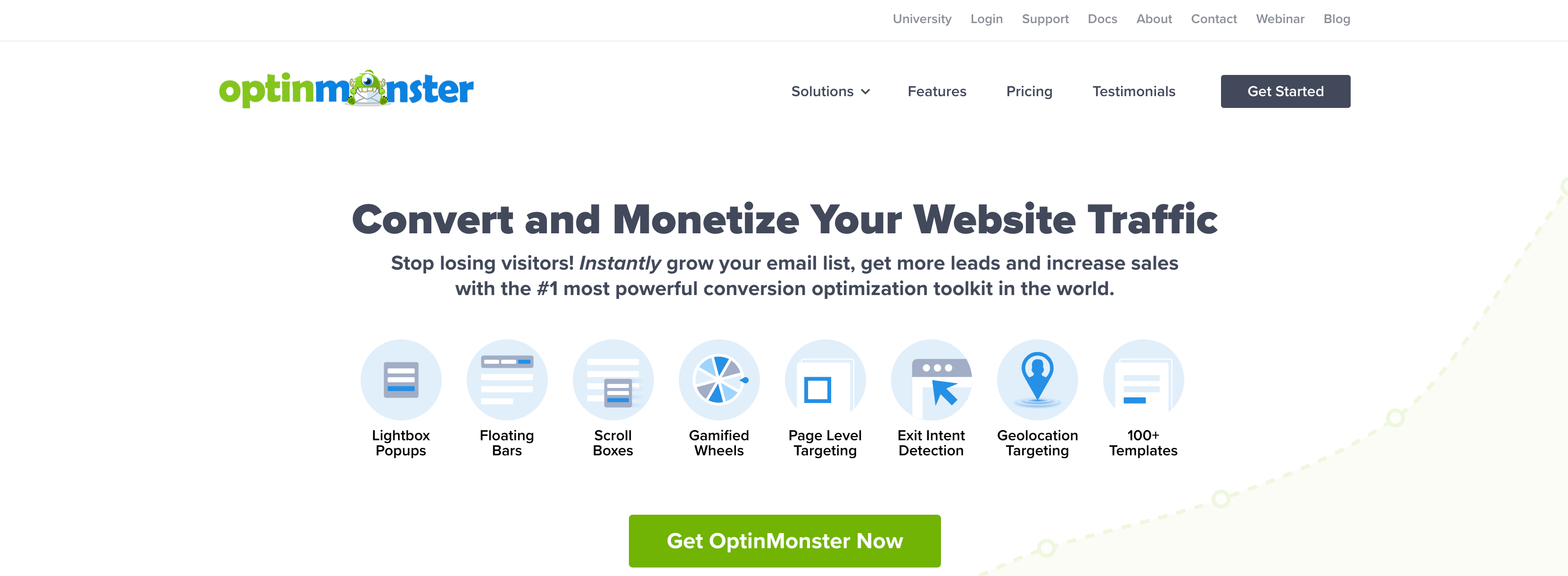
I’ve spent years testing lead generation tools, and I can tell you that most of them focus on what happens after someone becomes a lead. Very few help you capture the lead effectively in the first place. That’s exactly why we built OptinMonster.
When I use it on our own sites and with our clients, it still surprises me how quickly it changes results. The difference comes from how personalized you can make every interaction. Instead of showing one generic popup to everyone, I can create messages that match exactly where someone is in their journey. If a visitor has already seen an offer, I can show them something different. If they’re about to leave, I can use exit-intent to catch them just in time. It’s not a guessing game. It’s precise.
Key features
- Behavior-based targeting that shows the right campaign to the right person at the right moment
- Exit-intent technology that detects when visitors are about to leave and captures them with a personalized message
- Drag-and-drop campaign builder for creating popups, slide-ins, and floating bars without code
- A/B testing built directly into the platform so I can test headlines, designs, and triggers quickly
- Advanced integrations with CRMs, email platforms, and automation tools like HubSpot, Mailchimp, and Salesforce
What I like most is that OptinMonster gives me control. When I’m running tests, I can see in real time which message, trigger, or design is converting best. That kind of visibility changes how you think about conversion optimization. I’ve used it across landing pages, blogs, and ecommerce sites, and it performs consistently everywhere.
If there’s one thing I’ve learned, it’s that lead generation starts on your website. All the automation and CRM data in the world won’t matter if you can’t capture visitors before they leave. OptinMonster does that better than anything I’ve used, and we’re proud to say we’ve built it to solve that exact problem from our own experience.
HubSpot – Best for All-in-One CRM and Lead Nurturing
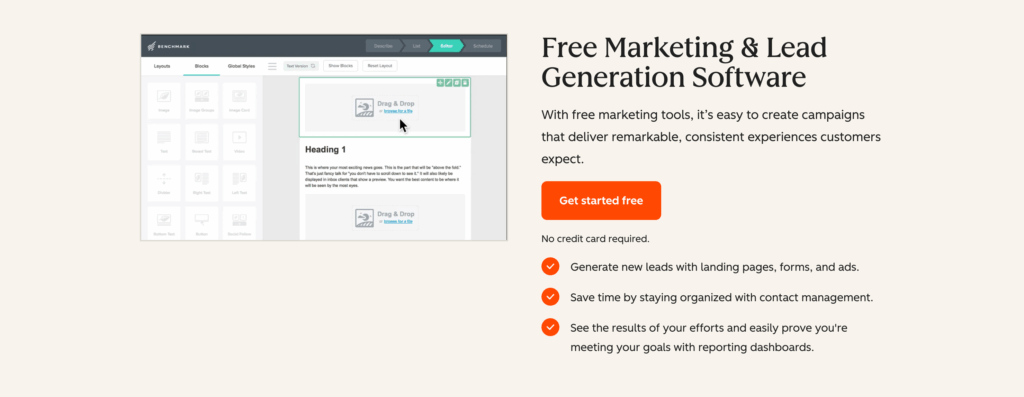
I’ve used HubSpot on and off for years, and every time I go back to it, I’m reminded why so many marketers trust it. It does everything in one place. I can capture leads, track their activity, follow up automatically, and keep my sales and marketing data connected. When I tested it again recently, I started from scratch with a simple form and workflow. Within an hour, everything was live, and new leads were being tracked inside the CRM without me touching a thing.
What I appreciate most is how it balances power with ease of use. The automation builder feels intuitive. I can build sequences that send emails, score leads, and alert my team when someone looks ready to buy. The analytics are simple to read but detailed enough to show what’s working. It feels like a platform that was built for marketers who actually want to understand what’s happening in their funnel.
Key features
- CRM that connects forms, emails, ads, and chat in one dashboard
- Marketing automation for sending personalized follow-ups
- Lead scoring based on user behavior and engagement
- Clear analytics for campaign tracking and ROI
- Integrations with Zapier, OptinMonster, and most major tools
When I use HubSpot, I never feel like I’m guessing. Every contact record tells a story. I can see when someone first visited the site, what they downloaded, and which campaign brought them in. That level of detail makes it easy to build relationships instead of just sending automated messages.
If you want one tool that can manage your leads from the first click to the final conversion, HubSpot is the one I’d start with. It keeps everything connected and gives you the visibility you need to actually improve results.
Zapier – Best for Automating Lead Workflows
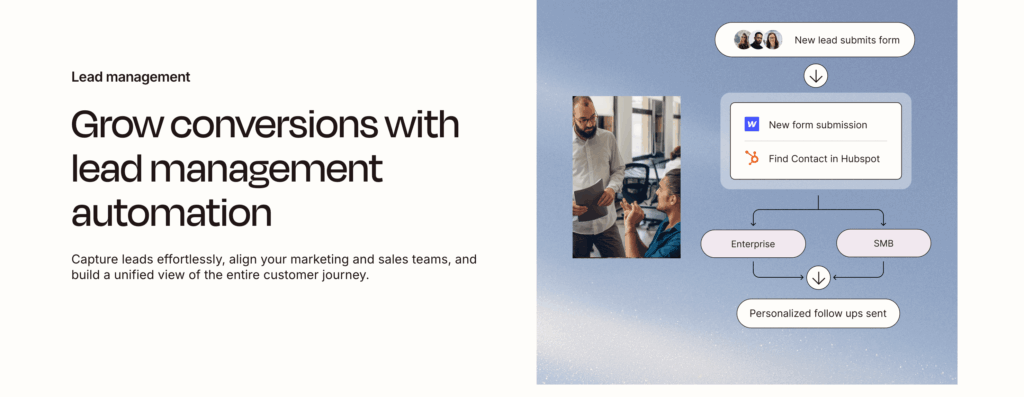
Zapier is one of those tools I didn’t fully appreciate until I started using it to connect everything in my lead generation process. It’s not a lead capture tool on its own, but it’s the bridge that makes all your other tools work together. When I tested it, I connected forms from OptinMonster, email sequences from HubSpot, and a Google Sheet for tracking. Within minutes, the entire system was automated. New leads came in, got tagged, and started receiving follow-up emails without me doing anything manually.
What makes Zapier special is how quietly it works in the background. Once the automations are set up, you almost forget it’s there, but you see the results in how much time you save. I’ve built workflows that send new leads to Slack, notify the sales team, and even trigger ads for retargeting. It’s not flashy, but it’s incredibly powerful once you realize how much manual effort it removes from the process.
Key features
- Prebuilt “Zaps” that connect thousands of apps without coding
- AI features that suggest automations based on what you’re doing
- Multi-step workflows that connect lead capture, CRM, and follow-up
- Real-time syncing between tools like HubSpot, OptinMonster, Salesforce, and Gmail
- Central dashboard for monitoring and editing automations
What I like most about Zapier is that it gives structure to the chaos. Every time I find myself doing something repetitive, there’s usually a way to automate it. It’s also reliable. Once I turn an automation on, it just runs. I’ve used it for years now, and it’s never missed a lead or failed to send data where it needed to go.
Zapier is what keeps my lead generation stack organized. It connects every moving part, keeps data clean, and lets me focus on strategy instead of setup. If you use more than one marketing tool, it’s the easiest way to make sure they all work together without friction.
Intercom – Best for Conversational Lead Engagement
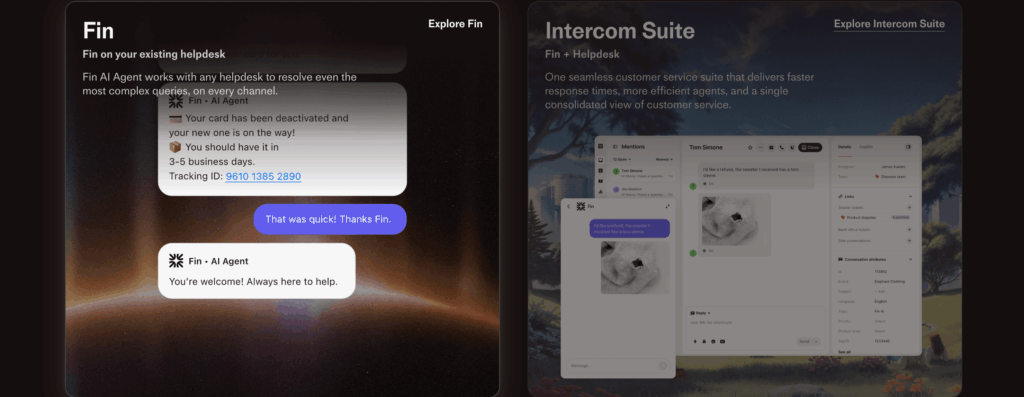
I’ve tested a lot of chat tools over the years, but Intercom is the one that actually feels like it belongs inside a modern lead generation system. When I added it to my site, I noticed one thing right away: people who would normally just browse started talking. The live chat and AI assistant work together to turn casual visitors into qualified leads without any heavy lifting.
Setting it up was simple. I connected it to my CRM and created a few automated flows to greet visitors, answer questions, and collect emails. Within a few hours, it started generating real leads from traffic that wasn’t converting before. The conversations didn’t feel robotic. The AI was quick, polite, and on-topic, and when someone asked something complex, the chat handed it off to me seamlessly. That handoff is what makes it work so well—it doesn’t break the conversation.
Key features
- Live chat and AI automation that qualify leads in real time
- Custom chat flows that match each visitor’s behavior
- CRM integrations with tools like Salesforce, HubSpot, and Pipedrive
- Built-in inbox for managing conversations with sales and support teams
- Detailed conversation analytics to see which interactions drive conversions
What I like most about Intercom is how natural the experience feels for both sides. From my end, I can watch conversations unfold and see which messages lead to signups or demos. From the visitor’s side, it feels like someone is actually there to help. I also like how easy it is to test different messages. A small tweak in tone or timing can double the number of leads you get.
Intercom is the tool I reach for when I want to make my website feel alive. It gives your visitors a reason to stay, ask questions, and start conversations that turn into real opportunities.
Cognism – Best for B2B Lead Data and Prospecting
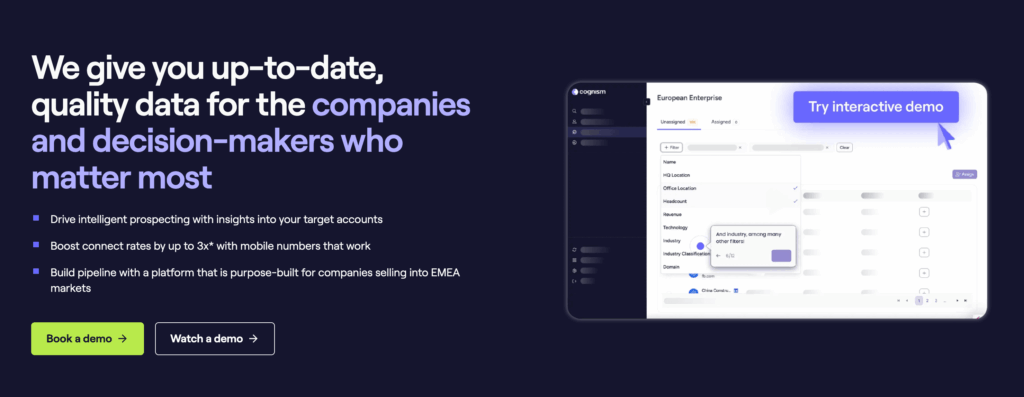
When I started working with Cognism, I was mostly curious to see how accurate the data really was. A lot of B2B prospecting tools promise clean leads, but very few deliver. Cognism felt different right away. The database is updated constantly, and every contact I pulled went through live verification. During testing, I ran a few outbound campaigns with lists from Cognism, and the bounce rate was almost nonexistent. That alone made it worth it.
Building lists was fast. I could filter by company size, industry, and job title, and the search results were spot-on. I exported a batch of leads directly into HubSpot, and everything synced without errors. What impressed me most was the intent data. Cognism tracks which companies are actively researching topics or tools related to your product. That gave me a clear sense of who was actually in the market, not just who fit a demographic.
Key features
- Verified B2B contact data with high accuracy
- Real-time intent tracking that identifies active buyers
- Advanced filters for precise targeting by role, company size, and location
- Direct integrations with CRMs like HubSpot, Salesforce, and Outreach
- GDPR-compliant data sourcing for transparent prospecting
What I liked most about Cognism is how dependable it feels. I’ve used it long enough to know the contacts don’t go stale quickly. The data is clean, the interface is easy to navigate, and the export options save a lot of time. If I had to point out one thing that takes getting used to, it’s the pricing. It’s built for teams that prospect at scale, not for hobby projects. But if you rely on outbound to feed your pipeline, it pays for itself fast.
Cognism has become one of my go-to tools for B2B lead generation. It helps me find the right people faster and makes my outreach smarter instead of louder.
Salesforce – Best for Enterprise AI-Driven Lead Generation
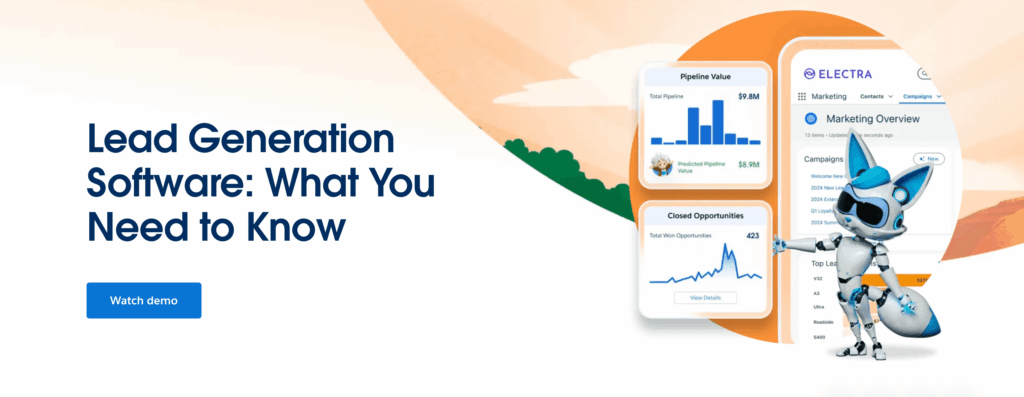
When I first started testing Salesforce, I could immediately see why it sets the standard for enterprise-level lead management. It’s not just a CRM. It’s a system that connects every part of the lead journey, from the first form submission to final conversion. I used it to capture new leads, assign them to sales reps, and create automated workflows that followed up without me lifting a finger. The AI feature, Agentforce, felt like having another team member who never sleeps. It learns from your data and starts making smart suggestions fast.
Key features
- AI-powered lead scoring and qualification through Einstein and Agentforce
- Automated workflows that trigger emails or ad sequences based on lead behavior
- Real-time analytics that show which campaigns or sources are converting best
- Deep integrations with tools like HubSpot, LinkedIn Ads, and Slack
- A unified dashboard that tracks every lead interaction in one place
What I liked most was how accurate the AI recommendations became after a week of data. It started flagging leads that didn’t look promising at first, but ended up being some of the highest-value deals. The reporting was also genuinely useful. I could open one dashboard and understand exactly where my pipeline was strongest.
What I didn’t like was the initial setup. Salesforce isn’t a plug-and-play tool. I spent a full day getting the automation right. Once configured though, it ran smoothly and didn’t need much maintenance afterward.
I picked Salesforce because it delivers the most complete lead generation experience I’ve tested. The AI insights are reliable, the automation feels human, and once everything is running, it gives you a clear sense of control over the entire funnel.
Which Tool Should You Pick?
If there’s one thing I’ve learned from testing all these platforms, it’s that there isn’t a single “best” tool for everyone. The right choice depends on how you generate leads and what kind of systems you already have in place. Each of these tools does something exceptionally well, and once you understand that, the decision becomes much easier.
If your goal is to turn more of your website visitors into subscribers or customers, start with OptinMonster. It’s built for that exact moment when attention turns into action, and it’s what I use myself to grow lists and conversions.
Here are just two examples of how other online businesses used OptinMonster to increase leads and revenue:
- How PodBike Gets 18.22% More Email Subscribers with GeoTargeting
- How KnivesShipFree.com Boosted Revenue $10,118.20 Using Giveaways
If you want to manage your entire funnel from one place, HubSpot is the most complete all-in-one platform I’ve tested. It’s perfect if you need your marketing and sales teams working from the same dashboard.
For automating connections between tools, Zapier is the backbone of every good stack. It quietly keeps everything running without you having to check on it.
If live conversations are where most of your leads come from, Intercom is the best way to capture and qualify them in real time.
When accuracy and outbound prospecting matter most, Cognism stands out with clean, verified data and real intent insights.
And if you need something that can handle complex automation and enterprise-level workflows, Salesforce is still the benchmark.
I’ve used every one of these tools long enough to know that they all work. The key is to start with one that solves your most immediate challenge and build from there. Once you see results, you can layer in the others to create a system that runs smoothly and scales with you.
Ready to generate more targeted leads? Get started with OptinMonster today.
More on Lead Generation:
- What Is Lead Quality? And How to Measure It (+8 Bonus Tips!)
- How to Automate Lead Generation in 3 EASY Steps (Step by Step)
- What is a Lead Magnet? 69 Effective Ideas & Examples to Use
- How to Generate More Leads From Your Website: 9 Expert Tips
Frequently Asked Questions
1. What is the best lead generation tool for websites?
From my own experience, OptinMonster is the most effective tool for website lead generation. It focuses on turning visitors into subscribers or customers through behavior-based targeting and exit-intent campaigns. You can personalize every interaction, test what works, and see measurable results in real time.
2. Which lead generation software works best for small businesses?
If you’re a small business looking for an affordable, all-in-one solution, HubSpot is the tool I’d recommend. It’s easy to set up, connects your marketing and sales data, and gives you clear visibility into where every lead comes from. The starter plan is budget-friendly, and it’s flexible enough to grow with you.
3. How do I automate lead generation across multiple tools?
To automate your process, Zapier is the easiest place to start. It connects apps like OptinMonster, HubSpot, and Google Sheets without coding. I’ve used it to sync leads automatically between tools, send notifications, and trigger follow-ups. Once your automations are running, you don’t have to touch them again.
4. What tool should I use for B2B lead generation?
For B2B prospecting, Cognism has been the most reliable in my tests. It provides verified contact data, intent signals, and CRM integrations that make outreach faster and more accurate. The leads are clean, compliant, and ready to use in real campaigns.
5. Do I need AI in my lead generation tools?
Not every business needs AI, but it helps once you’re scaling. Salesforce and Intercom both use AI in smart ways — Salesforce for predicting which leads are most likely to convert, and Intercom for real-time chat qualification. I’ve found that these features save time and make follow-ups more focused.
6. How can I choose the right tool for my business?
Start with your biggest challenge. If you’re not capturing enough leads, focus on OptinMonster. If you’re struggling to manage or follow up, use HubSpot. Once you solve one problem, you can layer in other tools to build a stronger, more complete system.







Add a Comment