
4 Best Spin the Wheel Plugins (WordPress + Shopify)
Last updated on
by

TL;DR
Spin the wheel popups (or discount wheels) turn a plain signup form into a game. A visitor spins for a discount, a freebie or an exclusive deal, and you get an email address for your list in return.
Top pick: OptinMonster, for its Exit-Intent® targeting and how much of the wheel you can customize. Other solid options: Wheelio (Shopify-first), Wheelify (Shopify only), and WP Optin Wheel (free, but basic).
Are you tired of visitors leaving your website before they join your email list or make a purchase?
Most people ignore popups, unless you make them impossible to ignore by offering something valuable.
That’s where a spin the wheel popup plugin comes in. It adds a fun, gamified wheel to your site that doesn’t just ask for an email, it invites people to play. And the chance to win a discount or freebie can lead to a big jump in conversions.
I’ll show you the best spin the wheel popup plugins for WordPress, Shopify, and more, plus how to pick the right one for your business. I installed each of these tools myself and built a spin-to-win popup in every one by setting the prizes, the win odds and the coupon codes.
Best Spin the Wheel Popup Plugins at a Glance
I installed and tested all four of these plugins myself. Two things rule a tool out fastest: the platform it runs on, and the price. So those are the columns to read first.
| Plugin | Platforms | Best For | Starting Price | Key Feature |
|---|---|---|---|---|
| OptinMonster | WordPress, Shopify, WooCommerce, Magento, Squarespace, Wix, and more. | Exit-Intent® targeting and detailed display rules | $49/mo billed annually on Growth, which is the plan with coupon wheels | Exit-Intent® and granular display rules |
| Wheelio | Shopify, WooCommerce, Squarespace, Webflow, Magento, and more. | Shopify stores that want more than one game type | $14.92/mo for 30,000 impressions | Spin wheel, scratchy and slot machine |
| Wheelify | Shopify only | Shopify stores that need lots of impressions cheaply | Free to install, then metered. $9.99/mo for unlimited impressions | Anti-cheat limits and auto-applied coupons |
| WP Optin Wheel | WordPress, WooCommerce | A free-first wheel on a WordPress site | Free version or $59/year for 1 site | Best free WordPress option |
How I Tested Spin the Wheel Plugins
I installed every tool I recommend below and built a spin-to-win popup in each one. Most of that testing ran on a WordPress and WooCommerce test site. For the apps that only work on Shopify, I built the wheel on a Shopify store instead.
I judged each tool on the following things:
- Whether I could build a working wheel and make it look the way I wanted
- What the setup actually felt like
- Customization options for displaying the wheel on my website or Shopify store
- What the free tier includes, if there’s one
- What you pay once your traffic grows
- The marketing integrations available to collect the email addresses and phone numbers from users
Setup took a few minutes in every tool, and the times were close enough that I wouldn’t choose one over another on speed. But two exceptions are worth naming.
The first is Wheelify. Its onboarding lost my half-built spinner when I clicked into a setting partway through, and there was no route back. I had to start the whole thing again.
The second is CrazyRocket, which I tested and am not recommending. It asks you to create WooCommerce REST API keys by hand instead of offering a one-click connection. That’s a lot to ask of a beginner. Its demo templates also read as casino-styled to me rather than professional. So it isn’t in the list below, and that’s the honest reason why.
Best Spin the Wheel Popup Plugins
1. OptinMonster – Best All-in-One Popup Builder with Customizable Spin the Wheel Campaign
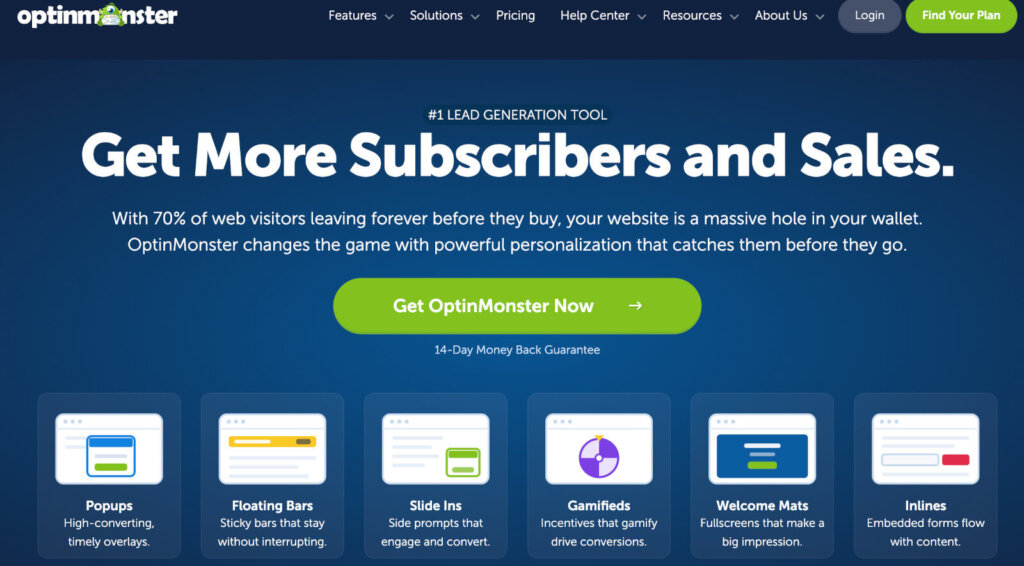
OptinMonster is our product, but I decided to fairly test its spin the wheel features against the other options in this guide. It’s the most complete all-in-one popup builder that comes with highly customizable coupon wheels for WordPress, WooCommerce, Shopify, Magento, and more. Plus, it has the most sophisticated display rules of all the plugins I tried out (more on that later in my review).
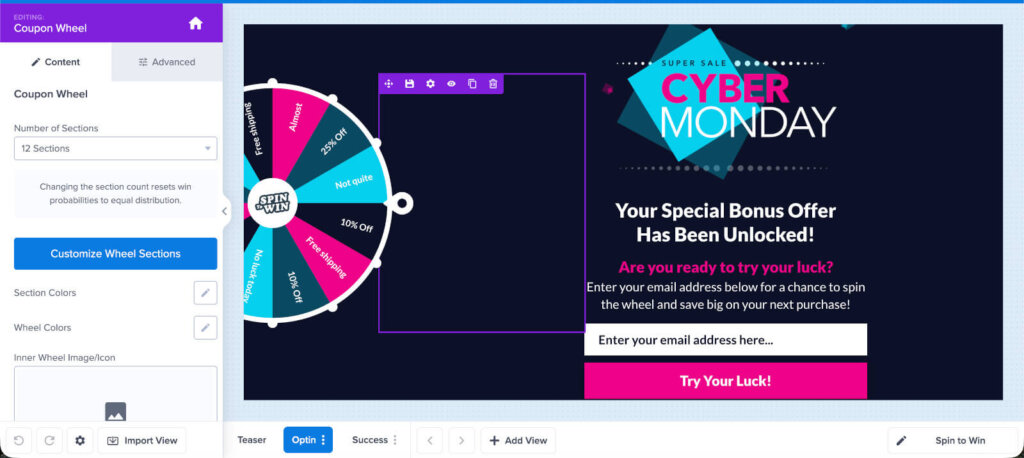
I started with the Cyber Monday template because of the visually striking design. There are also premade wheels for New Year’s, Thanksgiving, Black Friday and other use cases, and they look good enough to run without major design tweaks.
You can edit each section of the wheel separately: the color, the text, and an image inside the section. You can also set how wide the wheel is and the direction it pulls in.
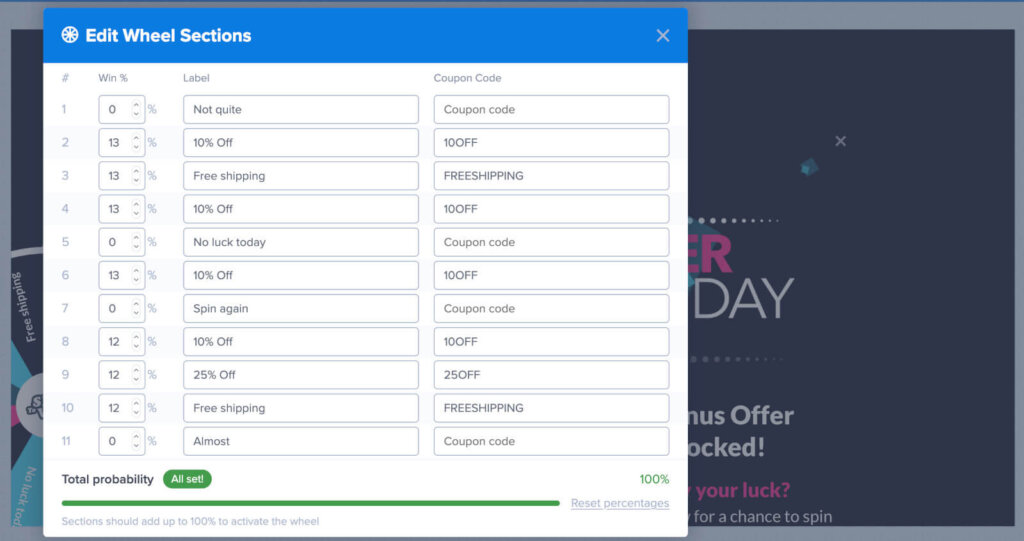
Prizes go in the same builder. Type each reward into the Wheel Sections box and switch on the ones you want to run.
OptinMonster will automatically calculate the probability of each prize every time you turn a spinner wheel section on or off.
You will need to paste a coupon code into each section, because OptinMonster doesn’t generate them for you. It’s smart to create them in WooCommerce, or wherever your store keeps its codes, before you build the wheel.
Next, I started setting up the display rules for showing the spin to win on wheel on my website. This is where OptinMonster stood out the most, because it offers the highest number of customizable rules for personalization, geolocation, targeting, and eCommerce.
In simple terms, that’s where you decide who sees the wheel, when it shows up, and on which pages.
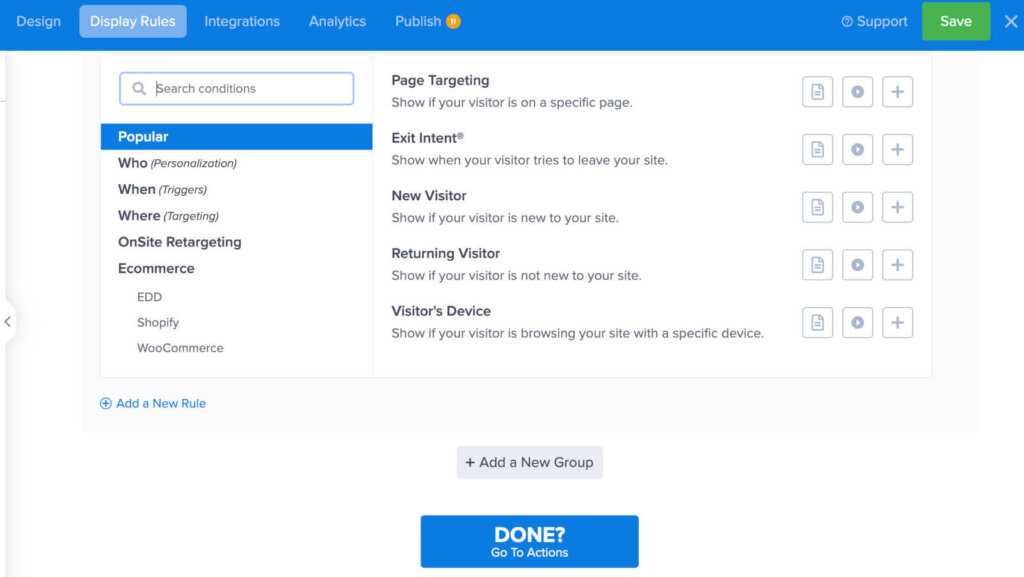
The trigger I set first was Exit-Intent®, which fires as somebody moves to leave your website. In fact, an exit-intent spin the wheel promo is how PortraitFlip consistently converts over 3% of all their mobile traffic.
Read next: how Exit-Intent® technology works.
OptinMonster integrates with all major email marketing platforms and customer relationship management platforms, so you can easily send the user’s email address directly to your list. I also like that MonsterLeads can store the lead information for you as well, so you can start collecting even if you don’t have an email platform set up yet.
The other biggest advantage of OptinMonster is that it’s a full lead generation software, not just for spin the wheel popups. It allows you to run lightbox popups, countdown timers, slide-ins, floating bars, and more.
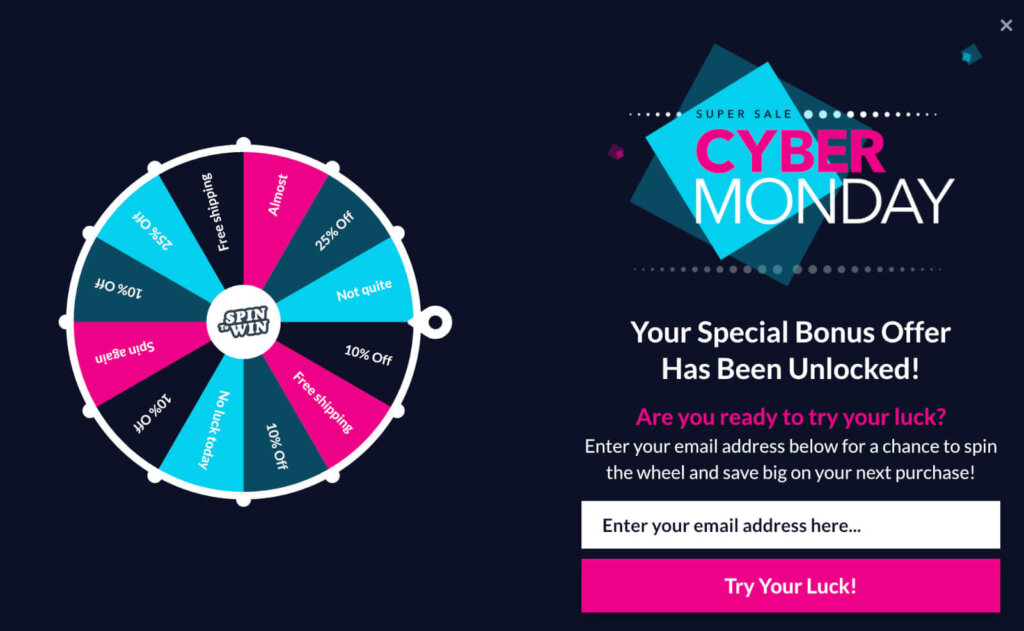
For the full build, see our guide on how to create a discount wheel popup.
Pros
- Runs on multiple platforms, including WordPress, Shopify, WooCommerce, and Magento
- Display rules grouped into personalization, triggers, targeting, onsite retargeting and ecommerce, the deepest set of the four tools I tested
- The builder works out the win probability for each section as you switch prizes on and off
- Multiple seasonal templates, including Cyber Monday, and a success view you can brand
- Offers every other campaign type on the same account, not just wheels
Cons
- Coupon Wheel Campaigns need the Growth plan
Price: Coupon Wheel Campaigns are available on the Growth plan, which starts at $49 per month billed annually.
Want the wheel built for you?
Our conversion experts will design 1 free campaign for you, wheel sections and display rules included. So you can run it on your own traffic before you build the rest.
2. Wheelio – Best for Gamified Spin the Wheel, Scratch Card, or Slot Machine
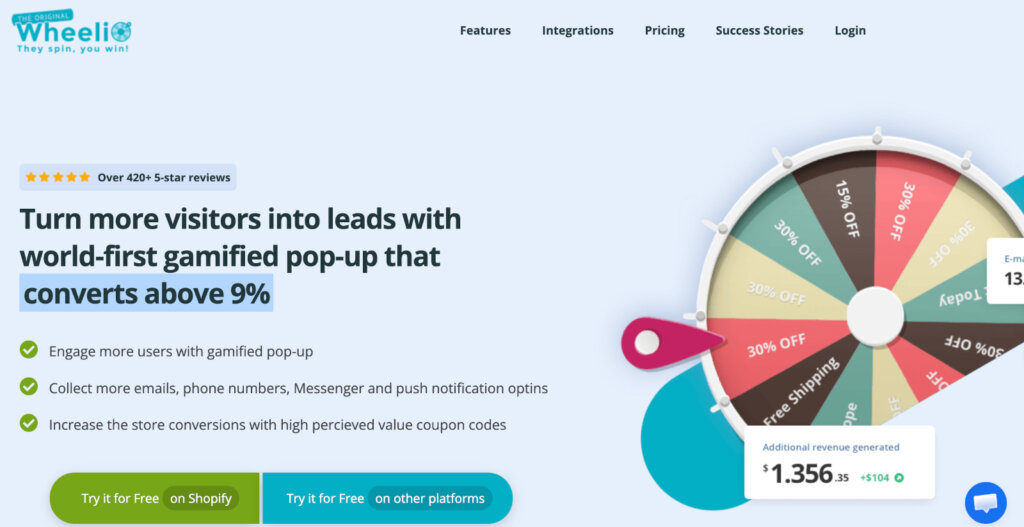
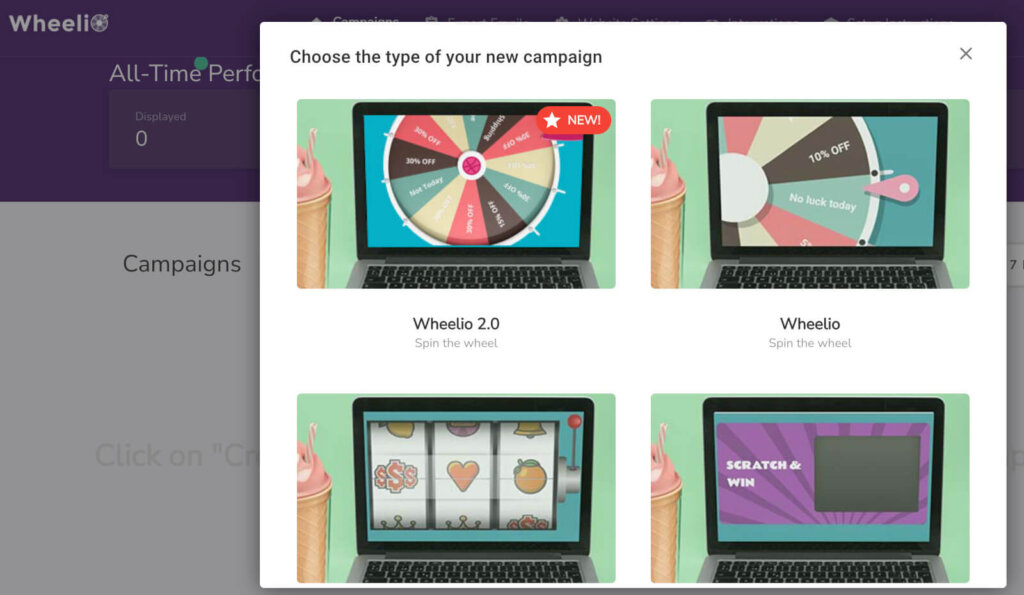
Wheelio is a gamified popup app for eCommerce stores that want to display a spin wheel, a scratch card or a slot machine. It focuses on Shopify stores, but it also integrates with WooCommerce, BigCommerce, Magento, PrestaShop, and more.
I installed the 7-day trial on a WooCommerce test site, which took a few minutes. I had three gamification types to pick from (spin wheel, scratchy and slot machine), and all of them looked pretty good and professional.
Branding takes a custom logo and full color control. I also liked the scarcity bar, which puts a countdown on the coupon and can incentivize users to act more quickly.
It has a decent number of display rules, including delay, link trigger, on-even click, and a leave-intent trigger. It was very easy to turn these settings on and off, although I wish there had been more customization options.
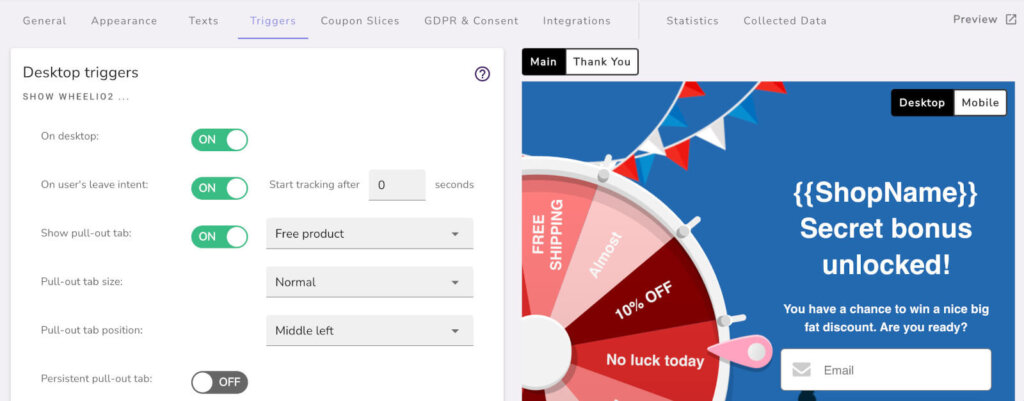
Wheelio integrates with all of the major email service providers and four SMS providers. You can also see some basic statistics directly in the dashboard, including the impressions, emails collected, and conversion rate.
Overall, it’s a good option if you’re looking for a coupon wheel or slot machine that works on multiple eCommerce platforms. But because it doesn’t come with other popup campaign types, it’s not the most complete lead generation solution and a little pricey for what it offers.
Pros
- Three gamification formats, not just a wheel
- Genuinely multi-platform, despite the Shopify-first marketing
- A scarcity bar that puts a countdown on the coupon
- SMS-specific GDPR consent, plus the main ESPs and four SMS providers
Cons
- No free plan, and the trial asks for card details before you can build anything
- Impression-based pricing that climbs steeply as your traffic grows
- No per-slice analytics, so you can’t tell whether the 10% or the 15% slice performed
- No settings for geolocation or personalization
Pricing: Pricing is six flat tiers by impression volume, from $14.92 a month for 30,000 impressions up to $249.92 a month for 750,000.
3. Wheelify – Best Shopify-Native Spin the Wheel App
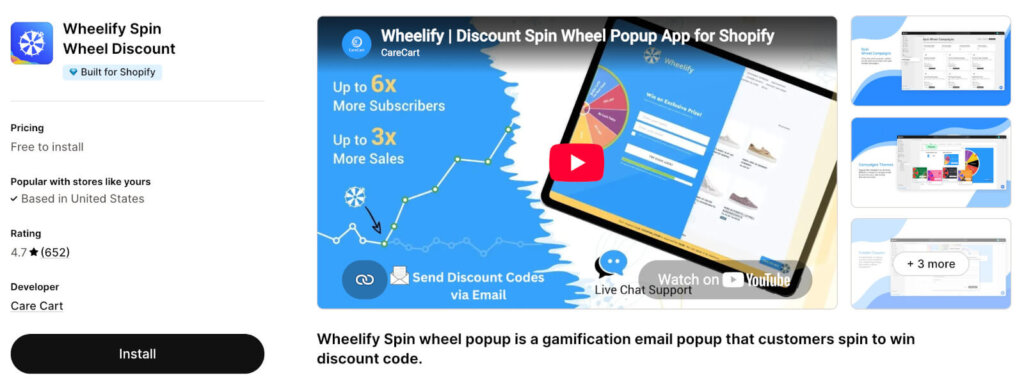
Wheelify from Care Cart is a simple but effective spin-to-win app for Shopify store owners. It’s also great value for money because its lowest paid plan allows for unlimited impressions.
I started on the free plan, which allows for up to 300 impressions without paying anything. I first noticed that the dashboard was more minimalist than OptinMonster’s or Wheelio’s but still with a decent number of customization options.
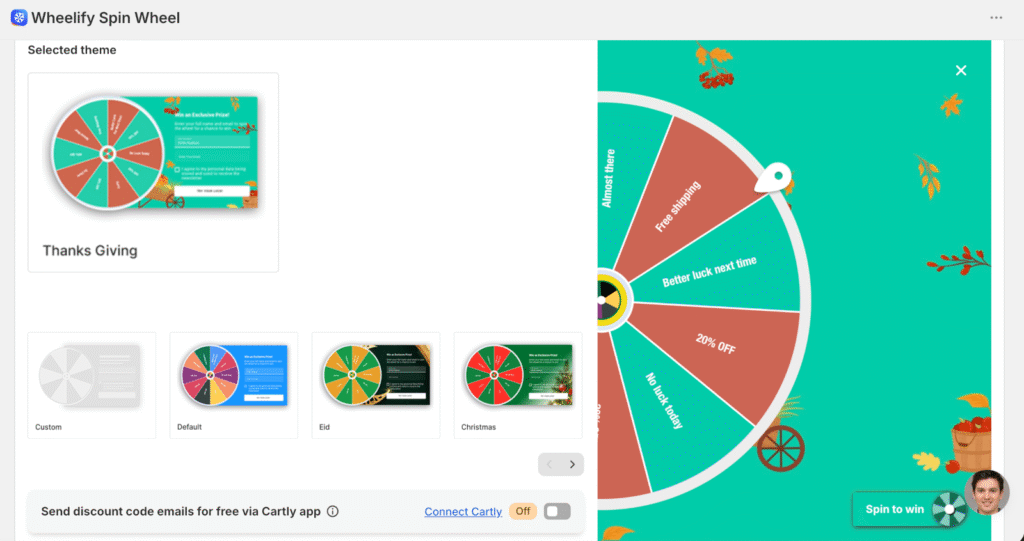
Onboarding opens on the coupon and its discount, and it’s skippable. One frustration during the onboarding was that partway through, I clicked into a setting and the app navigated away from my half-built spinner with no route back, so I had to start again.
Each segment of the wheel takes its own label, win text, coupon code, gravity and color. The Christmas and Black Friday spinner styles use nice colors, but the art style reads cuter and more amateur than OptinMonster’s or Wheelio’s.
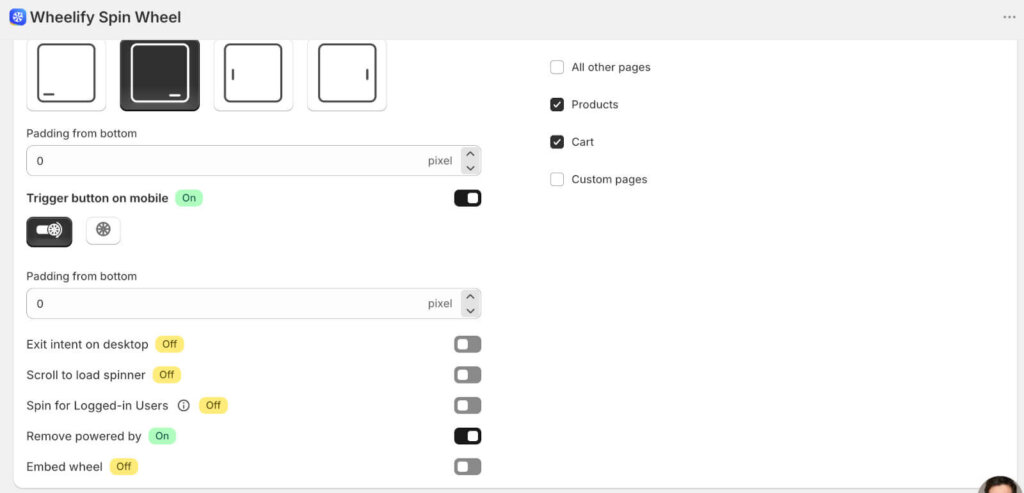
The lead form collects an email, with optional phone number collection and consent settings, confetti on a win, and the coupon applied at checkout. Its display settings cover delay, on scroll, specific pages and a desktop-only exit intent with no sensitivity control.
Pros
- A simple, quick Shopify setup with a minimalist dashboard
- Per-segment control over label, win text, coupon code, gravity and color
- Anti-cheat limits by email, phone, cookie and IP
- Good customer support
Cons
- Shopify only
- Template art that looks more amateur than OptinMonster or Wheelio
- Fewer display settings
Pricing: Wheelify is free to install, then metered, and the free tier stops at 300 impressions. At $9.99 a month the impression cap goes entirely, which is better value than Wheelio’s impression tiers on a Shopify store.
4. WP Optin Wheel – Best Free WordPress Spin the Wheel Plugin
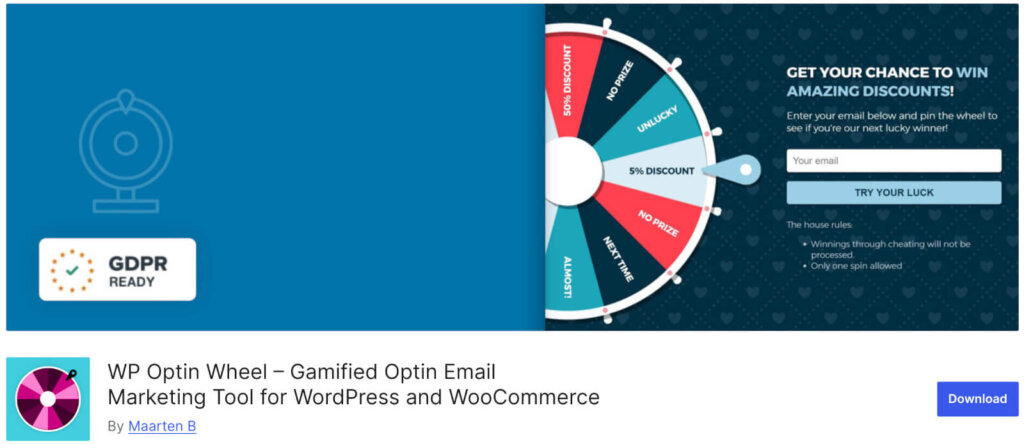
WP Optin Wheel adds a spin-to-win wheel to a WordPress site or a WooCommerce store. It’s the best option if you just want something simple, free, and that connects to your email list on Mailchimp.
I installed the free version on a test site. The developer hadn’t tested it with the latest version of WordPress, and the last update was nine months ago, but it was working fine.
The free version gives you access to the general template so that you can create gamified popups. In the slice settings I could edit each slice’s type, text, value and chance of winning, though the number of slices is fixed on free.
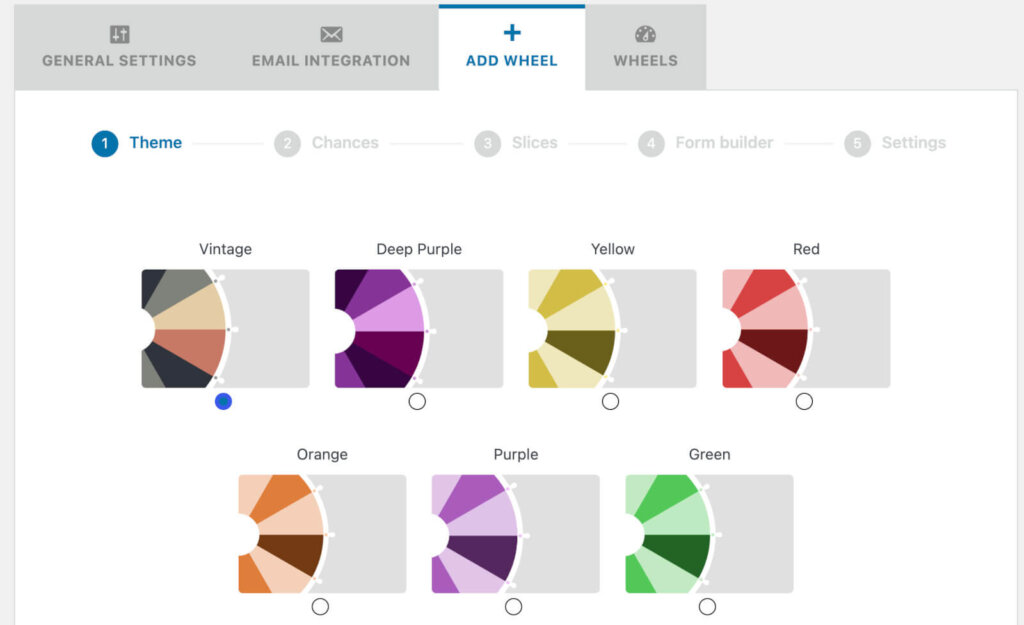
There are 7 color variations, a single email field, and a background of either Hearts or None. You can also set the win likelihood, but replays need pro.
Another limitation was that free connects to Mailchimp only, and automatic coupons synced to your WooCommerce coupon settings are locked to the premium plan.
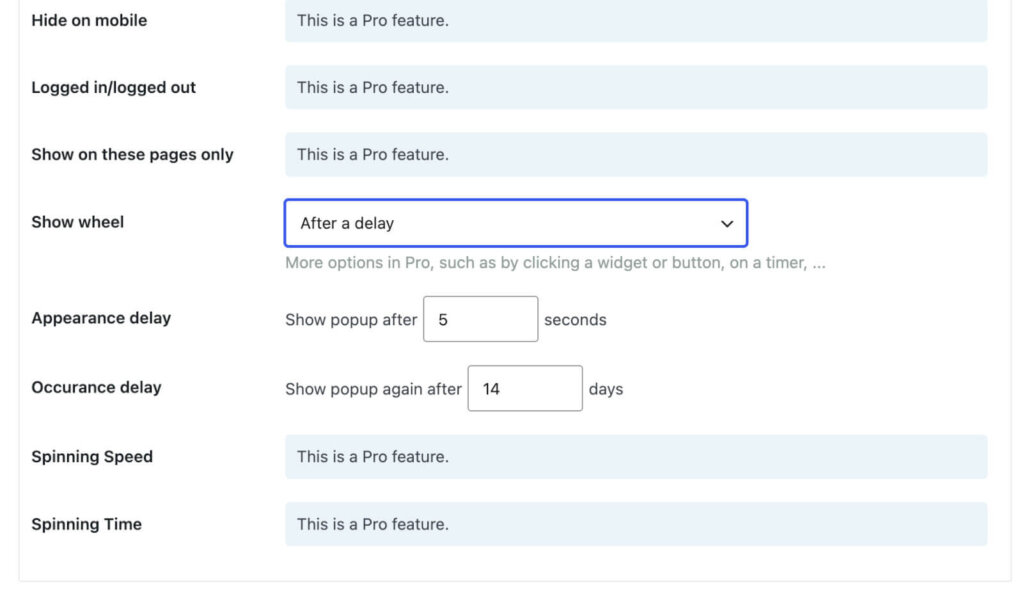
My read is that it’s fine for a free plugin, but very basic and amateur-looking. It isn’t a fit for a serious store or website.
Pros:
- A genuinely free version.
- 4.9 from 81 reviews on wordpress.org.
- Per-slice odds, even on the free version.
Cons:
- WordPress only.
- The free version is very basic and only connects to Mailchimp.
Pricing: Premium is $59 a year for 1 site, $99 for 3 sites and $199 for 20, with lifetime licenses at $169, $269 and $399. That buys spin-to-win wheels and no other popup type, which is a bit expensive for what you get.
Read next: the best gamification plugins for WordPress, for wheels weighed against quizzes and other reward mechanics.
How to Create a Spin to Win Coupon Wheel (The Easy Way)
Want to create a discount spin wheel in less than 5 minutes? Check out this video to see how it’s done!
If you prefer, you can also use our step by step discount spin wheel tutorial with pictures to help you get started!
Which App is Best for Spin To Win?
For most readers, I’d recommend OptinMonster. It’s the best all-in-one option, since Exit-Intent®, geotargeting and every other popup type sit on the same account.
Wheelify is the pick if you sell on Shopify and want the simplest good-value option. If you’re on WordPress and want a genuinely free starting point, then WP Optin Wheel does that. And Wheelio suits you if you want a dedicated spinner you can run beyond Shopify and can justify paying more than Wheelify for it.
Well, every company is different. I recommend looking at your own goals and business objectives beforehand. You can start by asking yourself these questions:
- Do I only want to gamify popups or do I need a comprehensive set of marketing tools?
- Roughly how many impressions will my discount wheel popup get in a month?
- Am I using the popup on one site or many sites?
- Do I need a Shopify discount spin wheel or something I can use on multiple platforms?
- Will I use advanced tools like geotargeting?
Your answers tell you whether any discount wheel plugin will do, or whether you need one that scales and targets specific segments of your market.
Ready to build your own coupon wheel?
Our conversion experts will design 1 free campaign for you, wheel sections and display rules included. You can see it running on your own traffic before you build the rest.
Frequently Asked Questions About Spin To Win Wheels Popups
What is a spin the wheel popup?
A spin the wheel popup is an optin form your visitor gets to play. They enter their email address, click a button, and spin a wheel that lands on a prize, usually a discount code. You’ll also see these called spin to win popups or gamified wheels.
How do spin the wheel coupon campaigns build your business?
A spin the wheel popup adds gamification to your website. It turns an ordinary process, like signing up for a newsletter, into a game the visitor wants to play. Many people will automatically dismiss a regular email signup form without even taking the time to think about subscribing. But an eye-catching discount wheel grabs their attention and offers the chance to win something for free.
There’s a second reason these work, and it’s the one I’d build a campaign around. Once somebody starts something, they don’t like leaving it unfinished. So after a visitor enters their email address for a spin, they’re more likely to follow through and use the coupon they won.
How do I install a spinner wheel plugin on my website?
On WordPress, it works like any other plugin. You upload the zip file under Plugins, activate it, then build your wheel from the plugin’s own settings screen. On Shopify, you install the app from the App Store and it adds itself to your theme, so there’s no zip file involved. Whichever platform you’re on, make sure to create your coupon codes in WooCommerce or Shopify first. Most wheel tools ask you to paste an existing code into each slice rather than generating one for you.
Can I build a spin to win wheel with OptinMonster?
Yes. Coupon Wheel campaigns sit on the Growth plan, which is $49 per month billed annually. You get seasonal wheel templates, plus color, text and image editing in every section. The builder works out the win probability per slice, and the display rules cover triggers like Exit-Intent®, targeting and onsite retargeting.
Get Started With Your Discount Wheel Popup
If you’re ready to build your own wheel, I’d start with OptinMonster. You get a wheel-section builder that sets each prize and its win probability, and display rules covering triggers, targeting and personalization. Keep in mind that Coupon Wheel campaigns sit on the Growth plan, so make sure that fits your budget before you commit.
Get started with OptinMonster today!
If you want more ways to turn the traffic you already have into sales, these guides will help:
Disclosure: Our content is reader-supported. This means if you click on some of our links, then we may earn a commission. We only recommend products that we believe will add value to our readers.
Add a Comment