
Discount Pricing Strategy: When to Discount and How Much (2026)
Last updated on
by
TL;DR
A discount pricing strategy is a plan for when to lower a price, how much to take off, and who gets the lower price. Without a plan, discounts tend to happen whenever sales are slow, and customers learn to wait for them.
Only discount when the extra sales will cover the margin that you give up. The smaller your margin, the more extra sales a discount needs.
Show the discount only to the visitors who need it, such as first-time visitors or shoppers about to leave their cart, so the people who would pay full price still do.
A 20% off code can look like an easy way to get more sales this week. But if your gross margin is 40%, then you keep only half the profit on every order that uses that code.
I’ll show you how to work out how much to discount in your store, when a discount pays for itself, and when it doesn’t. Then I’ll show you how to put the offer in front of only the shoppers who need it, with examples from OptinMonster customers and from how we price OptinMonster itself.
What Is a Discount Pricing Strategy?
A discount pricing strategy is a plan for when you should lower a price, how much you take off, and who gets the lower price. A rule like “new subscribers get 10% off their first order” is one example of a discount pricing strategy.
The opposite option is a discount that you run because this month looks slow. That kind of sale tends to repeat, and customers can start to notice the pattern and wait for the next one.
How Much Should You Discount?
You should discount only as much as your extra sales will cover. Your gross margin is the share of the price that you keep after paying for the product.
To find the sales increase that a discount needs, divide the discount by your margin minus the discount.
This table shows the result for common margins and discounts. It explains many more sales you’d need at each discount to make the same profit as selling at full price:
| Your gross margin | 10% off | 15% off | 20% off | 25% off | 30% off |
|---|---|---|---|---|---|
| 30% | +50% | +100% | +200% | +500% | No profit left |
| 40% | +33% | +60% | +100% | +167% | +300% |
| 50% | +25% | +43% | +67% | +100% | +150% |
| 60% | +20% | +33% | +50% | +71% | +100% |
| 70% | +17% | +27% | +40% | +56% | +75% |
Keep in mind that the table only counts the discounted order, so a first-order discount that brings in a repeat customer can be worth more than its row suggests.
I’d follow three rules for picking the discount number itself:
- A small discount first. You could try 10% first and only go deeper if 10% doesn’t change what shoppers do. A split test of two discounts on the same popup will tell you which one brings in more profit for your store.
- Percentages under $100, dollar amounts over it. Jonah Berger calls this the Rule of 100. On a $40 product, “25% off” sounds bigger than “$10 off,” but on a $400 product, “$100 off” sounds bigger than “25% off.”
- Nothing past your break-even line. If the table says a discount needs more extra sales than your best past promotion brought in, then you could choose a smaller discount.
When to Discount
A discount can be a good idea when it changes what a shopper does, so these are the six moments that I’d use:
- A first purchase. You can give a new visitor a reason to buy today with a small discount. If you ask for their email address in return, then you can keep selling to them at full price afterwards.
- An abandoned cart. A shopper who is about to leave with items in their cart has already chosen what to buy, so a small discount can be enough to get them to check out.
- Slow-moving stock. You can discount the products that aren’t selling and keep your bestsellers at full price.
- A sale your customers expect. Many shoppers save their shopping for events like Black Friday. A sale with a real end date gets them to buy from you on the day.
- A lapsed customer. Someone who hasn’t bought in months may need an offer before they come back. You can email them a code, so your prices stay the same for everyone else.
- A bigger order. You can start a discount at a set order value, so shoppers add one more item to their cart to reach it.
The first purchase is the easiest place to start. In our case study with Urban Southern, a handbag store, they changed their popup’s headline from an invitation to join their community to a 10% off coupon.
Their signups jumped, and six months later, their monthly sales were up 400%.
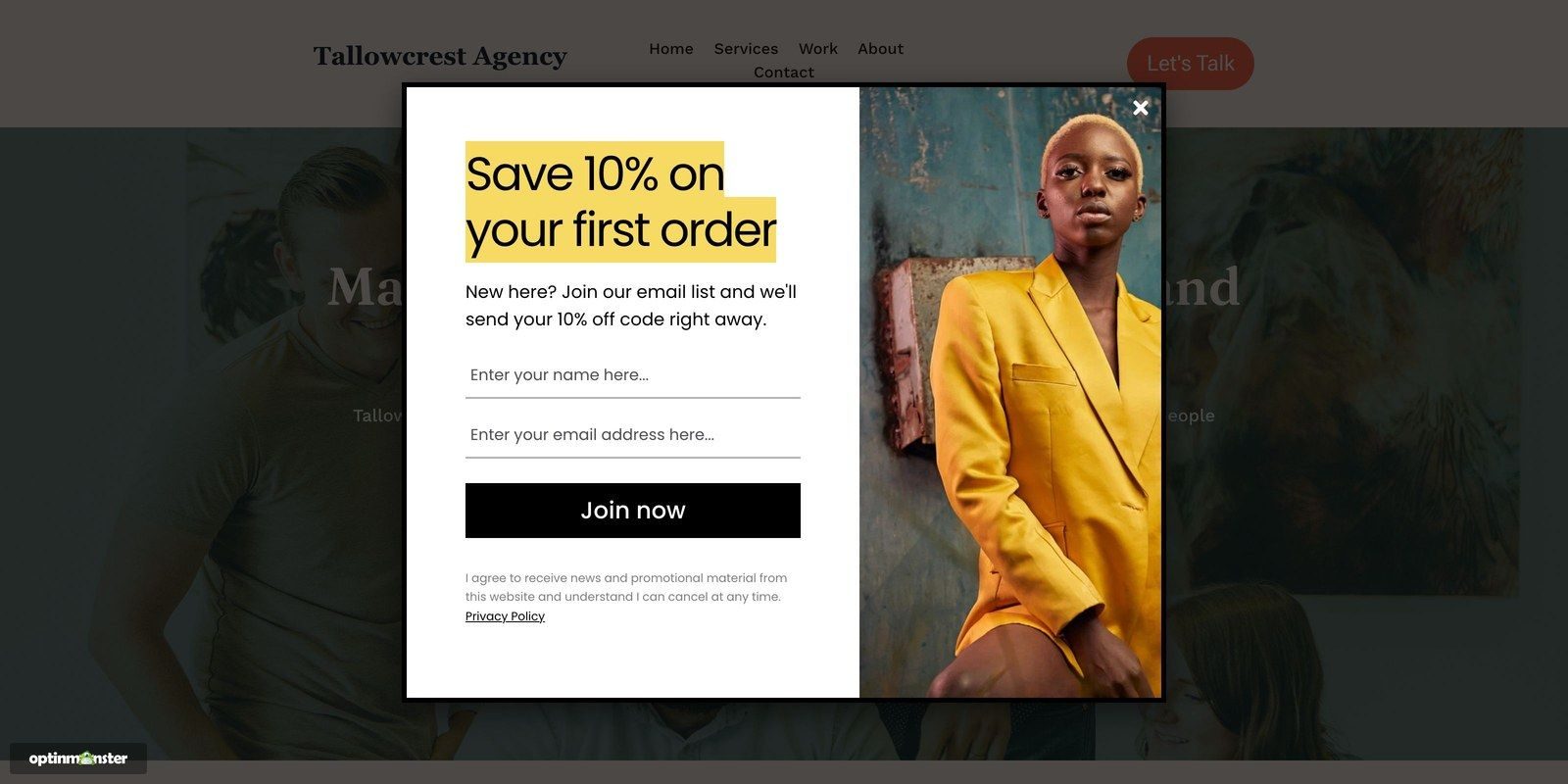
Here’s an example of a first-order discount in OptinMonster, as a new visitor would see it:
When Not to Discount
A discount costs you money every time someone who would have paid full price uses it, so I’d hold back in these four cases:
- Your bestsellers. If a product sells well at full price, then a discount mostly gives away margin on sales that you would have made anyway.
- Shoppers who were going to buy. A code on your homepage reaches loyal customers and first-time visitors alike, so customers who would have paid full price use it too.
- Subscriptions. Paddle, a payments platform for software companies, found in its pricing research that customers who got a first-month discount valued the product at least 12% below its list price. Those customers also cancelled at more than double the rate of customers who paid full price.
- A discount that has become the price. Bed Bath & Beyond’s blue 20% off coupon ran for decades. In the company’s own words, millions of customers held onto their coupons for years “because they never knew when they might need one.”
If your customers already wait for a code, then you can still give them a reason to buy that isn’t a lower price.
In our case study with Christopher Place, a bed and breakfast, they used to fill rooms through discount websites like Groupon. Most of those guests never came back after their first, heavily discounted stay.
So, they offered couples a free guide to planning a romantic getaway near them instead.
The guide appeared when a visitor clicked a MonsterLink™, which is an article link that opens a popup. That campaign converted 60% of the visitors who used it.
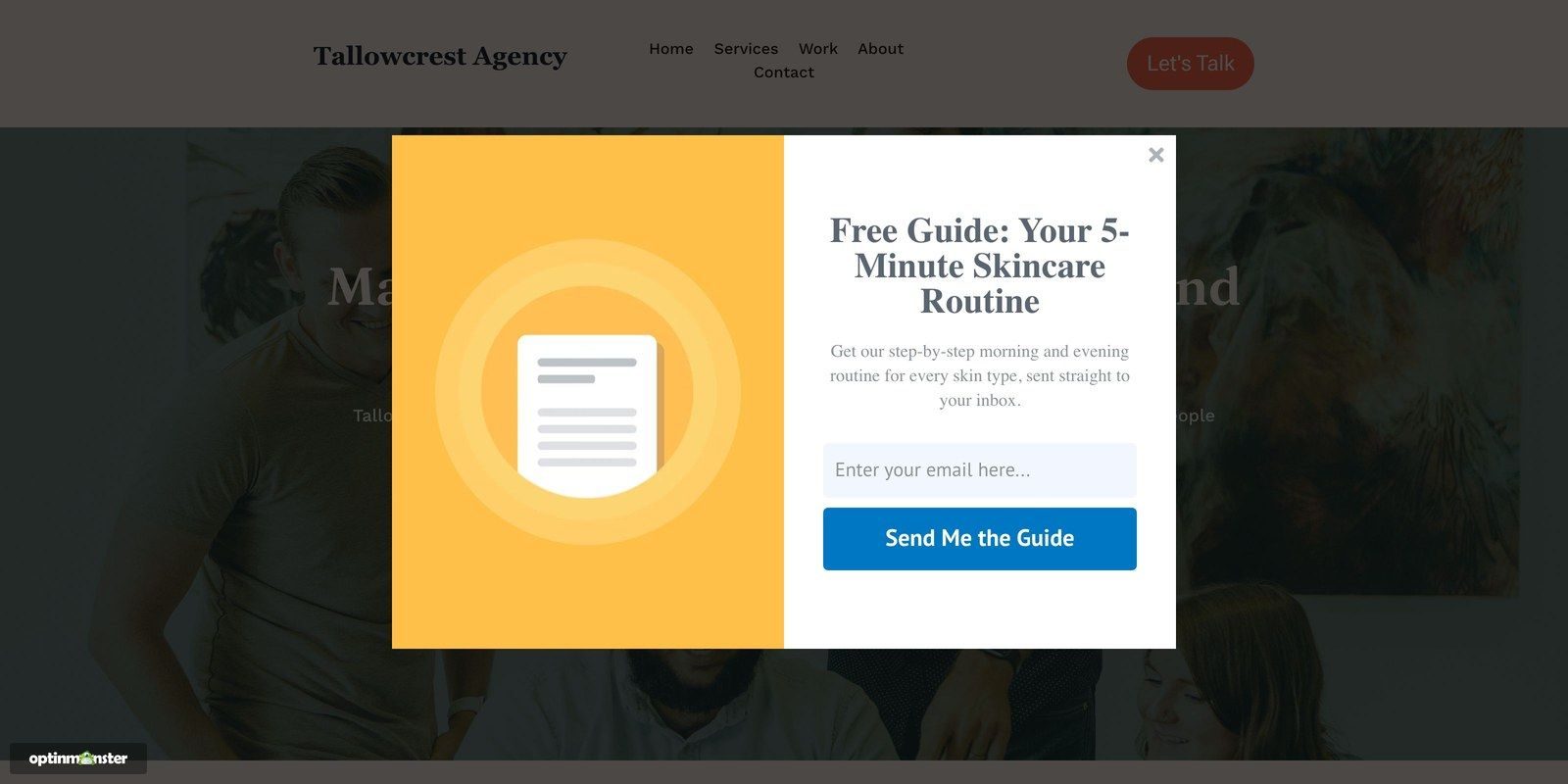
Here’s an example popup I built in OptinMonster that offers a free guide in place of a discount:
Types of Discount Pricing, With Real Examples
I’ll show you eight types of discounts, with a real example so you can apply it to your own store:
- Percentage off. You take 10% or 20% off an order or a product. On products under $100, a percentage looks like the bigger saving.
- A fixed amount off. You take a set amount, such as $20, off the order. It reads as the bigger saving on products over $100.
- An introductory price. The first year or first order costs less, and then the price goes back to normal. We price OptinMonster this way, with an introductory price for the first year, and every plan renews at full price after that.
- A gift with purchase. You add something to the order instead of cutting the price. For its Black Friday shopping event, Apple gave Apple gift cards of up to $250 with eligible purchases and left its prices where they were.
- Spend more, save more. The discount grows with the order, such as 10% off over $75 and 20% off over $150. Shoppers spend more to reach the bigger discount, so you raise the order size as well as lowering the price.
- Free shipping over a set amount. Shoppers add an item to reach the free shipping threshold, the same way they would for a spend-more discount. Your product prices don’t change.
- A flash sale. You offer a bigger discount for a short, fixed amount of time, such as a day or two. If you extend the sale every time it ends, then shoppers can learn to ignore the next one, so the deadline has to be real.
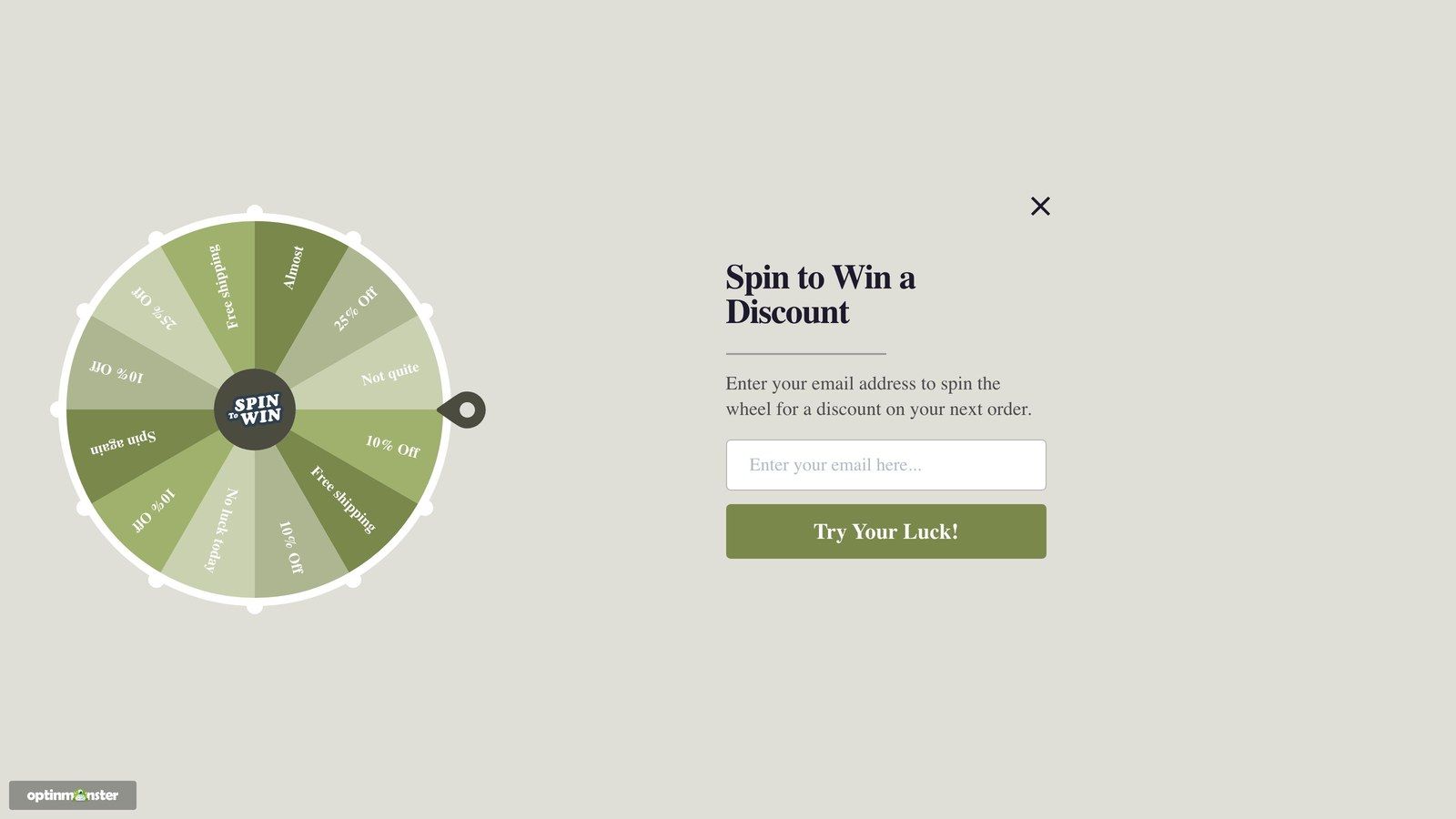
- A spin-to-win wheel. The visitor spins for a discount in return for their email address. The wheel works because they feel like they won something, and you still choose how often each prize comes up.
Here’s an example of how you could use the spin-to-win wheel:
For full details, see our guide on how to build a spin to win wheel.
How to Show a Discount Only to Visitors Who Need It
A code on your homepage is shown to every visitor, including the ones who would have paid full price. On the other hand, with a targeted discount, only the visitors who need a reason to buy will see it.
In our case study with Sportique, an outdoor and lifestyle store, they kept the same 10% off coupon and changed which visitors saw it and how the popup opened. Their conversions went up 200% without a new offer.
Here are three ways to do the same on your own website with OptinMonster:
- New visitors only. OnSite Retargeting® lets you show your first-order discount to people on their first visit, so returning customers keep seeing your full prices. It’s the first rule that I’d add to your discount offer.
- Shoppers about to leave the cart. Exit-Intent® triggers a popup when a shopper is about to leave the page, so you can save your cart discount for that moment. If you only set up one targeted discount, then I’d make it this one.
- A real deadline. You can add a countdown timer to the offer so shoppers can see when it ends. I’d only do this for a deadline that’s real, so the timer never shows a date that you plan to move.
Here’s a cart discount that Exit-Intent® triggers when a shopper is about to leave:
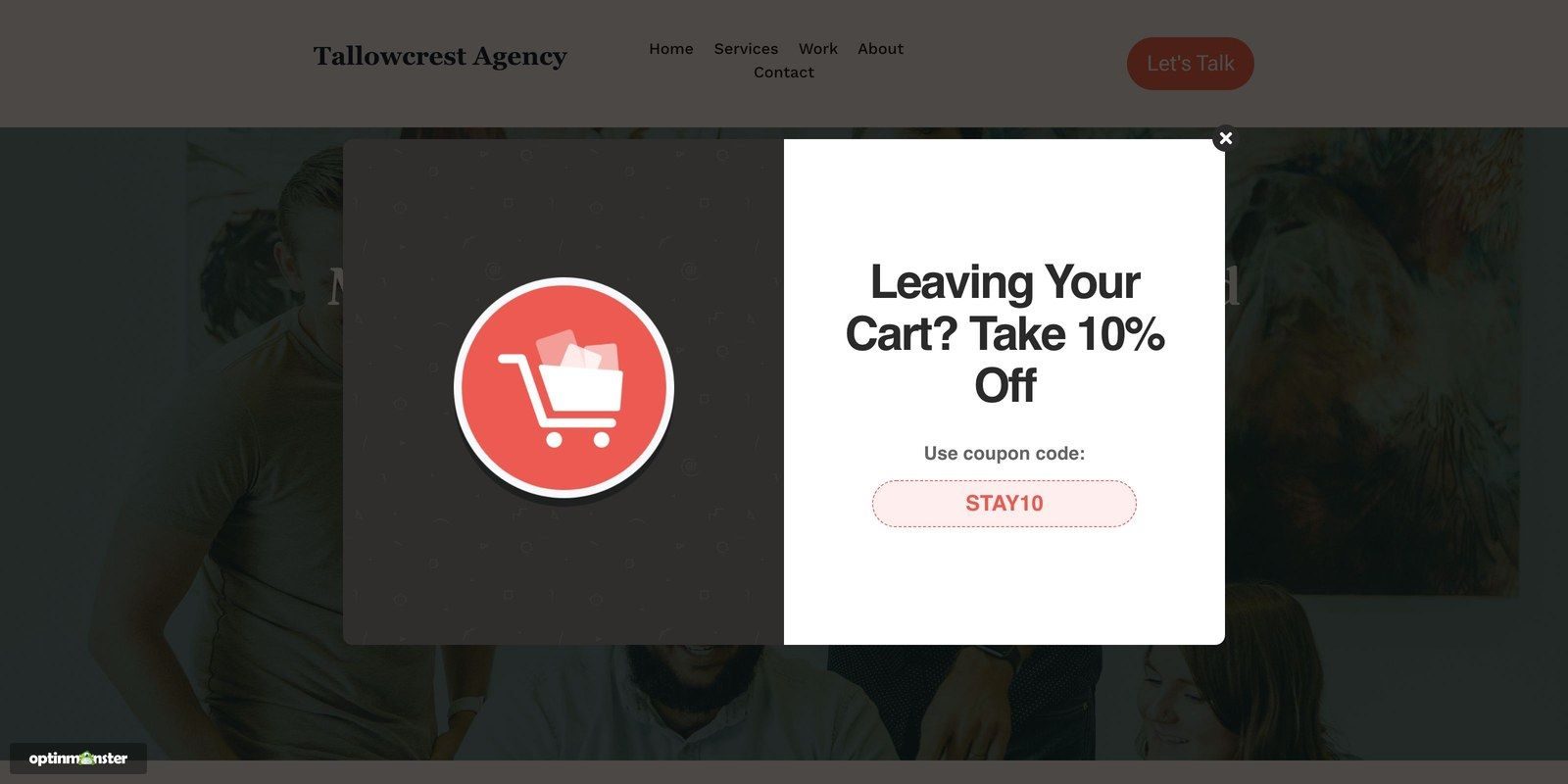
For full details on how to do this on your own store, see our guide on how to create a popup coupon.
Want your discount to reach only the shoppers who need it?
OptinMonster lets you show a discount only to new visitors or to shoppers about to leave their cart, so your full-price customers keep paying full price.
Frequently Asked Questions About Discount Pricing
What is a discount pricing strategy?
A discount pricing strategy is a plan for when you lower your prices, how much you take off, and who gets the lower price. For example, a store might give new email subscribers 10% off their first order and keep every other price the same.
What is an example of discount pricing?
A common example is a first-order discount, such as 10% off for new email subscribers. Another is a gift with purchase, like the Apple gift cards that Apple gave with eligible purchases during its Black Friday shopping event instead of cutting its prices.
Is it discounted price or discount price?
Both are correct, and both mean a price that’s lower than usual.
Choose Your First Discount
Before your next sale, make sure to check your profit margin in the table against the discount that you had in mind. If the sales increase looks out of reach, then a smaller discount or a free guide will cost you less than a deeper cut.
Then, you could pick one moment, like a first purchase or an abandoned cart, and build one targeted OptinMonster campaign for it. Once it has run for a few weeks, compare the profit with the weeks before and only raise the discount if it went up.
You can pick the OptinMonster plan that fits your needs and build your first targeted discount from a ready-made template.
Disclosure: Our content is reader-supported. This means if you click on some of our links, then we may earn a commission. We only recommend products that we believe will add value to our readers.