
The 6 Best WordPress Popup Plugins in 2026 (Tested With Real Numbers)
Last updated on
by
I’ve spent over a decade in digital marketing, and popup campaigns are my day job. That means I spend more hours inside popup builders than almost anyone you’ll meet, including the competing ones, because knowing what every tool in this market does well is part of the work.
So this is my honest take on the best WordPress popup plugin for each type of site: the strongest overall WordPress popup builder, the best genuinely free option, and the right picks if you’re already committed to Elementor, Divi, or Thrive.
- How I Tested These Popup Plugins
- Best WordPress Popup Plugins Compared
- 1. OptinMonster
- 2. Popup Maker
- 3. Thrive Leads
- 4. Elementor Pro Popup Builder
- 5. Bloom
- 6. HubSpot
- Free vs. Paid Popup Plugins: When to Pay
- Which WordPress Popup Plugin Should You Choose?
- FAQs About WordPress Popup Plugins
- Start Turning Traffic Into Subscribers
How I Tested These Popup Plugins
Let me tell you exactly what we did and where the limits are.
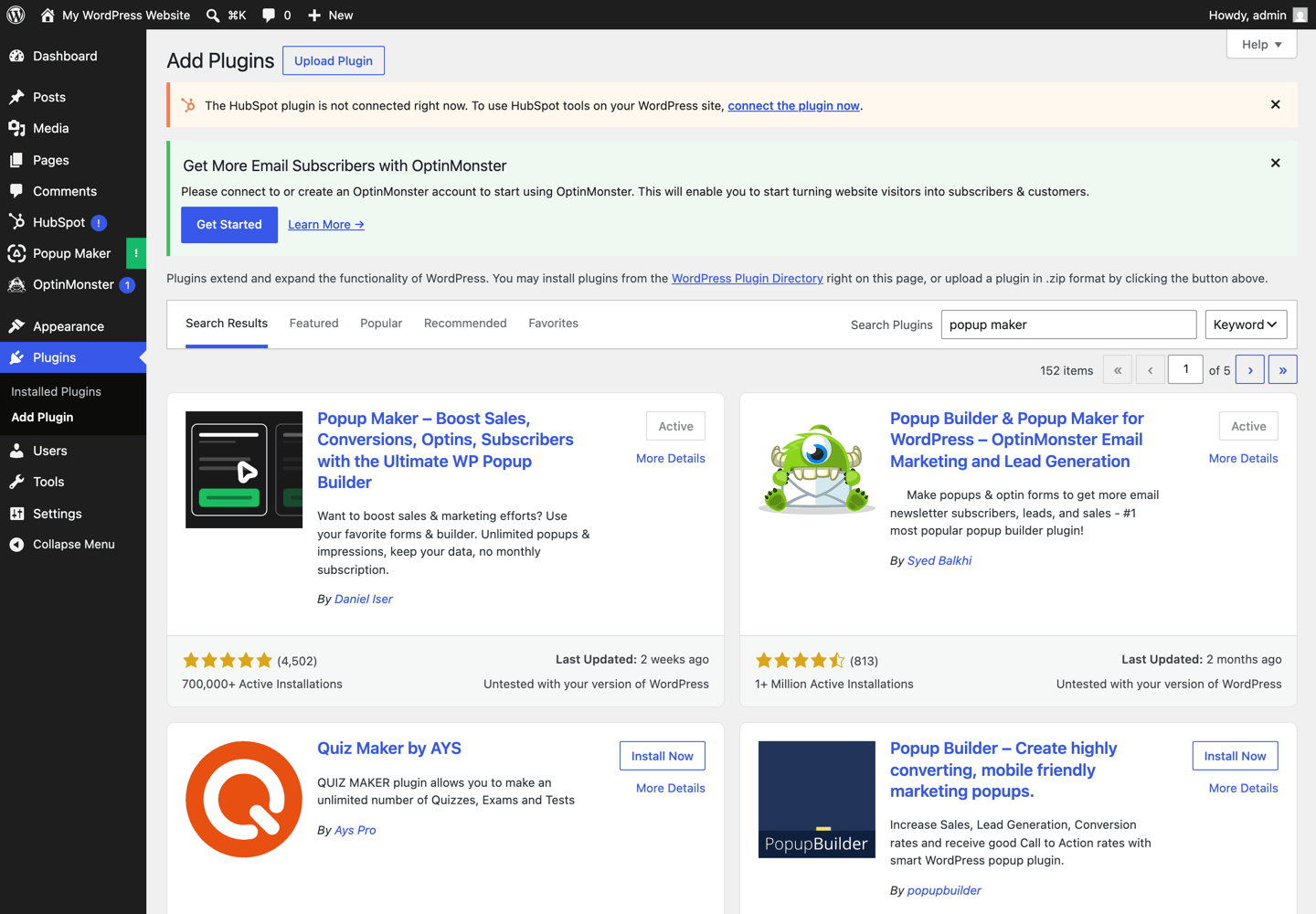
We put the plugins you can try without a license through the same drill: install from the WordPress repository, build the same simple email popup, publish it, and confirm it fires on the front end. Along the way we timed the setup, screenshotted every step, and measured something most roundups only guess at: how many kilobytes each plugin actually adds to your pages, and where those bytes load from.
Three tools got the full hands-on treatment this round: OptinMonster, Popup Maker, and HubSpot. Thrive Leads, Elementor Pro, and Bloom require paid licenses, so their sections are built from current official documentation and verified pricing.
What we judged:
- Setup friction. How much stands between “Install Plugin” and a live popup, and where you’ll get stuck
- Script weight. Measured kilobytes added to your front end, and whether they come from your server or someone else’s
- What free actually includes. Trigger by trigger, checked against the current plugin version, because free tiers shrink quietly over time
- Pricing and install counts. Verified against official pricing pages and wordpress.org listings on the day of testing, not copied from older articles
One thing this testing immediately caught: two claims that appear in most popup plugin roundups (including, previously, ours) are no longer true in the current plugin versions. You’ll find both corrections below.
Best WordPress Popup Plugins Compared
Prices and install counts checked July 2026. Most of these tools run intro discounts that renew at full price, so treat these as starting points.
| Plugin | Best for | Free version | Hosting | Weight on your server | Starting price |
|---|---|---|---|---|---|
| OptinMonster | Targeting depth and conversion optimization | Yes, limited to 500 campaign impressions, available only for WordPress plugin users | Cloud | 2 KB measured | $7/month (billed annually) |
| Popup Maker | Best fully free popup builder | Yes | Self-hosted | ~81 KB measured | Free, Pro $99/year |
| Thrive Leads | A/B testing inside WordPress | No | Self-hosted | Not measured (no license) | $199/year |
| Elementor Pro | Sites already built with Elementor | No | Self-hosted | Not measured (no license) | Advanced Solo plan |
| Bloom | Divi and Elegant Themes members | No | Self-hosted | Not measured (no license) | $89/year (with Divi) |
| HubSpot | Popups plus a free CRM | Yes | Cloud | 0 KB until connected | Free |
The hosting column matters more than people think, and now we have the numbers to show why. Self-hosted plugins do their work from your server: Popup Maker ships about 81 KB of scripts and styles with every page load, measured on our test site. Cloud tools work differently: OptinMonster put 2 KB on our server, loaded the rest asynchronously from its CDN after the page had already rendered, and loaded nothing at all on pages with no active campaign. On a high-traffic site, that difference is your hosting bill and your Core Web Vitals.
1. OptinMonster
Best for: anyone whose popup strategy is really a conversion strategy, especially ecommerce stores and content sites serious about email list growth.
Full disclosure: OptinMonster is our product. You’d expect a roundup on our own blog to put us first, so I’ll make the case the same way I make it for every other tool here, cons included. Here’s why I’d still pick it if I quit tomorrow.
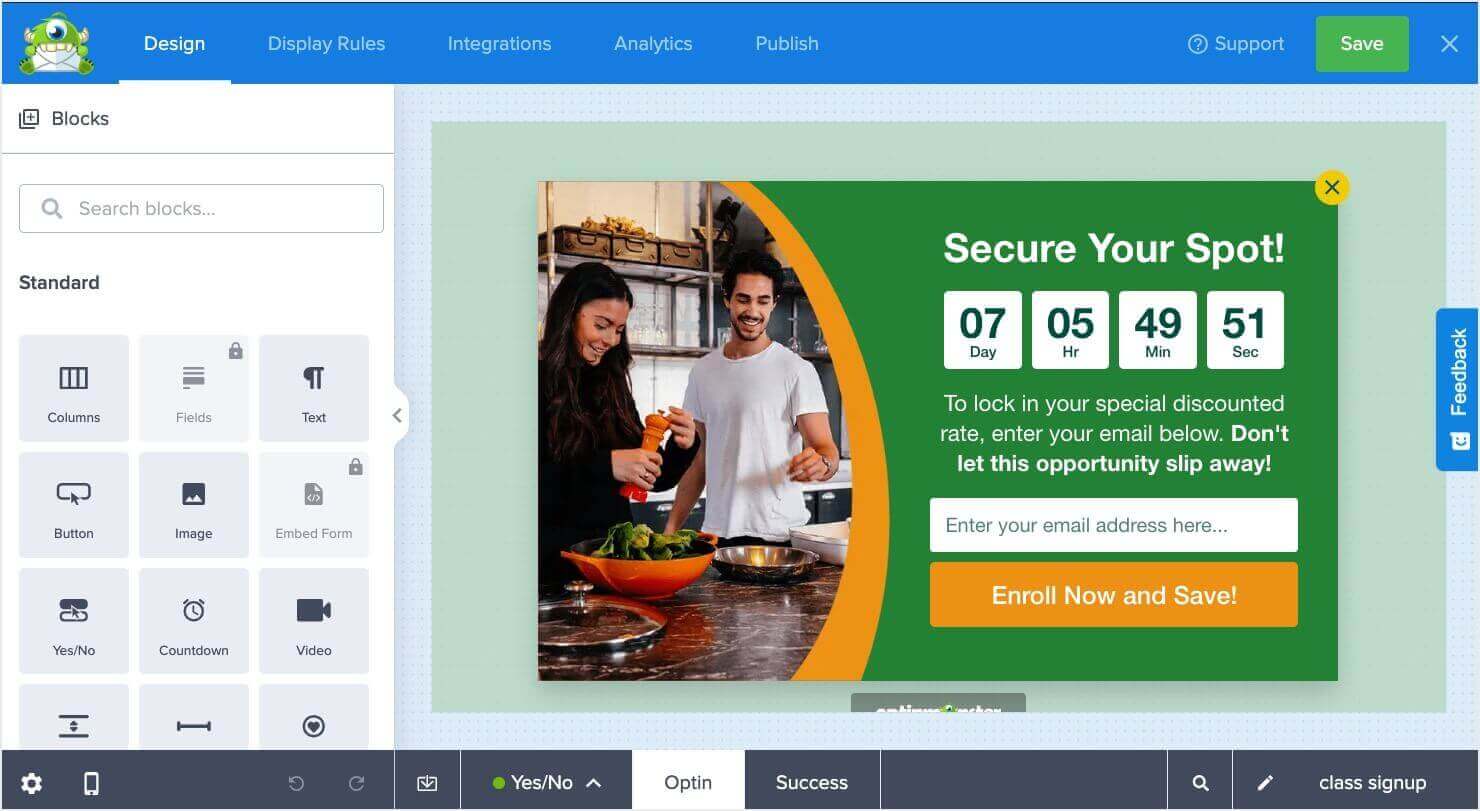
From our test: install to a live, published campaign took under 15 minutes, most of which was the setup wizard walking us through account connection. The campaign builder loaded a ready-to-publish template with zero design work needed, and the app detected our site’s embed automatically. Measured front-end footprint: 2 KB on our server, everything else served asynchronously from OptinMonster’s CDN after page render, and nothing loaded at all on pages without an active campaign.
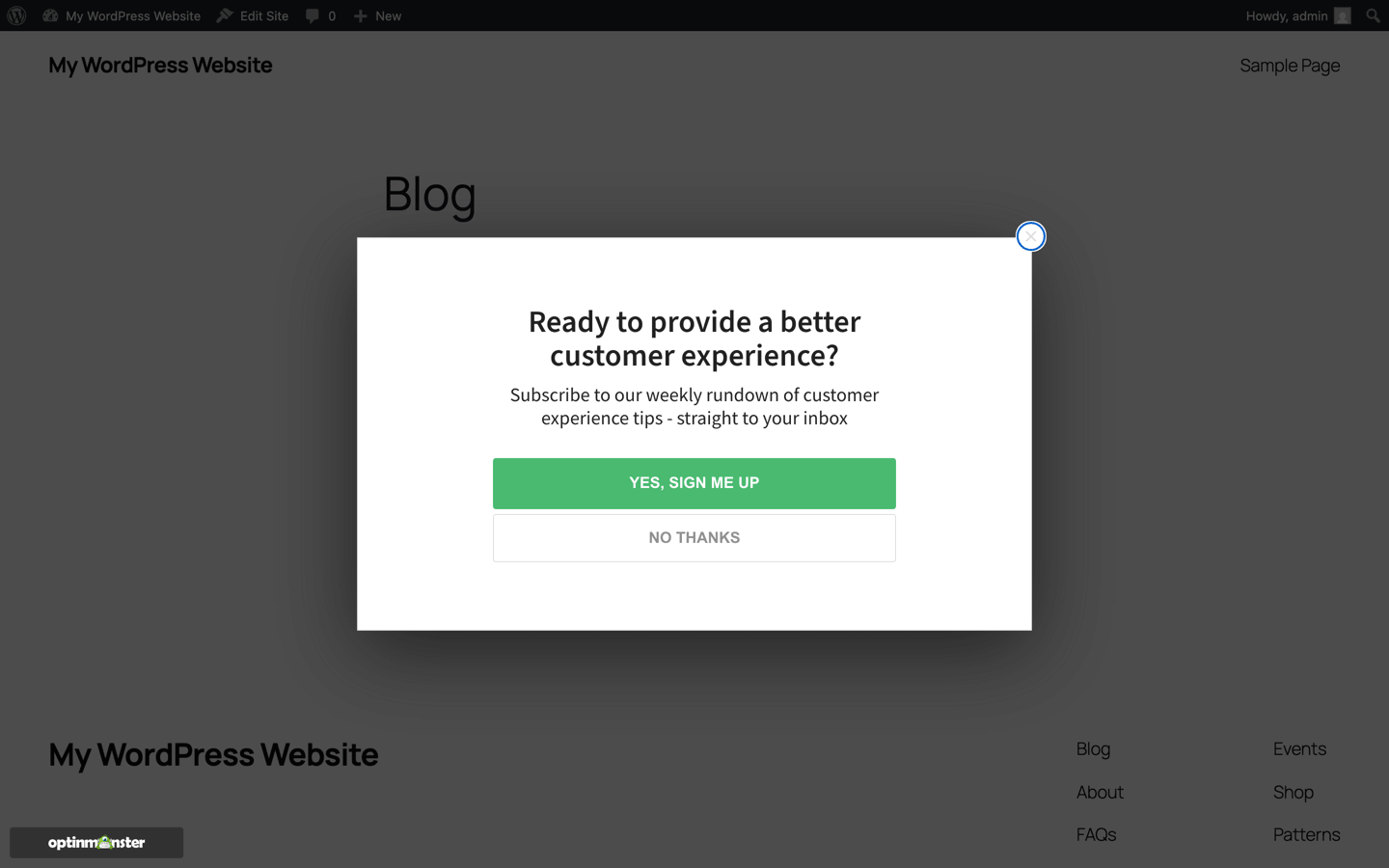
The builder itself is table stakes. Every tool on this list has drag-and-drop editing and templates (OptinMonster ships 700+ of them). What separates OptinMonster is what happens after you design the popup: the targeting and trigger engine.
You can show a different campaign to first-time visitors, returning visitors, people from a specific referral source, people in a specific city, or people who have already seen (or dismissed) another campaign. On the trigger side, Exit-Intent® Technology detects when someone is about to leave the page and fires the campaign at that exact moment, which consistently turns abandoning visitors into subscribers because it interrupts nobody who was still reading.
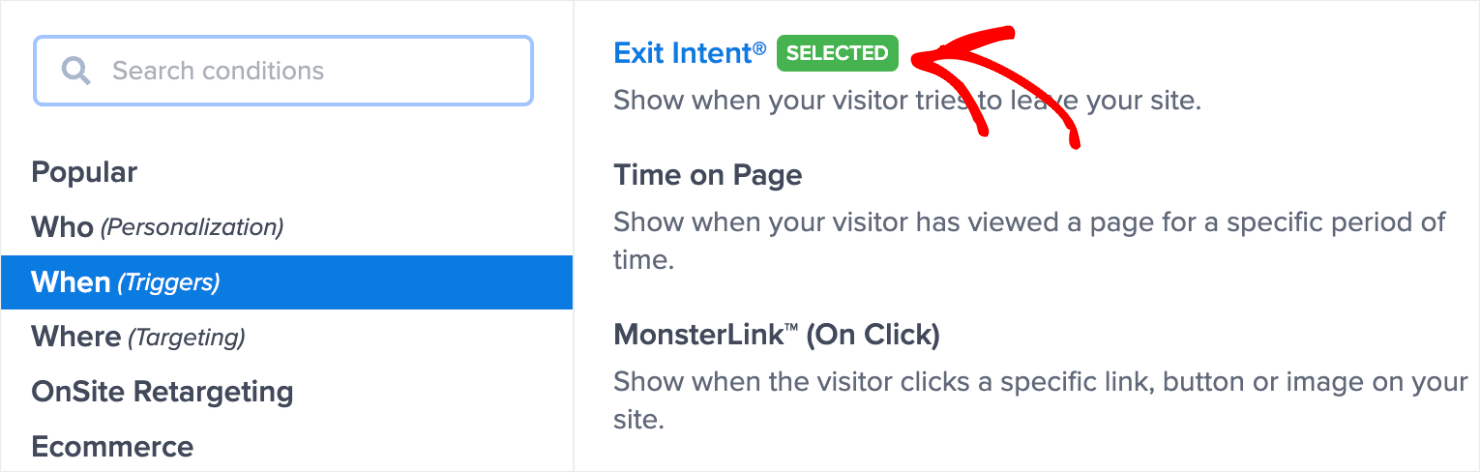
A concrete example of how those pieces combine. Say your SEO tips post gets steady traffic. You can offer an SEO checklist as a lead magnet, use Page-Level Targeting to show it only on that post, and trigger it with Exit-Intent® Technology so readers see it on their way out. That one campaign pattern is behind a lot of the results in our case study library.
Real numbers, since this list should have some: Storyly grew their email list 45% and increased conversions 80% using OptinMonster campaigns, and Social Media Examiner added 95,654 subscribers in seven months using Exit-Intent® Technology. Those are documented case studies, not projections.
There’s also a free plan for WordPress plugin users, limited to 500 campaign impressions a month and available through the OptinMonster WordPress plugin, which is worth knowing if you want to start on the targeting engine before committing. You’ll need an OptinMonster account either way, because campaigns are built and served from the cloud, which is exactly why the plugin stays so light on your server.
Honest cons: The free version includes 500 campaign impressions, all of the features of Basics, and is only available if you’re using our WordPress plugin. If you want to show your campaigns more than that or take advantage of additional features, you’ll need to upgrade. If all you need is a simple newsletter box and you never plan to segment your leads or personalize your offers or test campaigns to improve them, you can get away with the Free or Basic plans. OptinMonster earns its cost when targeting and testing start driving revenue
Pricing: free plan via the WordPress plugin (500 campaign impressions/month). Paid plans start at $7/month billed annually. Pro ($29/month) adds Exit-Intent® Technology, and there’s a 14-day money-back guarantee, no questions asked.
2. Popup Maker
Best for: anyone who needs a fully free, self-contained popup plugin and is willing to trade convenience for cost.
I’m recommending a competitor second, which should tell you something: Popup Maker deserves its 700,000+ active installs. The free version is a real product, not a demo. Unlimited popups, no traffic caps, and no account required anywhere: everything runs inside your WordPress install.
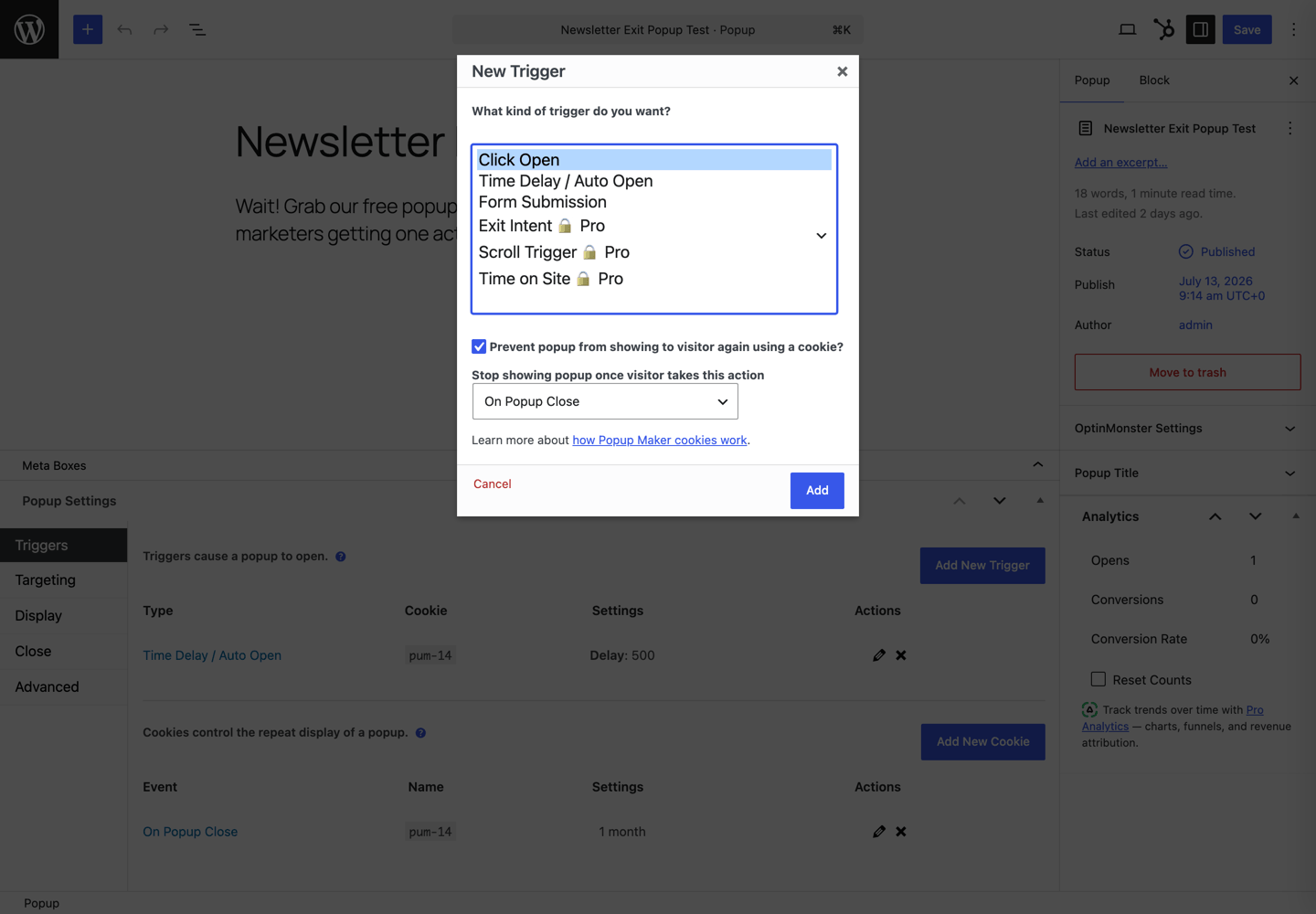
From our test: install to a live popup on the front end took under 9 minutes, and that included hunting for the settings. Which brings me to the honest part: Popup Maker’s triggers and targeting live in a settings panel that the modern WordPress editor collapses into a “Meta Boxes” tray at the bottom of the screen. If you don’t know it’s there, you’ll spend a few minutes wondering where the plugin went. Once you find it, the flow is fine, and there’s a genuinely thoughtful touch: adding a trigger automatically creates a matching cookie so the popup stops re-appearing for people who closed it, no documentation required.
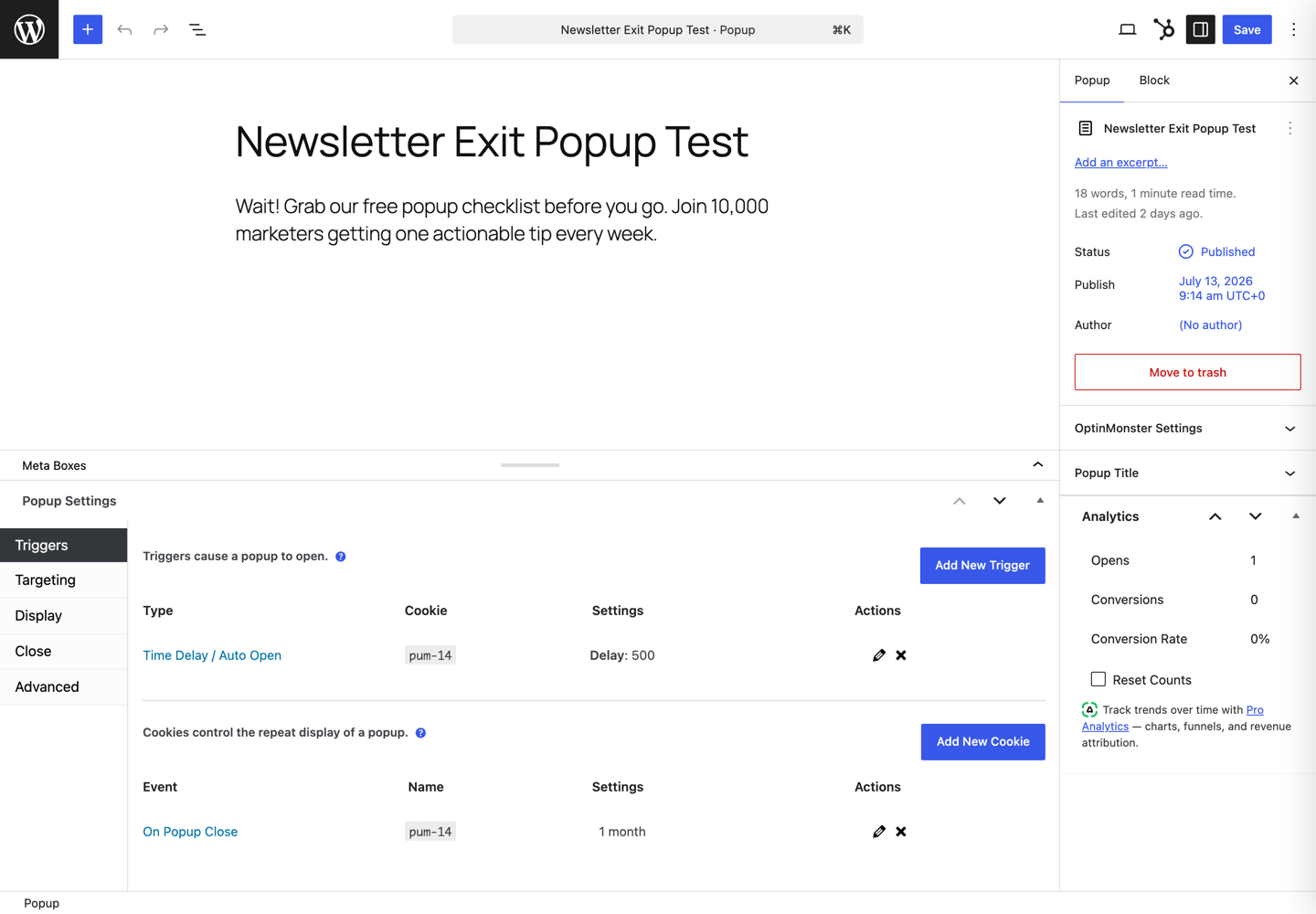
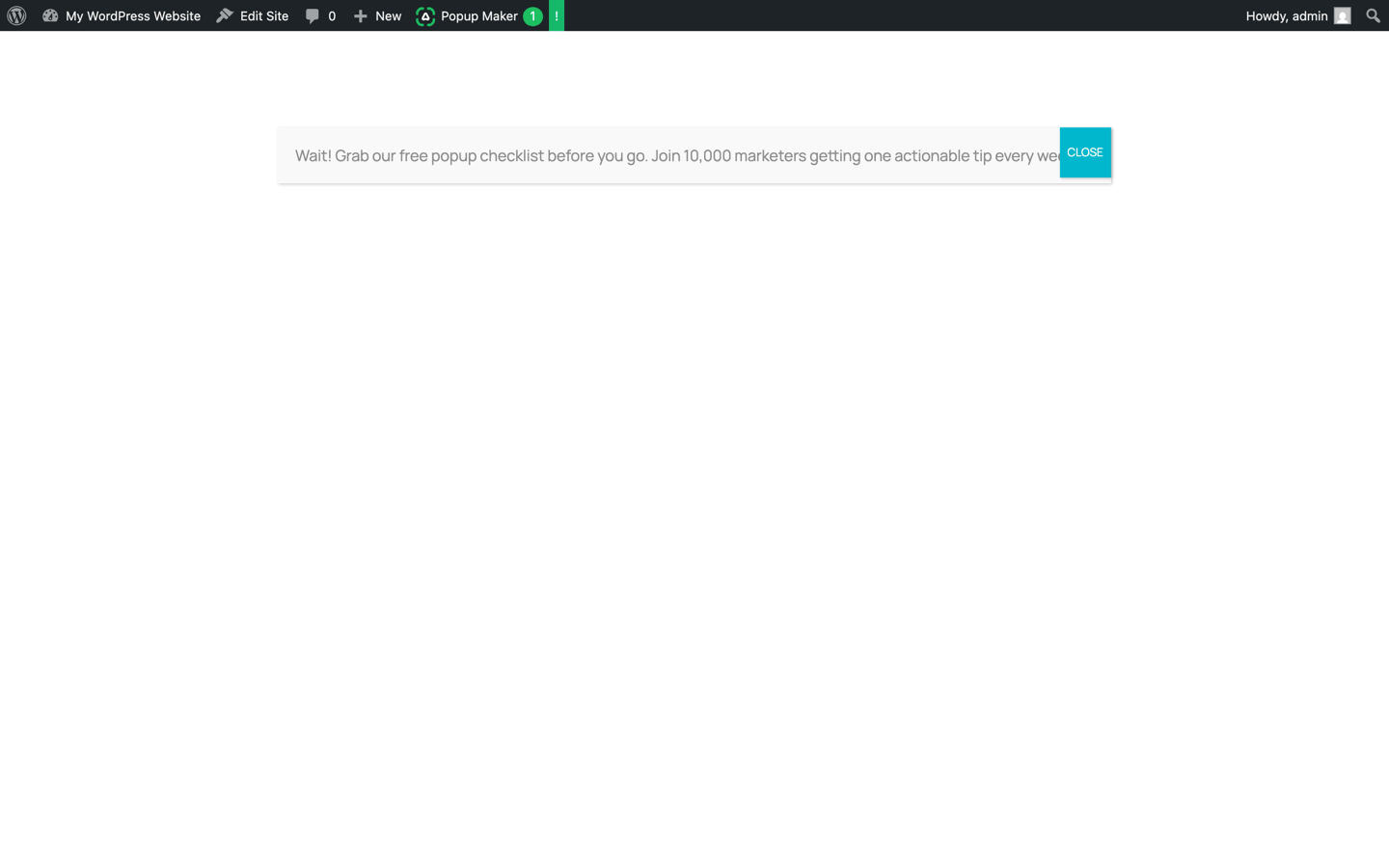
The workflow is very WordPress-native. You build popup content in the standard block editor and configure display rules in that settings panel. If you’re comfortable in WordPress, nothing here will confuse you; the results look as good as the effort you put in, because you’re styling things yourself rather than starting from designed templates. Our test popup published with the default styling, and I’ll be kind and call it minimalist.
Now the correction our testing caught. Most roundups, including the previous version of this one, will tell you Popup Maker’s free version includes scroll triggers. It doesn’t anymore. In the current version, the free triggers are click-to-open, time delay, and form submission. Exit-intent, scroll, and time-on-site triggers are all Pro now. The click-to-open trigger is still the standout free feature: you can attach a popup to any link or button, which is perfect for “get the checklist” CTAs inside blog posts.
Honest cons: the free trigger list is shrinking (see above), advanced targeting and most integrations live in the paid extensions, and the interface is functional rather than pleasant. Our measurement clocked it at roughly 81 KB of scripts and styles served from your own hosting on every page load, campaign or no campaign. By the time you’re paying $99/year and assembling extensions, compare the total against a purpose-built paid tool.
Pricing: free core plugin. Pro starts at $99/year, which now includes exit-intent and scroll triggers, plus advanced analytics.
3. Thrive Leads
Best for: marketers who want serious A/B testing and reporting without any data leaving their WordPress install.
Not hands-on tested this round (requires a paid license); assessed from current official documentation and verified pricing.
Thrive Leads is the strongest self-hosted option for testing. Variant testing and conversion reports live right in your dashboard, grouped by lead group and content type, and everything stays on your server, which matters to teams with strict data policies.
The builder is flexible, with opt-in and popup types most tools skip: ribbons, content locks, scroll mats, in-content forms. SmartLinks is a genuinely clever feature that hides opt-in forms from people who already subscribed and shows them something else instead.
Honest cons: the display rules take longer to learn than anything else on this list, and because it runs entirely on your server, it adds load that cloud tools don’t. It’s also priced for committed users now: the standalone price is $199/year, double what most older roundups still claim (including, until this update, ours). The better deal is the full Thrive Suite at $299/year if you’ll use the other Thrive tools.
Pricing: $199/year standalone, or $299/year for Thrive Suite (currently discounted from $599).
4. Elementor Pro Popup Builder
Best for: sites already built with Elementor that want popups in the same editor as everything else.
Not hands-on tested this round (requires a paid license); assessed from current official documentation and verified pricing.
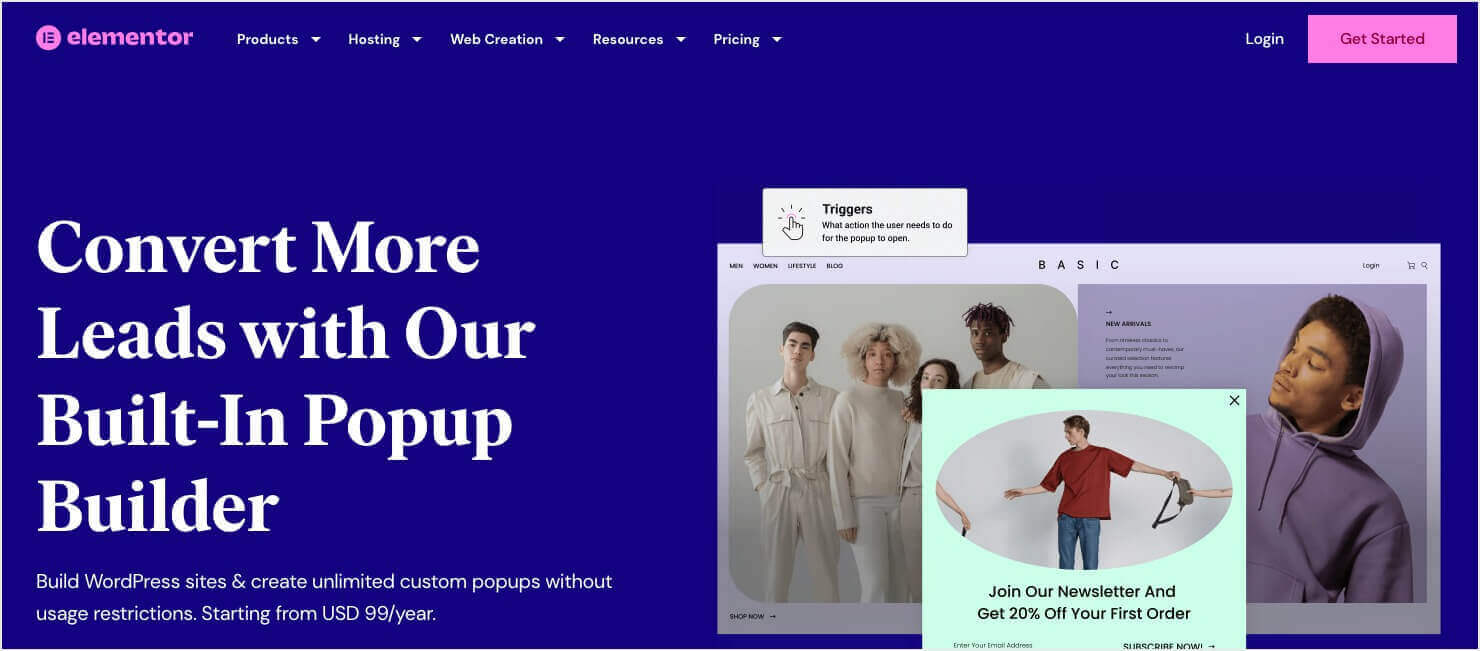
If Elementor is your page builder, its popup module is the path of least resistance. Same drag-and-drop editor, same widgets, same styling system, so your popups automatically match your site’s design language. Triggers cover the essentials: page load, scroll depth, click, time on page, and exit intent.
Honest cons: the popup builder isn’t in the cheapest Elementor plan; you need Advanced Solo or higher. And buying Elementor Pro just for popups makes no sense, since you’d be adopting an entire page builder’s CSS and JavaScript for one feature. This pick is for existing Elementor users only.
Pricing: included in the Advanced Solo plan and above. Elementor changes prices and runs promotions constantly, so check their pricing page for the current number.
5. Bloom
Best for: Divi users who already pay for an Elegant Themes membership.
Not hands-on tested this round (requires a paid license); assessed from current official documentation and verified pricing.
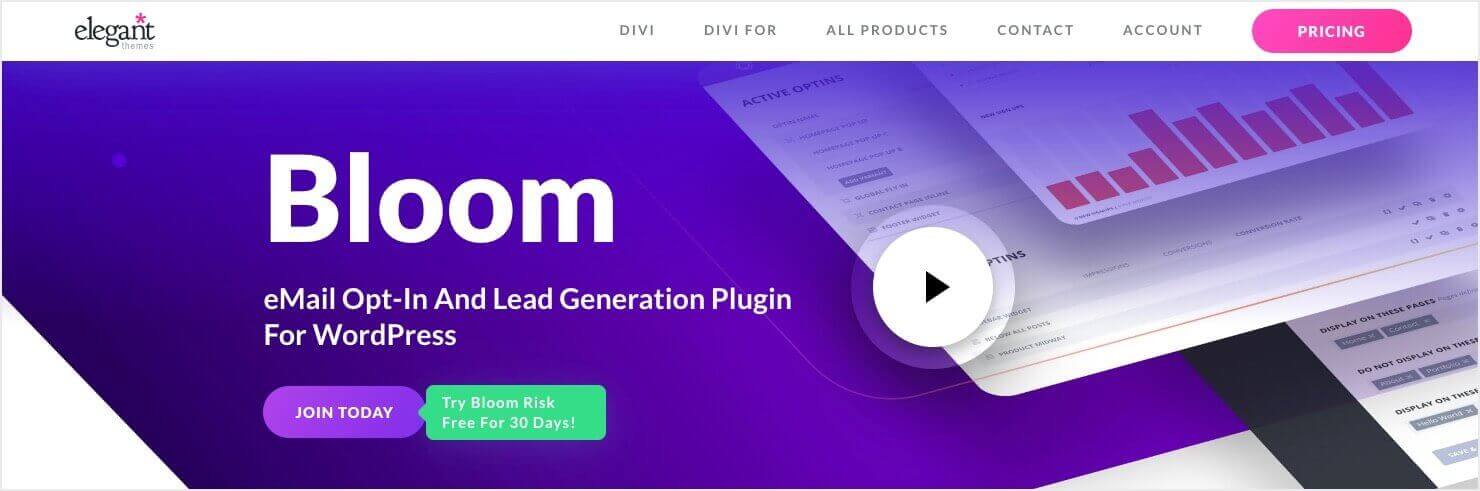
Bloom comes bundled with the Elegant Themes membership alongside Divi, so for existing members it’s effectively included. It covers six trigger types (including exit intent and the unusual after-comment and after-purchase triggers) and ships about 100 templates for signups, discounts, and content upgrades.
Honest cons: Elegant Themes has poured its development attention into Divi 5 and AI features, and Bloom hasn’t seen meaningful updates in a long time. It works, but it isn’t going anywhere new. Customization runs through a settings panel rather than a true visual builder, and as a self-hosted plugin it adds its own CSS and JavaScript to every load. I wouldn’t buy the membership to get Bloom; I’d use Bloom because I already have the membership.
Pricing: included with Elegant Themes membership at $89/year, or $249 lifetime.
6. HubSpot
Best for: teams that want popups wired directly into a CRM without paying for either.
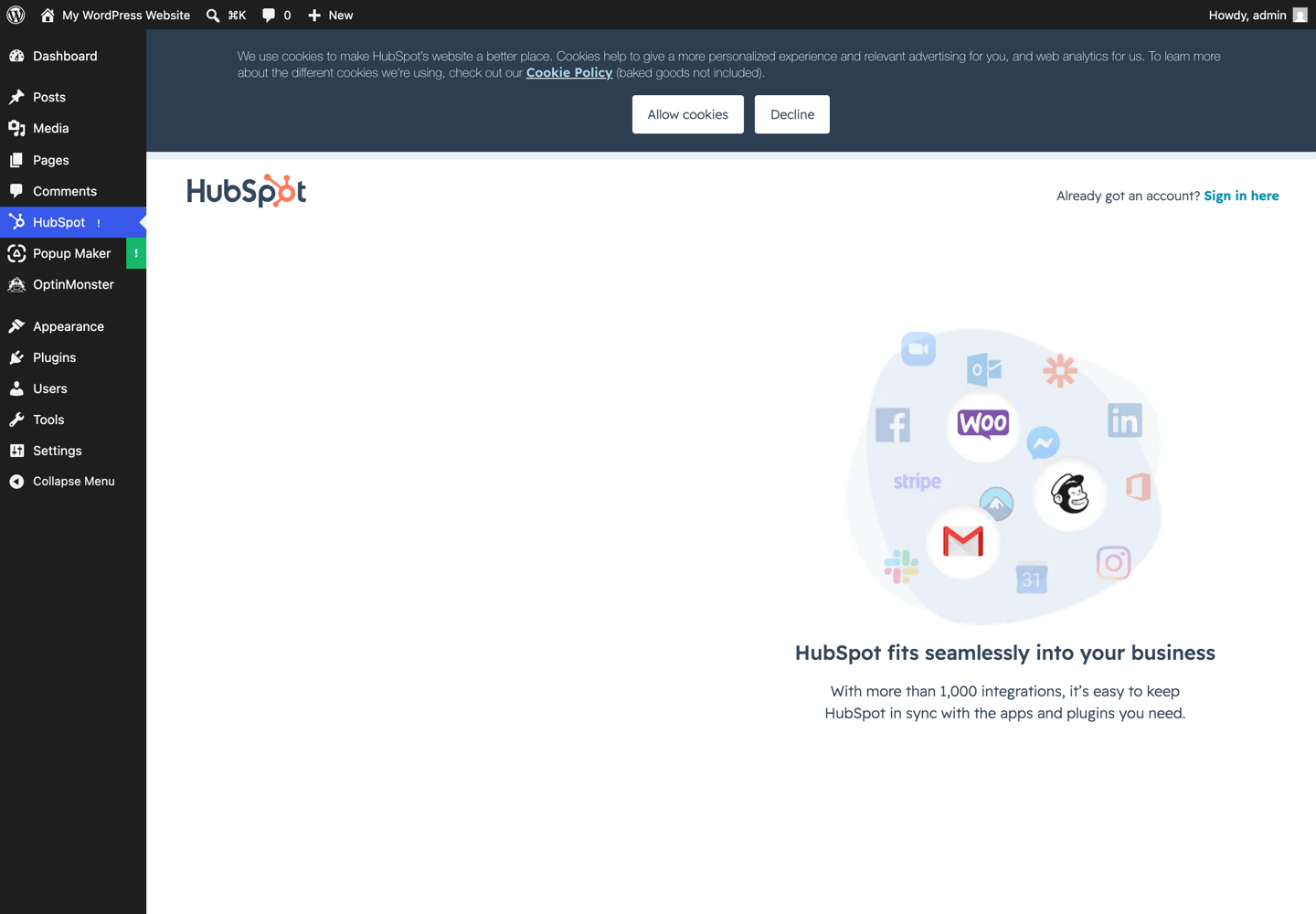
From our test: the install is quick, but know that HubSpot gates everything behind account signup: activating the plugin drops you straight onto a “Create your free account” screen inside your own WordPress admin, complete with HubSpot’s cookie consent banner, before you’ve seen a single feature. The signup fine print also notes that WordPress will share your name, email, and domain with HubSpot. None of that is a dealbreaker for the value on offer; it’s just worth walking in with your eyes open. Like OptinMonster, it loaded nothing on our front end until an account was connected.
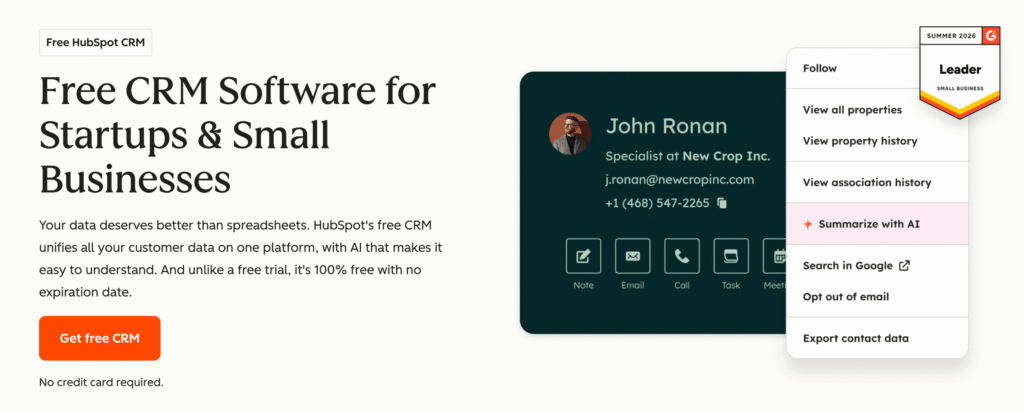
The HubSpot WordPress plugin is free and includes popup forms, live chat, and the CRM itself. The popup builder is fine but basic. The reason to install it is what happens after the popup: every submission lands as a contact record in a real CRM where a sales team can actually work it, and you paid nothing for any of that.
Honest cons: you’ll feel the ceiling quickly. The design options are limited compared to dedicated builders, and the features that make HubSpot powerful (automation, segmentation, testing) are in paid Marketing Hub tiers that get expensive fast. The free tier is a genuinely useful on-ramp; just know what road it’s an on-ramp to.
Pricing: free plugin and free CRM. Paid Marketing Hub tiers add automation and testing.
Free vs. Paid Popup Plugins: When to Pay
The free tools on this list are legitimate, and after this round of testing we can be precise about what free actually gets you. Popup Maker will run unlimited basic popups forever with no account, on click and time-delay triggers. HubSpot’s free tier includes popups plus a CRM once you’ve signed up. OptinMonster’s free plan, available through the WordPress plugin with a 500-impression monthly cap, gets you onto the same cloud targeting engine the paid plans run on. If your entire goal is “collect newsletter signups on a small site,” start free and don’t look back.
Paying starts making sense when any of these become true:
- You need exit intent. It’s the single highest-leverage popup trigger, and it’s paid everywhere: OptinMonster’s Pro plan, Popup Maker’s Pro extensions, Elementor’s paid tiers. Our testing confirmed there is no free exit-intent trigger anywhere on this list.
- You need targeting. Showing everyone the same popup is where “popups are annoying” comes from. Page-level, referral, geo, and behavior targeting are paid features across the board.
- You’re testing. Once you A/B test popups against each other, the winner usually pays for the software many times over. Storyly’s 80% conversion increase came from exactly this kind of iteration.
A useful way to decide: estimate what one email subscriber is worth to you, then ask how many extra subscribers per month the paid features would need to produce to break even. For most sites with real traffic, the number is small.
Which WordPress Popup Plugin Should You Choose?
- Best overall: OptinMonster, on the strength of targeting depth, Exit-Intent® Technology, and testing, with the lightest measured footprint on your server of anything we tested. It’s the one that treats popups as a conversion system rather than a design widget, and the free plan through the WordPress plugin means you can start without spending anything.
- Best fully free and self-contained: Popup Maker. A real free product with no traffic caps and no account, as long as click and time-delay triggers cover your needs.
- Already on Elementor: use Elementor Pro’s popup builder and keep one design system.
- Already on Divi: use Bloom, since you’re paying for it anyway.
- Want testing without the cloud: Thrive Leads, if the $199/year matches how seriously you’ll use it.
- Want a free CRM attached: HubSpot, if you’re comfortable with the account-first onboarding.
FAQs About WordPress Popup Plugins
Do popups hurt SEO?
Badly built popups can. Google has penalized intrusive interstitials on mobile since 2017, which means fullscreen popups that fire immediately on page load, especially on mobile, can cost you rankings. Popups that don’t hurt SEO follow a few rules: trigger on exit intent, time delay, or scroll depth rather than on load, keep the close button obvious, never stack multiple popups, and use a tool that loads its script asynchronously so Core Web Vitals don’t suffer. Configured that way, popups and rankings coexist fine, and every tool in this list can be configured that way. Our guide to SEO-friendly popups goes deeper on each rule.
How do I create a popup in WordPress?
Install a popup plugin, design the campaign from a template or from scratch, set display rules for where and when it appears, and publish. With OptinMonster the sequence is: connect the plugin, pick a template, customize it in the drag-and-drop builder, choose targeting and triggers, and the plugin embeds it automatically. Our full walkthrough on creating a WordPress popup covers each step with screenshots.
What is the most popular WordPress popup plugin?
By install count on the WordPress repository, OptinMonster, with more than 1 million active installs. The actual number of sites using OptinMonster is higher, since it can be used on any type of website, not just WordPress. Popup Maker is second with 700,000+ active installs.
Does WordPress have built-in popups?
No. WordPress core has no popup feature. You can hand-code a popup for WordPress with HTML, CSS, and JavaScript in your theme, but you’d be rebuilding triggers, targeting, mobile behavior, and analytics from scratch, which is why effectively every site uses a plugin or a cloud tool for this.
Start Turning Traffic Into Subscribers
Every plugin on this list can put a box on a screen. The difference between them is what happens around the box: who sees it, when it fires, what you learn from it. Pick based on the system you’re committing to, not the screenshot gallery.
If that system is conversion optimization, start with OptinMonster. Campaigns take minutes to build, targeting is the deepest available, the free plan through the WordPress plugin means starting costs nothing, and the 14-day money-back guarantee covers the rest.
Disclosure: Our content is reader-supported. This means if you click on some of our links, then we may earn a commission. We only recommend products that we believe will add value to our readers.
Add a Comment