
15 Best Lead Generation Software and Tools to Build Your Stack in 2026
Last updated on
by
Key takeaways
- Lead generation software splits into six jobs: on-site capture, forms, B2B data, CRM and nurturing, conversational and SMS, and automation. A working setup combines two or three, not all fifteen.
- The fastest payback is converting traffic you already have: OptinMonster starts at $7/month and pairs with any stack.
- On a zero budget, HubSpot’s free CRM, Zapier’s free plan, and Calendly’s free tier make a real starter system.
- For B2B outbound, Apollo.io is the data-plus-outreach pick, and Leadfeeder catches the companies already visiting you.
- Every price in this guide was verified against official pricing pages; most starting prices require annual billing.
Nobody runs lead generation on a single tool, and that includes us. I run lead generation at OptinMonster, so on-site capture is the part I build and ship every day, but the pipeline behind it runs on a stack: a CRM for follow-up, automation for the handoffs, scheduling, chat. Several tools on this list are in ours.
The rest, from B2B contact databases to software that overlaps with what we build, I evaluate as part of the job, because knowing exactly where we stand is how OptinMonster gets better. So this guide covers the 15 best lead generation software and tools organized by the job each one does in a stack, with pricing verified, free plan details, and a straight answer on who each one is for. Every tool here passed the same two-question test: does it directly generate leads, and is it one of the best at that specific job?
Lead Generation Software and Tools Compared
| Tool | Best For | Starting Price | Free Plan |
|---|---|---|---|
| OptinMonster | On-site lead capture | $7/mo (billed annually) | No |
| Unbounce | Landing pages | $22/mo (billed annually) | No (14-day trial) |
| WPForms | WordPress forms | $49.50/yr (intro price) | Yes (Lite) |
| Typeform | Conversational forms | $28/mo (billed annually) | Yes (100 responses/mo) |
| Apollo.io | B2B prospecting | $49/user/mo (billed annually) | Yes |
| LinkedIn Sales Navigator | Social selling | $119.99/mo | No (trial only) |
| Leadfeeder (Dealfront) | Visitor identification | €79/mo (billed annually) | Yes (100 companies/mo) |
| Hunter | Email finding | $34/mo (billed annually) | Yes (50 credits/mo) |
| HubSpot | All-in-one CRM | $7/seat/mo (promo; $20 regular) | Yes |
| Salesforce | Enterprise CRM | $25/user/mo | No (trial only) |
| Pipedrive | Sales pipeline CRM | $14/user/mo (billed annually) | No (14-day trial) |
| Intercom | Conversational engagement | $29/seat/mo (billed annually) | No (14-day trial) |
| Attentive | SMS list growth | Custom (usage-based) | No (trial) |
| Zapier | Workflow automation | $19.99/mo (billed annually) | Yes (100 tasks/mo) |
| Calendly | Meeting scheduling | $10/seat/mo (billed annually) | Yes |
- What Are Lead Generation Tools?
- Best On-Site Lead Capture Tools
- Best Form and Survey Tools for Lead Generation
- Best B2B Lead Generation Tools
- Best CRM and Lead Nurturing Software
- Best Conversational and SMS Lead Generation Software
- Best Automation and Scheduling Tools for Lead Generation
- Best Free Lead Generation Tools
- Which Tool Should You Pick?
- Frequently Asked Questions
What Are Lead Generation Tools?
Lead generation tools are software that helps you attract prospects, capture their contact information, and move them toward a sale. Instead of manually hunting for leads, this software does the heavy lifting: it converts website visitors with targeted campaigns, finds verified business contacts, qualifies prospects in chat, and routes every new lead into your CRM automatically.
Most lead generation software falls into one of six categories:
- On-site lead capture tools convert the traffic you already have with popups, forms, and landing pages.
- Form and survey builders collect contact details and qualify leads.
- B2B lead generation tools find and verify business contacts and buying signals.
- CRM and lead nurturing software stores, scores, and follows up with leads.
- Conversational and SMS tools capture and qualify leads in real-time conversation.
- Automation and scheduling tools connect everything and remove friction.
The first two categories work inbound: they convert people who already found you. B2B data tools work outbound: they find people who haven’t. The rest support both sides.
The best lead generation system usually combines two or three of these, not all fifteen. Capture leads on your site, enrich and nurture them, and automate the handoffs.
Best On-Site Lead Capture Tools
Your website traffic is the cheapest lead source you have. These tools convert more of it before you spend another dollar on ads.
OptinMonster – Best for On-Site Lead Capture and Conversion
Yes, OptinMonster is our product. It’s also the tool I know most deeply, so judge my take against the results below.
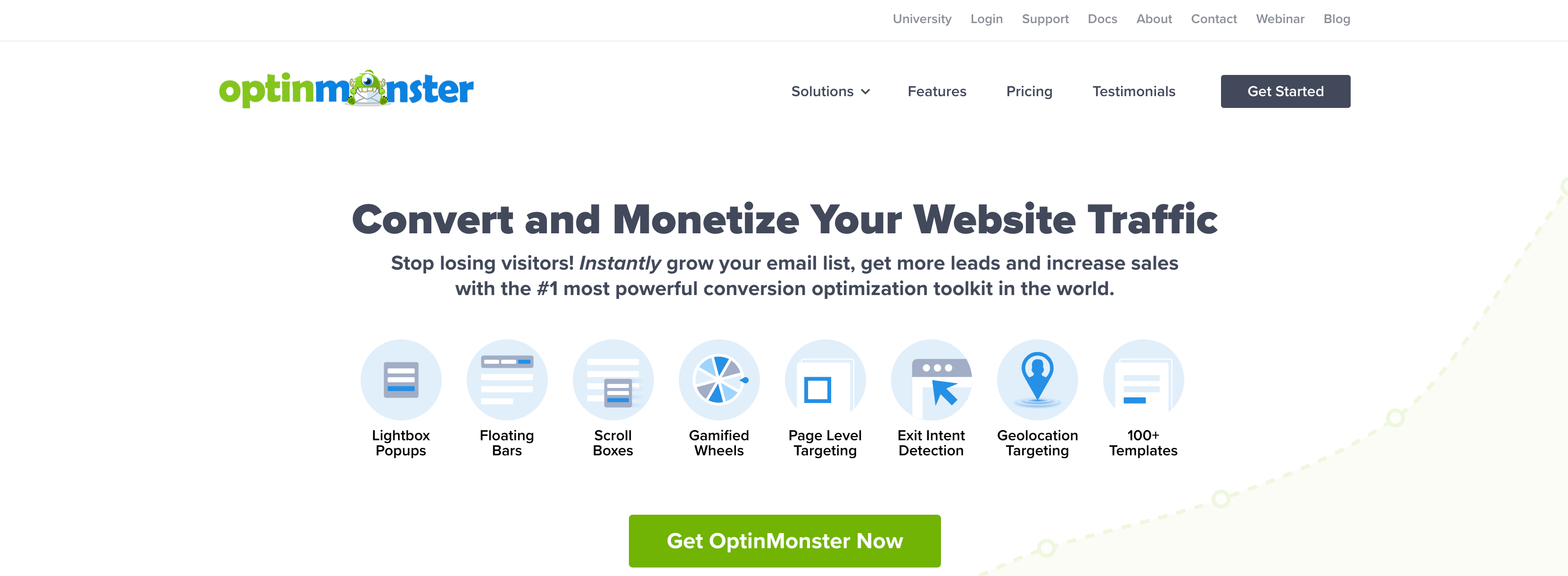
OptinMonster turns your existing website traffic into leads with popups, floating bars, fullscreen welcome mats, slide-ins, and gamified spin-to-win campaigns. The reason it leads this list is targeting: campaigns fire based on what a visitor is doing, not on a blind timer. Exit-Intent® Technology detects the moment someone is about to leave and shows your offer right then, which is often the difference between a lost visitor and a captured lead.
That’s not theory. When Storyly used OptinMonster, their content-locking campaign converted at 14.57%, sales form conversions rose 80%, and their email list grew 45%. Those results came from pairing Exit-Intent® with page-level targeting and A/B testing, all features included in the platform. The campaign flow behind numbers like that is the part I’d show you in person: pick a template, set the display rules (which pages, which visitors, which moment), connect your email platform or CRM, and let the A/B test decide which version stays.
Independent reviewers put OptinMonster at 4.4 stars on G2 as of July 2026, and the praise clusters around the same thing I’d brag about: targeting depth nobody else in the capture category matches.
Key features:
- Exit-Intent® Technology, page-level targeting, OnSite Retargeting®, and geolocation targeting
- 700+ templates and a drag-and-drop builder, no developer needed
- MonsterLinks™ 2-step optins that turn any link or button into a campaign
- TruLead® lead verification to filter spam and junk emails before they hit your list
- Built-in A/B testing and conversion analytics
- 50+ integrations with email marketing, CRM, and ecommerce platforms
Pricing: starts at $7 per month (billed annually).
Watch out for: there’s no free plan, and the deepest targeting rules take some learning before they feel natural.
Skip it if: you have almost no site traffic yet. OptinMonster multiplies traffic you already have; go build the traffic first and come back.
Pair it with a strong lead magnet and you have the front end of a lead generation system that feeds every other tool on this list.
Unbounce – Best for Landing Page Lead Generation
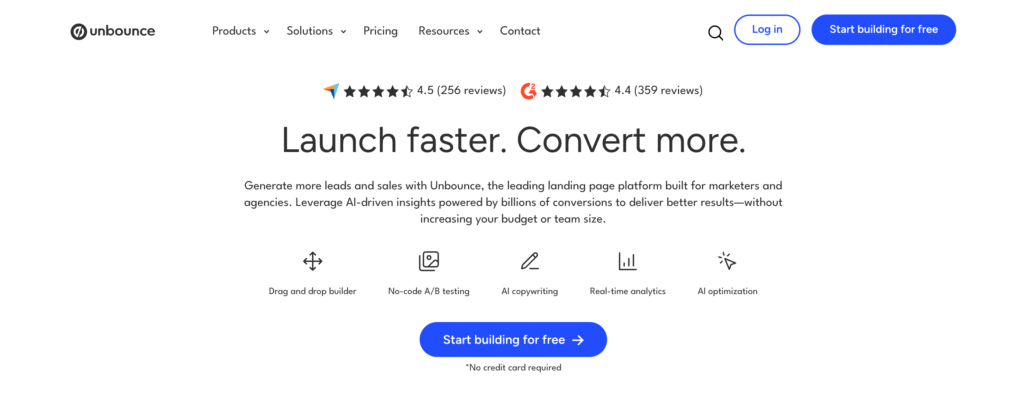
When a campaign needs a dedicated page instead of a popup, Unbounce is the landing page builder I reach for. A popup converts traffic that came for something else; a landing page converts traffic you sent there on purpose, which is why paid campaigns live or die on this category.
Unbounce’s differentiator is Smart Traffic: build two or more page variants and it routes each visitor to the one most likely to convert them, based on attributes like device and location, instead of the fixed 50/50 split of a classic A/B test. You still get the classic test when you want a clean answer to a specific question. Reviewers rate it 4.4 stars on G2 as of July 2026, with the recurring gripe being price, not product, which matches my read.
Key features:
- Drag-and-drop landing page builder with conversion-focused templates
- Smart Traffic auto-routing plus classic A/B testing
- AI copy generation for headlines and page variants
- Popups and sticky bars included on all plans
Pricing: starts at $22 per month (billed annually). No free plan, but there’s a 14-day trial.
Watch out for: costs climb quickly with traffic and conversion volume; the $22 Starter tier is genuinely a starter.
Skip it if: your leads come from organic content on your existing site. You don’t need new pages for that; you need capture on the pages already ranking.
Best Form and Survey Tools for Lead Generation
A form is where a visitor stops being anonymous. These two cover the dominant use cases: WordPress sites and conversational standalone forms.
WPForms – Best for WordPress Lead Capture Forms
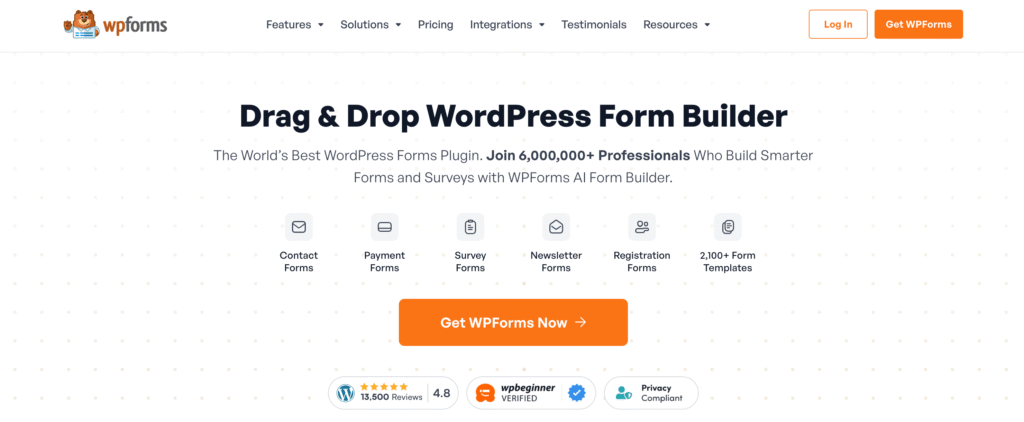
WPForms comes from our parent company, Awesome Motive, which is exactly why I can vouch for it in detail. If your site runs on WordPress, it’s the fastest way to build lead capture forms that people actually finish. The drag-and-drop builder handles everything from simple contact forms to multi-step lead qualification forms with conditional logic, and entries flow straight into your email platform or CRM.
Two features earn the lead-generation label specifically. Form abandonment capture saves partial entries, so a visitor who types their email and then bails still becomes a lead. And conversational form mode presents questions one at a time, Typeform-style, without a second subscription. The WordPress community has left more than 12,000 reviews on WordPress.org, which is the kind of volume you only accumulate by being the default choice for a decade.
Key features:
- Drag-and-drop builder with a large template library
- Form abandonment capture that saves partial entries as leads
- Conditional logic, multi-page forms, and conversational forms
- Payment, email marketing, and CRM integrations
Pricing: starts at $49.50 for the first year (renews at full price). A free Lite version is available on WordPress.org.
Watch out for: it’s WordPress-only, and the intro price doubles at renewal, so budget for year two.
Skip it if: you’re not on WordPress. On any other platform, Typeform or HubSpot’s free forms cover this job.
WPForms pairs naturally with the popup tools above; here’s how popups and WordPress plugins fit together.
Typeform – Best for Conversational Forms and Quizzes

Typeform shows one question at a time, which feels more like a conversation than a form. That format shines for lead qualification quizzes and surveys where completion rate matters more than speed: each answered question is a small commitment, and small commitments compound into finished forms.
The lead generation move here is the qualification quiz. Logic jumps route respondents down different paths based on their answers, scoring tags them by fit, and by the time the email address arrives your sales team knows budget, use case, and urgency instead of just a name. Users rate it 4.5 stars on G2 as of July 2026, consistently citing the design polish that makes people finish these things.
Key features:
- One-question-at-a-time conversational format
- Logic jumps and quiz scoring for lead qualification
- AI-assisted form creation
- Native integrations with major CRMs and email tools
Pricing: free plan with 100 responses per month; paid plans start at $28 per month (billed annually).
Watch out for: response caps drive the pricing, so a form that succeeds gets expensive; heavy-volume forms belong in WPForms or HubSpot instead.
Skip it if: you just need a contact form. Typeform earns its price on qualification and surveys, not on “Name, Email, Message.”
Best B2B Lead Generation Tools
B2B lead generation flips the model: instead of waiting for leads to find you, these tools find the leads. This is outbound territory, where data quality decides everything.
One note before the databases, because outbound isn’t the only B2B play. The B2B buyers already on your site rarely announce themselves, and that’s where OptinMonster earns its spot in a B2B stack specifically: Exit-Intent® campaigns on high-consideration pages like pricing and demo requests, and content gating that trades whitepapers or reports for a work email. Catch the researchers first; then go outbound for everyone else.
Apollo.io – Best All-in-One B2B Prospecting Platform

Apollo is what I’d hand a two-person B2B team that needs outbound running this quarter. Where Sales Navigator sells you access and pure databases sell you data, Apollo bundles the entire loop into one subscription: filter the contact database down to your ICP, push the list into an email sequence, call the warm opens through the built-in dialer, and book the meeting without leaving the tool. Competitors make you assemble that from three products.
The Chrome extension is the feature that hooks people: open any LinkedIn profile and Apollo shows the verified email and phone alongside it, one click from a sequence. In practice this turns LinkedIn browsing, which every sales rep already does, into list building.
Users back this up at scale: Apollo holds a 4.7 out of 5 rating across more than 9,300 G2 reviews as of July 2026, unusually high for a tool this broad. The recurring complaint in those reviews matches my caution below: the platform is generous until you hit the credit meter.
Key features:
- B2B contact database with ICP filtering and buying signals
- Sequences, dialer, and meeting scheduler in the same workflow
- Chrome extension that surfaces verified contact data on LinkedIn profiles
- Enrichment to fill the gaps in your existing CRM records
Pricing: free plan available; paid plans start at $49 per user per month (billed annually).
Watch out for: everything meaningful consumes credits (exports, mobile numbers, enrichment), and the cheaper tiers meter them tightly, so the advertised price is a floor. Data accuracy also thins outside the US, so verify coverage in your market during the free tier before you commit.
Skip it if: you’re B2C, or your entire pipeline is inbound. Apollo is an outbound machine, and it earns its cost only when someone works it daily.
LinkedIn Sales Navigator – Best for Social Selling
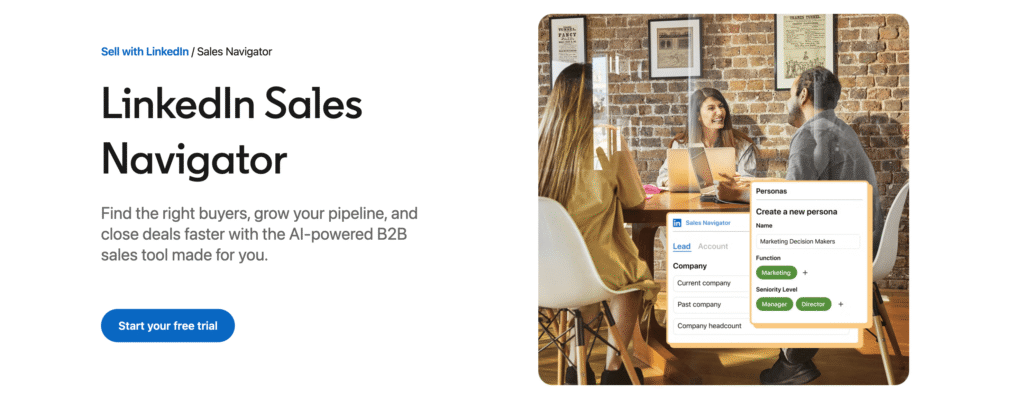
Sales Navigator is the price of admission for serious LinkedIn prospecting, and its data advantage is structural: every other B2B database goes stale the day someone changes jobs, while LinkedIn updates the moment they announce it. You’re prospecting from what people say about their own careers, today.
The workflow is filters, then signals: stack search filters (title, seniority, company size, geography, recent activity) into saved searches, let lead recommendations surface lookalikes, and use InMail for the prospects you have no path to otherwise. Reviewers hold it at 4.4 stars across 2,100+ G2 reviews as of July 2026, and the complaints are the same two I’d give you: the price, and the walled garden.
Key features:
- Advanced lead and account search filters with saved-search alerts
- Lead recommendations and buyer intent signals
- InMail messaging to prospects outside your network
Pricing: Core starts at $119.99 per month (or $1,079.88 per year).
Watch out for: it finds and messages prospects but doesn’t export them anywhere useful on its own; teams end up pairing it with Apollo, Hunter, or a sync tool, so budget for the companion.
Skip it if: your buyers aren’t active on LinkedIn. Local businesses, most B2C, and many trades sell where LinkedIn isn’t, and this becomes an expensive directory.
Leadfeeder (Dealfront) – Best for Identifying Anonymous Website Visitors
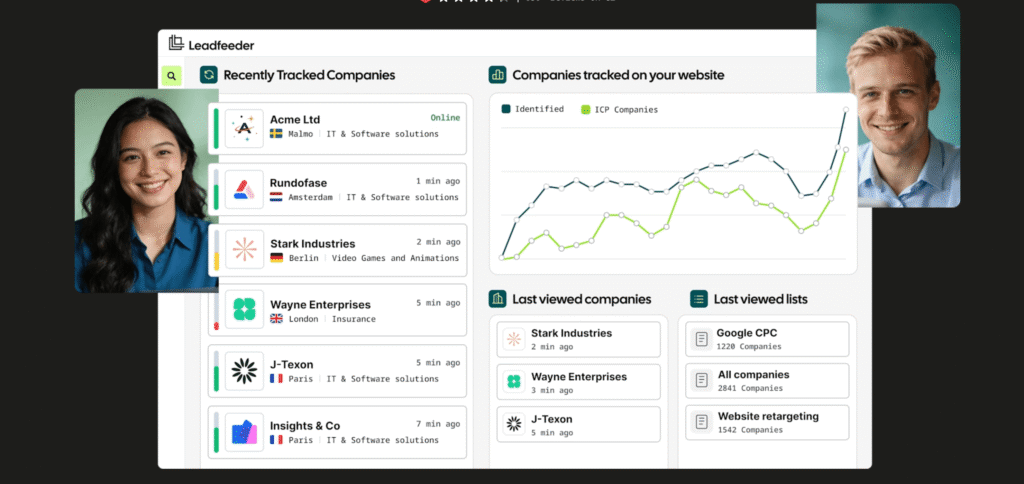
Most of your B2B website traffic leaves without filling out anything. Leadfeeder, now part of Dealfront, identifies which companies those anonymous visitors work for by matching their network data against a company database, then shows you what pages they viewed, how long they stayed, and how often they come back.
The output that makes sales teams keep it: a daily feed of warm accounts, filterable down to “companies over 200 employees that visited the pricing page twice this week,” synced into the CRM or pushed to Slack. The web visitor identification product holds 4.6 stars across 2,000+ G2 reviews as of July 2026, among the highest in this list’s B2B section.
Key features:
- Company-level identification of anonymous website traffic
- Behavioral filters, visit scoring, and CRM sync
- Alerts when target accounts visit key pages
Pricing: free Lite plan identifies up to 100 companies per month; paid plans start at €79 per month (billed annually).
Watch out for: identification is company-level, not person-level; you learn the account visited, then still need a contact tool like Hunter or Apollo to find the human.
Skip it if: your site traffic is mostly B2C or too small to matter. Identifying 30 visiting companies a month is only useful if some of them can buy.
Hunter – Best for Finding and Verifying Email Addresses
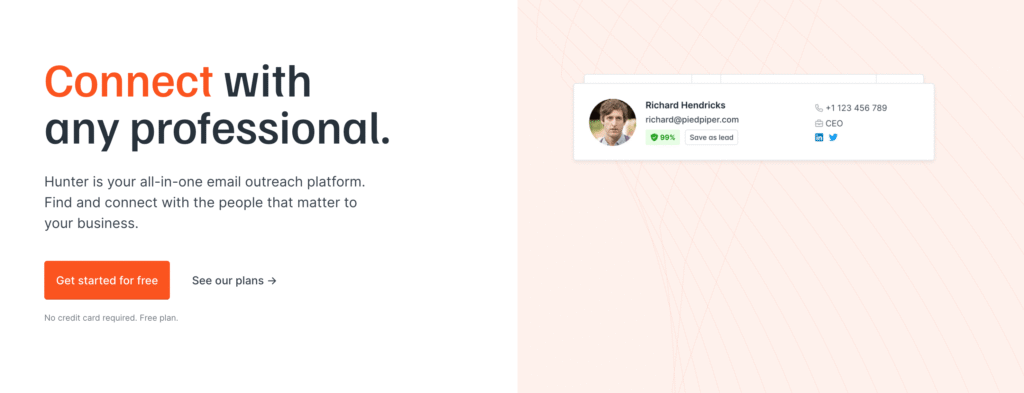
Hunter does one job extremely well: find and verify professional email addresses. Give it a domain and it returns the address pattern the company uses plus known addresses, each with a confidence score and the public source it was found at, so you can judge the data instead of trusting it blind.
The verifier is the quiet hero. Bounces are what actually get outbound programs killed, because a high bounce rate torches your sender reputation and takes your deliverability down with it. Verifying before sending is cheap insurance, and Hunter Campaigns handles the simple cold outreach itself without another subscription. Users rate it 4.4 stars across 650+ G2 reviews as of July 2026, and the word that keeps appearing is “simple,” which for a point tool is exactly the right review.
Key features:
- Domain search and email finder with confidence scores and sources
- Email verification to protect sender reputation
- Simple cold email campaigns included
Pricing: free plan with 50 credits per month; paid plans start at $34 per month (billed annually).
Watch out for: it’s a precision tool, not a platform; at real outbound volume the credits go fast and Apollo’s bundle can cost less overall.
Skip it if: you need phone numbers or intent data. Hunter is email-only by design; that’s a database tool’s job.
Best CRM and Lead Nurturing Software
Capturing a lead is step one. These platforms store, score, and nurture leads until they’re ready to buy. If you’re new to nurturing, our beginner’s guide to email marketing covers the fundamentals.
HubSpot – Best for All-in-One CRM and Lead Nurturing
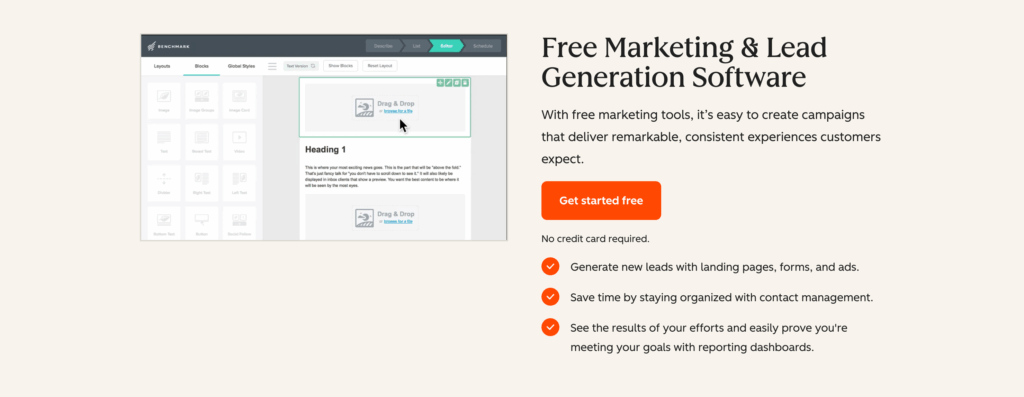
HubSpot remains the default answer for teams that want marketing, sales, and service in one connected platform. Let’s be precise about what does the lead generating here, because a CRM that only stores leads is lead management, not lead generation: HubSpot’s free tier includes form and popup-form builders, live chat and a chatbot builder, and landing pages, all of which capture net-new contacts directly. Every lead they capture lands in the same database your future paid features will use, and that single-database design is the real product: lead scoring, nurture workflows, and reporting all agree with each other because there’s nothing to sync.
The lead generation workflow at the free and Starter tiers: capture through HubSpot forms or any tool that integrates with it (OptinMonster does natively), segment lists by behavior, and nurture by email, then add scoring and automation as you grow into paid tiers. HubSpot holds 4.4 stars on G2 across one of the largest review bodies in software (35,000+ across its product line) as of July 2026.
Key features:
- Free CRM with forms, live chat, and email marketing built in
- Automated lead nurturing workflows and lead scoring on paid tiers
- Native integrations with nearly everything, including OptinMonster
- Deep reporting across the whole funnel
Pricing: free tools available; Starter is $7 per seat per month on current promo pricing ($20 regular).
Watch out for: the cliff. Professional is $800 per month plus a $3,000 onboarding fee, and most teams hit the features that require it sooner than they budgeted. Model the year-two cost before you commit.
Skip it if: you only need capture and a simple email tool. HubSpot’s gravity pulls you toward the suite; if you don’t want the suite, don’t step on the on-ramp.
Pipedrive – Best Sales Pipeline CRM for Small Teams
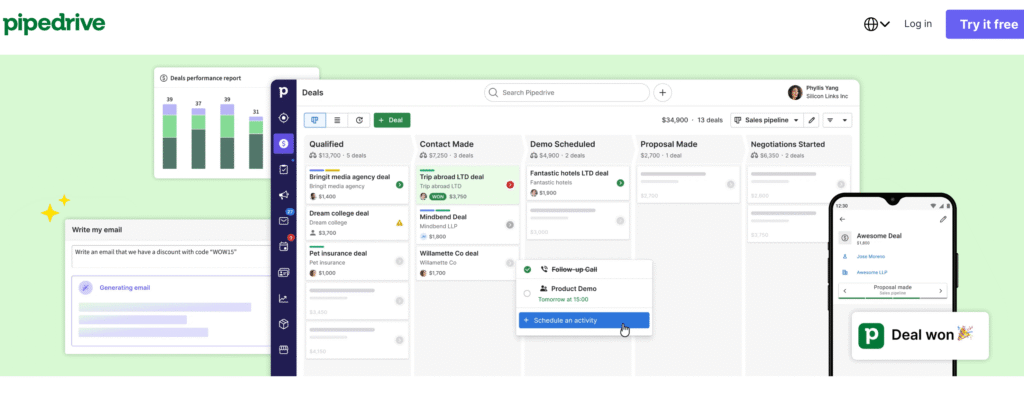
Pipedrive is the CRM salespeople don’t complain about using, and that’s not faint praise; a CRM only generates revenue if reps actually live in it. The design principle is activity-based selling: instead of staring at deal values, you always see the next action for every deal, and the visual pipeline makes stalled deals impossible to ignore.
The lead generation itself lives in one specific place: the LeadBooster add-on, which contains the chatbot, live chat, web forms, and a prospector database. Those four features capture and source net-new leads; the rest of Pipedrive manages what they bring in. Users rate Pipedrive 4.3 stars across 3,000+ G2 reviews as of July 2026, and it ranked in G2’s top ten sales products for 2026. Note that Pipedrive renamed its plans in mid-2025; the entry tier is now called Lite (formerly Essential), which matters when comparing against older reviews and price lists.
Key features:
- Visual drag-and-drop pipeline built around next actions
- LeadBooster add-on for chatbot, live chat, forms, and prospecting
- Workflow automations for follow-ups
Pricing: starts at $14 per user per month (billed annually), with a 14-day trial.
Watch out for: the lead generation features live in LeadBooster, which is a paid add-on on top of the seat price.
Skip it if: marketing and sales need to share one system. Pipedrive is a sales tool with add-ons; if marketing automation matters, HubSpot’s model fits better.
Salesforce – Best for Enterprise AI-Driven Lead Generation
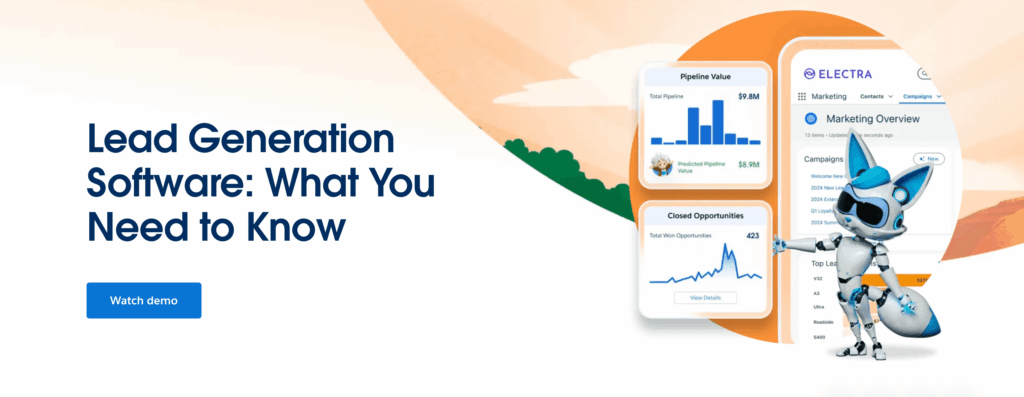
For enterprise teams, Salesforce is still the gravity well everything else orbits. The features that actually generate leads, as opposed to managing them: Web-to-Lead forms that pipe website submissions straight into Sales Cloud, and Marketing Cloud’s forms and landing pages on the marketing side. From there, Einstein AI scores and prioritizes what those capture based on your actual conversion history rather than generic rules, Agentforce automates the routine follow-up, and the platform can be configured to match nearly any sales process, which is both the pitch and the warning.
The scale of adoption is its own evidence: Salesforce Sales Cloud holds 4.4 stars across more than 25,000 G2 reviews as of July 2026, making it among the most-reviewed B2B products anywhere. The Starter Suite at $25 per user per month is a genuine SMB on-ramp with core CRM, pipeline, and email in one place, but be clear-eyed that the value everyone describes lives in the configured enterprise editions, not the starter tier.
Key features:
- Web-to-Lead forms and Marketing Cloud landing pages for direct capture
- Einstein AI lead scoring and routing trained on your pipeline
- Agentforce automation for routine sales work
- Deep customization plus the AppExchange marketplace
- Scales from small teams to global sales orgs
Pricing: Starter Suite is $25 per user per month; costs grow with editions and add-ons.
Watch out for: total cost of ownership. Between editions, add-ons, and the admin time it takes to configure well, the sticker price is the smallest number you’ll pay.
Skip it if: nobody on your team can own it. Salesforce rewards dedicated admin resources and punishes their absence; a small team is better served by Pipedrive or HubSpot.
Best Conversational and SMS Lead Generation Software
A visitor with a question is a lead in progress, and a visitor willing to hand over their phone number is further down the funnel than one who gives a throwaway email. These two capture leads in the conversation channels themselves.
Intercom – Best for Conversational Lead Engagement
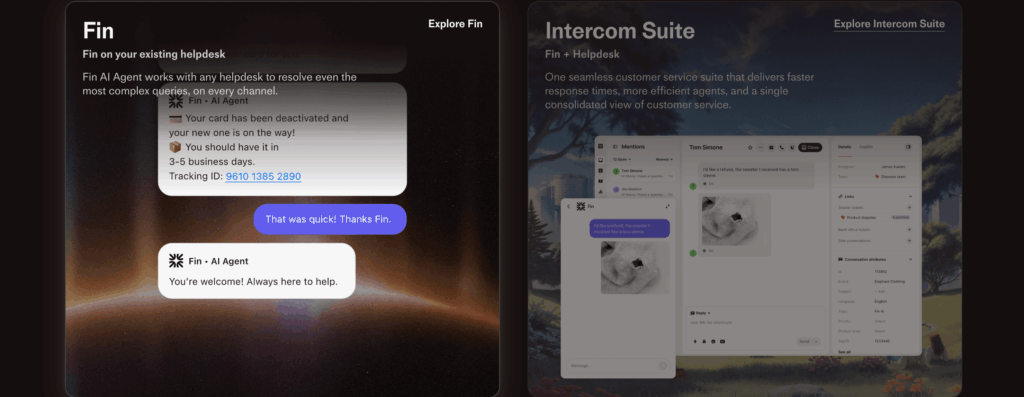
Intercom’s Messenger and Fin AI agent engage visitors, answer product questions, and qualify leads around the clock. The division of labor is what makes it work: Fin resolves the routine questions entirely on its own, answering from your help docs rather than a generic model, and routes the conversations with buying signals to humans while they’re still hot. A pricing question at 2 a.m. gets an answer at 2 a.m., and your sales team gets the transcript.
For SaaS and product-led companies, Intercom often ends up being the lead capture layer itself; if that’s your model, our B2B SaaS lead generation strategies cover how chat fits the bigger funnel. Users rate Intercom 4.5 stars across 3,800+ G2 reviews as of July 2026, with Fin drawing most of the recent praise.
Key features:
- Fin AI agent that answers from your content and qualifies leads automatically
- Targeted in-app and on-site messages by audience and behavior
- Shared inbox and routing for sales and support
Pricing: Essential starts at $29 per seat per month (billed annually). Fin costs an additional $0.99 per resolution.
Watch out for: the per-resolution meter. Fin’s $0.99 per outcome is the number that scales with your success, so forecast it against your conversation volume, not your seat count.
Skip it if: your site is content-driven rather than product-driven. Blog readers don’t open chat; they respond to capture campaigns and lead magnets.
Attentive – Best for SMS Lead Generation

Attentive generates a specific kind of lead most tools on this list cannot: the phone number. Its sign-up units are the direct capture mechanism, and the two-tap mobile opt-in is the clever part: a visitor taps once, their native messaging app opens with a pre-filled text, they hit send, and they are subscribed. That is dramatically less friction than typing an email into a form on a phone, which is why SMS lists grow fast when the mechanism is this smooth.
For ecommerce and consumer brands, the SMS lead is often the highest-intent contact you can capture, and Attentive is the category reference product: 4.5 stars across 1,300+ G2 reviews as of July 2026, sitting at the top of G2’s SMS marketing category. The platform then runs the channel itself: campaigns, triggered journeys, and AI tools across SMS, email, RCS, and push.
Key features:
- Sign-up units with patented two-tap mobile opt-in for SMS and email capture
- Campaigns, triggered journeys, and A/B testing across SMS, email, RCS, and push
- AI tools for audience targeting and send optimization
Pricing: custom, usage-based (message volume, list size, channels); no published tiers, free trial available.
Watch out for: SMS is a regulated, consent-driven channel, and costs scale with message volume, so the quote you get is a starting point, not a ceiling.
Skip it if: you are B2B or your customers buy once a decade. SMS earns its cost on repeat-purchase consumer brands; nobody wants texts from their CRM vendor.
Best Automation and Scheduling Tools for Lead Generation
The leads you capture are only as good as the follow-up they trigger. These tools remove the gaps where leads go cold.
Zapier – Best for Automating Lead Workflows
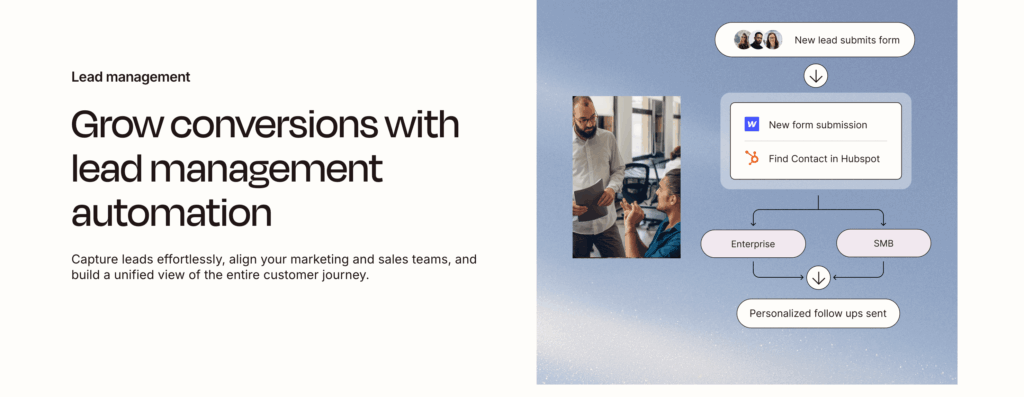
Zapier connects your lead generation stack to everything else, and in lead generation the seconds matter: a lead that gets a follow-up while they’re still on your site closes differently than one that waits for tomorrow’s CSV import. A Zap is a trigger plus actions: new OptinMonster lead → create the CRM contact → alert the right rep in Slack → start the welcome email, all without code and all in the moment the lead arrives.
With connections to thousands of apps, it’s the glue that lets you pick best-of-breed tools instead of settling for one bloated suite. Users rate it 4.5 stars on G2 as of July 2026, and the newer AI steps (agents, chatbots, AI-formatted data) are pushing it from plumbing toward workflow brain.
Key features:
- Multi-step automated workflows (Zaps) across thousands of apps
- Filters, paths, and formatters for branching logic
- AI agents and chatbots on newer plans
Pricing: free plan with 100 tasks per month; Professional starts at $19.99 per month (billed annually).
Watch out for: every step in every Zap consumes tasks, so a busy lead workflow burns through limits faster than you’d guess.
Skip it if: your whole stack is one suite already. HubSpot-to-HubSpot doesn’t need glue; Zapier earns its cost when your tools come from different vendors.
Calendly – Best for Converting Leads Into Meetings
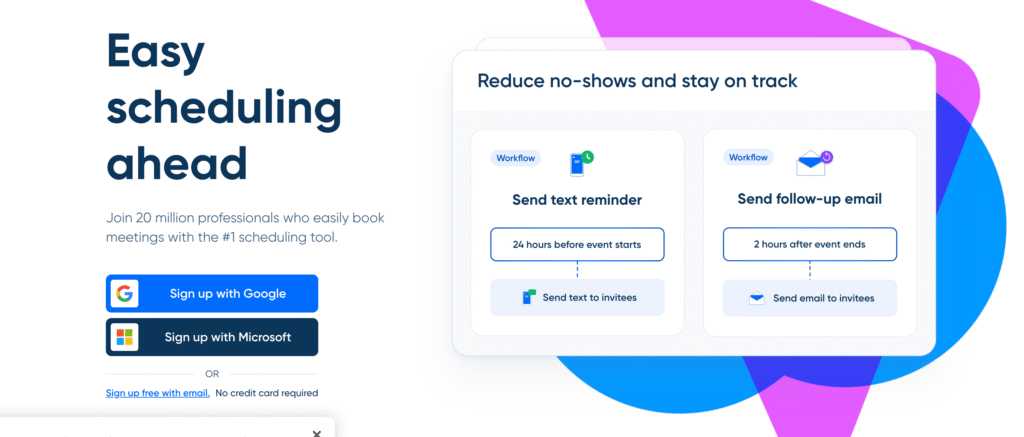
Every email exchange about “what time works for you” kills momentum, and momentum is most of what a fresh lead has. Calendly turns a captured lead into a booked meeting in one click, and the team features are where it becomes a lead generation tool rather than a convenience: routing forms ask two or three qualifying questions and send enterprise leads to account executives while smaller deals book straight with SDRs, and round-robin distribution keeps the calendar fair without a spreadsheet.
It’s also the best-reviewed tool on this entire list: 4.7 stars across 2,600+ G2 reviews as of July 2026. Scheduling is a solved problem, and Calendly is most of why.
Key features:
- Scheduling links with calendar sync, time zone handling, and reminders
- Routing forms that qualify and route before the meeting is booked
- Round-robin distribution for teams
- CRM and video conferencing integrations
Pricing: solid free plan; Standard is $10 per seat per month (billed annually).
Watch out for: the lead routing and round-robin features that make it a team tool sit on the $16 Teams tier, not Standard.
Skip it if: meetings aren’t part of your funnel. An ecommerce store has no demo call; spend the money on capture and recovery instead.
Best Free Lead Generation Tools
If your budget is zero, you can still build a working lead generation system today:
- HubSpot free tools: CRM, forms, live chat, and basic email marketing
- Zapier free: 100 automated tasks per month
- Calendly free: unlimited bookings on one event type
- Hunter free: 50 email finder/verifier credits per month
- Apollo.io free: entry-level prospecting and sequences
- Typeform free: 100 form responses per month
- Leadfeeder Lite: identify up to 100 visiting companies per month
- WPForms Lite: basic WordPress forms, free from WordPress.org
The pattern across every free tier: they cap the exact thing that generates the leads (tasks, conversations, responses, credits). Free tiers are for validating that a channel works. Once it does, the paid tier usually costs less than the leads you’re leaving behind. OptinMonster doesn’t have a free tier; plans start at $7 per month, and the targeting features are the whole point.
Which Tool Should You Pick?
Start with where your leads actually are:
- You have website traffic that isn’t converting: OptinMonster. This is the fastest payback in lead generation, and it’s why on-site capture leads this list. Ecommerce store? See our ecommerce lead generation playbook.
- You’re on WordPress: WPForms for forms, OptinMonster for campaigns.
- You sell B2B and need outbound: Apollo.io for data and outreach, Sales Navigator if your buyers live on LinkedIn, Leadfeeder to catch the accounts already visiting you.
- Your follow-up is leaking: HubSpot or Pipedrive for nurturing, Zapier to connect the handoffs, Calendly to book the meeting.
- Visitors have questions before they convert: Intercom for SaaS. Your buyers live on their phones: Attentive for SMS.
- Most of your traffic is mobile: the capture tactics differ; here are our mobile lead generation strategies.
Teams get the best results from one capture tool, one nurture tool, and one automation layer. Add B2B data tools only when outbound is genuinely your channel.
Frequently Asked Questions
What Are the Best Lead Generation Tools for Websites?
OptinMonster is the strongest option for converting existing website traffic into leads, using Exit-Intent® popups, floating bars, and gamified campaigns with behavior-based targeting. Pair it with WPForms if you run WordPress, or Unbounce when a campaign needs a dedicated landing page.
What Is the Best Lead Generation Software for Small Businesses?
Start with tools that have low entry pricing and short learning curves: OptinMonster ($7/mo) for capture, HubSpot’s free CRM with its built-in live chat for nurturing, and Calendly’s free plan for booking meetings.
What Are the Best B2B Lead Generation Tools?
Apollo.io leads for contact data and prospecting in one platform, LinkedIn Sales Navigator for social selling, Hunter for email finding, and Leadfeeder for identifying companies already visiting your website. Most B2B teams combine one data tool with one outreach channel.
Are There Good Free Lead Generation Tools?
Yes. HubSpot’s free CRM, Zapier’s free plan, Calendly, Hunter, Typeform, and Leadfeeder Lite all have permanent free tiers. Expect caps on exactly the features that generate leads; free tiers validate a channel, paid tiers scale it.
Can AI Tools Do Lead Generation?
AI now runs inside most lead generation software rather than replacing it: Intercom’s Fin qualifies leads in chat, Salesforce Einstein scores them, Unbounce’s Smart Traffic routes visitors to converting pages, and Zapier adds AI steps to workflows. Buy the workflow first, the AI label second.
How Do SEO and Lead Generation Software Work Together?
SEO brings visitors; lead generation software converts them. Content that ranks pulls in search traffic, then on-site tools like OptinMonster capture those visitors with targeted offers, an effective lead magnet, or content-locked resources. Without a capture layer, SEO traffic reads and leaves.
How Do I Choose a Lead Generation Tool?
Match the tool to your lead source: on-site capture for existing traffic, B2B databases for outbound, chat for question-heavy sales, CRM for follow-up. Then check that it integrates with your existing stack, and confirm current pricing directly on the vendor’s site.
Ready to turn your traffic into leads? Get started with OptinMonster today and see why it powers lead generation for over a million websites.
Disclosure: Our content is reader-supported. This means if you click on some of our links, then we may earn a commission. We only recommend products that we believe will add value to our readers.
5 responses to “15 Best Lead Generation Software and Tools to Build Your Stack in 2026”
-

Lead generation can be hard, though!
-
Thanks for sharing the info.
-
Thanks for sharing the info. v
-
Great comparison of today’s lead generation tools. The biggest takeaway is that successful lead generation isn’t about adding more software—it’s about connecting the right tools across lead capture, qualification, nurturing, CRM, and automation. A well-integrated stack can reduce manual handoffs, improve follow-up, and help teams turn opportunities into meaningful business relationships more efficiently. Thanks for sharing this practical guide!
-
Great roundup of lead generation tools. Comparing functionality, integrations, and ease of use makes it easier to find a solution that fits a business’s actual requirements.


Add a Comment