Are you worried that running a campaign on your site will hurt your Google rankings? Guidance on overlays that obstruct page content is published by Google. In this article, you’ll learn how to keep your OptinMonster campaigns clear of Google interstitial guidelines.
What Google’s Guidance Says
Google’s guidance covers the parts of a page that get in the way of what a visitor came to read. In its own words, “intrusive interstitials and dialogs are page elements that obstruct users’ view of the content, usually for promotional purposes.”
The effect Google describes is indirect. Its documentation says these elements “make it hard for Google and other search engines to understand your content, which may lead to poor search performance.”
Here are 2 details worth knowing before you change anything in your campaigns:
- The concern is about obstruction, not about opt-in campaigns as a category. A campaign that leaves the page readable is not what this guidance targets.
- Avoiding intrusive interstitials is one of several page experience signals, and Google is explicit that no single element decides your rankings. Its page experience documentation says, “There is no single signal. Our core ranking systems look at a variety of signals that align with overall page experience.”
Google’s current guidance has one clear exception.
It is an interstitial you must show by law or page content.
Its example is a casino site that needs to show an age gate.
Beyond that, Google recommends using small, unobtrusive banners for promotions.
They should not cover the whole page.
This aligns with Google interstitial guidelines.
Note: Google revises this documentation, and the version we checked was last updated on 10 December 2025. If accuracy matters for a decision you’re making, then read Google’s page directly.
What Google Doesn’t Do
Plenty of site owners come to us expecting a notice from Google and a deadline to fix things. That process doesn’t exist for intrusive interstitials, and knowing that saves a lot of worry.
- Google doesn’t send a notification about intrusive interstitials.
- There’s no Search Console report for them, and no manual action.
- There’s no window, deadline, or grace period to resolve anything.
- The assessment is algorithmic and continuous, not a review that you pass or fail.
If you’ve read about a 30-day window somewhere, then you’re most likely thinking of a different system. That notice period belongs to Chrome’s ad filtering, which we cover further down, and it has nothing to do with Google Search rankings.
Important: This guidance also applies to your desktop pages, not just your mobile ones. Treating it as a mobile-only concern is a common and costly mistake, because it leads site owners to switch off campaigns that were never the problem.
Lowering the Risk in Your Campaigns
Here are the changes that matter, in priority order. The first 2 do most of the work.
Size and Dismissibility
Google’s guidance is about obstruction, so the most direct answer is a campaign that stays out of the way and is easy to close. Next, go ahead and check 2 things in your campaign design:
- A clear, obvious close button that a visitor finds without hunting for it.
- A reasonable share of the screen, particularly on phones, where the same design takes up far more of the view.
Trigger Timing
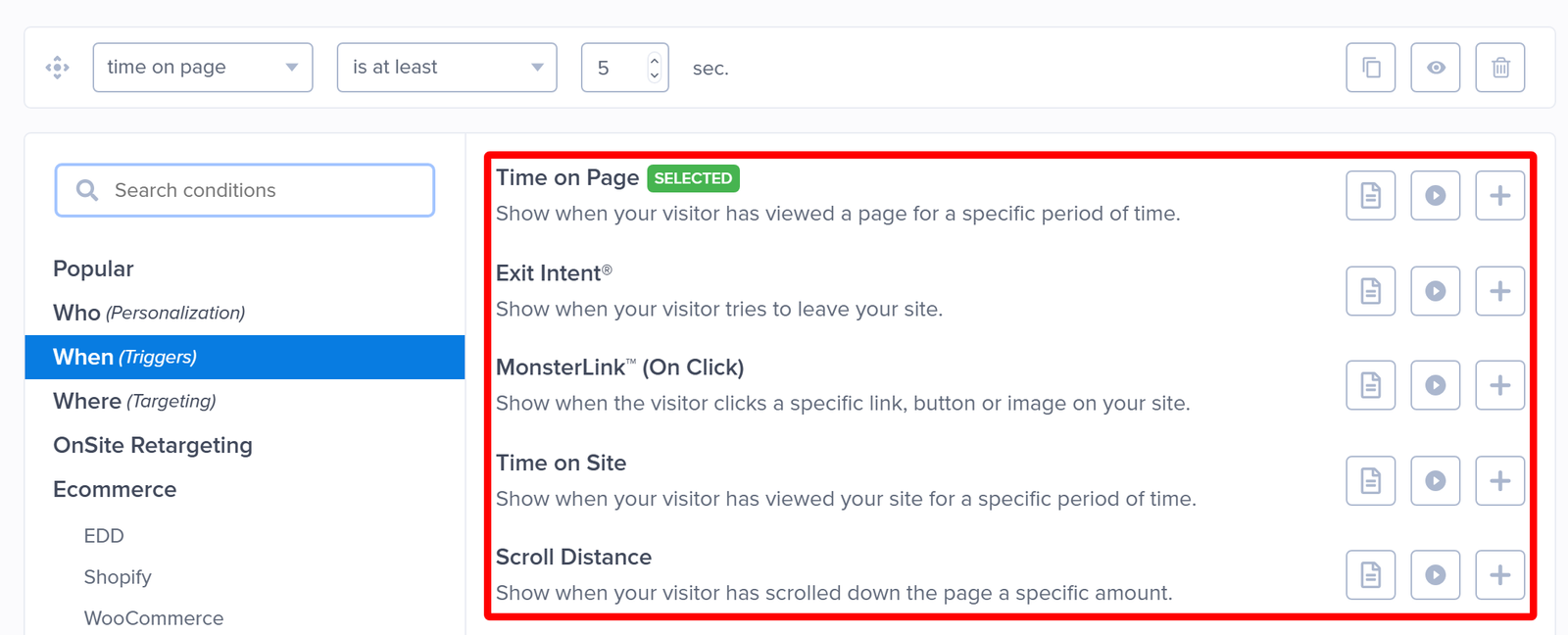
A campaign that fires the instant a page loads is the case Google’s guidance describes most directly. Rather than opening immediately, you can trigger your campaign once a visitor has shown some interest in the page.
The Display Rules that work well here are Scroll Distance, Time on Page, and Time on Site, all of which are available on every subscription. With either time rule, set the delay comfortably longer than your page takes to load. On a Pro or higher subscription, Exit Intent® and MonsterLink™ (On Click) are the strongest options, because each one waits for a deliberate signal from your visitor. We go into trigger timing and page speed in more detail in our guide on optimizing campaign usage, so it’s worth reading alongside this article.
Campaign Type
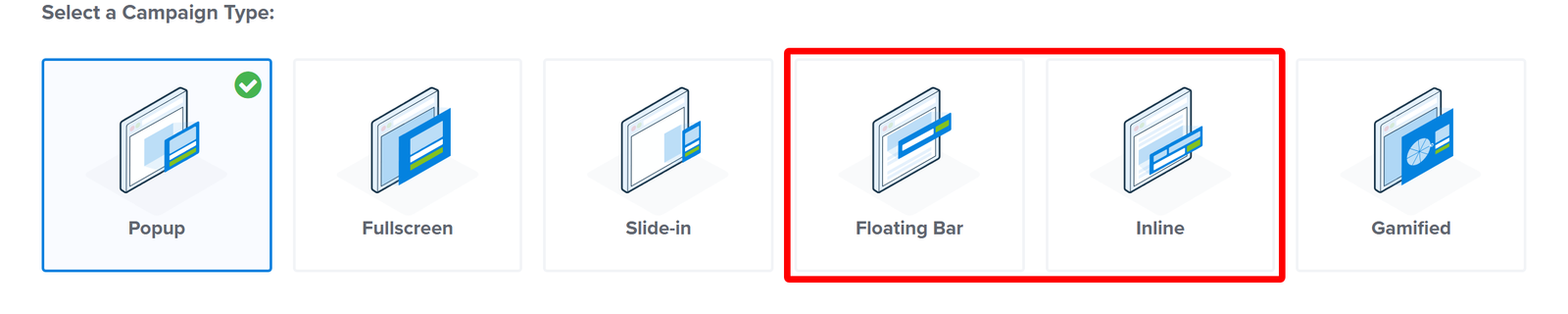
Some campaign types obstruct nothing at all. A Floating Bar sits at the edge of the view, and an Inline campaign lives inside the content as part of the page. If a page matters a lot to your search traffic, then these 2 are the safest choices for it.
Device Targeting
Device Targeting comes last on purpose. It’s genuinely useful when you want a different treatment on phones, where screen space is tighter, and a design that reads well on a laptop can take over the whole view. It’s a tool for tailoring your campaigns, though, and not a fix for the underlying issue. You’ll find it listed as Visitor’s Device in the rule picker.
Turning your campaigns off on mobile is rarely the right answer, and it costs you the leads those campaigns were collecting. A smaller design with a clear close button keeps the campaign working and addresses what Google’s guidance is actually about.
Note: Device Targeting requires a Plus or higher subscription.
Better Ads and Chrome Filtering
This section covers a different system, and the short version is that it doesn’t apply to your OptinMonster opt-in campaigns. We include it because the details below are where most of the confusion about popups and Google comes from.
The Coalition for Better Ads publishes the Better Ads Standards, which Chrome enforces by filtering ad network requests on sites that fall short. It has nothing to do with search rankings.
The reason it doesn’t reach your campaigns is in its own definition. Better Ads defines an ad as “promotional content displayed on the web as the result of a commercial transaction with a third party.” An OptinMonster opt-in campaign is first-party content on your own site, with no third-party transaction behind it, so it sits outside the standard.
Here are 3 things people often attribute to Google Search:
- The 30-day notice. Sites that fall short of the standards get flagged in the Chrome Ad Experience Report and given time to fix it before ad filtering starts. This is the real source of the window that customers ask us about.
- Separate desktop and mobile lists. Better Ads does publish different lists for desktop and mobile. Google’s interstitial guidance doesn’t work that way.
- The word “prestitial.” This is Better Ads terminology for an ad that covers a page before the content loads. It appears as “Interstitial Ads with Countdown” on the desktop list and “Interstitial Ads” on the mobile list.
To put it plainly, running an OptinMonster campaign doesn’t put your site at risk of Chrome ad filtering.
That’s everything you need to keep your campaigns well clear of Google’s interstitial guidance.
Learn more about using Display Rules to set up these triggers
FAQs
Will running a popup hurt my Google rankings?
Not by itself. What Google’s guidance targets is an overlay that obstructs the content a visitor came for, especially one that appears the moment the page loads. A campaign with a reasonable size, a clear close button, and a trigger tied to visitor interaction covers all 3 of those concerns.
Did Google flag my site, and how long do I have to fix it?
Neither of those happens. Google sends no notification about intrusive interstitials, offers no Search Console report for them, and sets no deadline. The 30-day window you may have read about belongs to Chrome’s Ad Experience Report, which covers third-party advertising and not your opt-in campaigns.
Do the rules differ on my mobile and desktop pages?
Google’s interstitial guidance applies to both. Separate desktop and mobile lists are a feature of the Better Ads Standards, which is a different system. In practice, your phone visitors deserve more attention here anyway, because the same campaign design covers much more of a small screen.
What is a prestitial, and is my Welcome Mat campaign one?
A prestitial is Better Ads terminology for an ad that covers a page before the content loads, and it refers to third-party advertising. Welcome Mat is our own name for a Fullscreen campaign used as a full-page welcome screen, so the 2 terms come from different places, and comparing them directly is misleading. Your campaign is first-party content on your own site, which puts it outside the Better Ads Standards entirely.
Do I need to turn my campaigns off on mobile?
We don’t recommend it as a default. Switching your campaigns off on phones gives up the leads they collect and leaves the underlying issue untouched. Reducing the campaign size, making the close button obvious, and moving the trigger to a scroll or exit condition keeps the campaign earning while addressing what the guidance is about.
Does content locking affect my search rankings?
That question has its own answer in our documentation. Our guide to the content blocking feature includes an SEO section covering how Google treats locked content, so it’s the better place to look for that one.