Do you need more pageviews to keep your campaigns running this month? Pageview blocks let you add extra pageviews to your account in just a few clicks, with no plan upgrade required. In this article, you’ll learn how to add and remove pageview blocks in your OptinMonster account.
Note: Pageview blocks are available with any paid OptinMonster subscription. They aren’t included with Free subscriptions.
Before You Start
Here are some things to know before you begin:
- Each pageview block adds 100,000 pageviews to your account for $29 per month.
- Pageview blocks stay on your account and are billed monthly until you remove them.
- If you want us to handle pageview overages for you automatically, see our guide on managing your Pageview and Upgrade Preferences.
Adding a Pageview Block
To add a pageview block to your account, follow these steps:
- To get started, log in to your OptinMonster account and navigate to the Manage Subscription page.
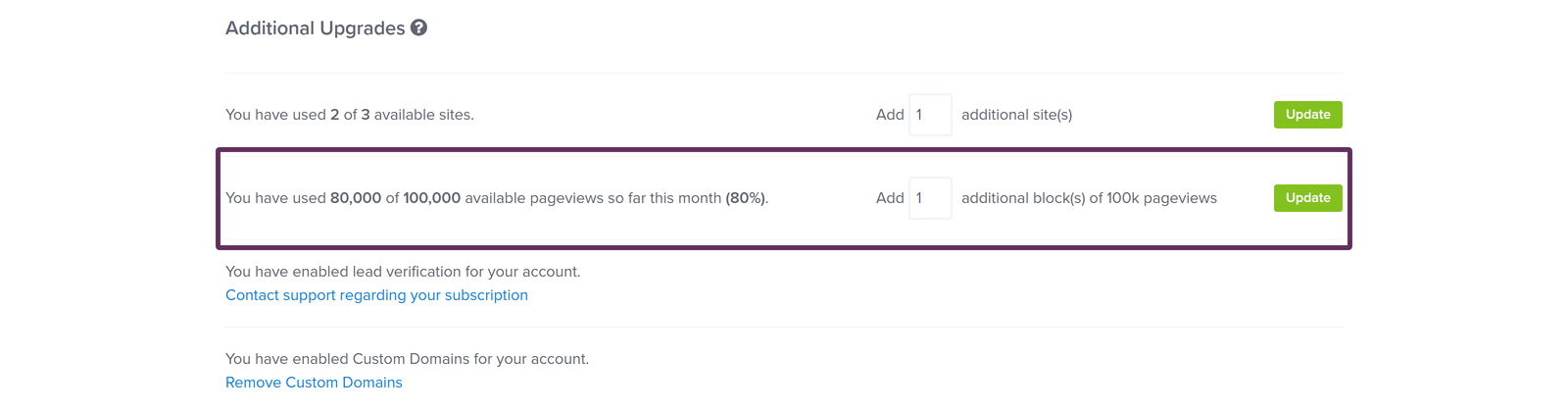
- Next, scroll to the Additional Upgrades section. You can also select Add Ons in the account navigation to jump straight to it.
- Then, enter how many pageview blocks you want to add in the Add additional block(s) field of the pageviews row.

- When you’re ready, click Update to add the block(s) to your account.
Important: Once you add a pageview block, we’ll charge your payment method on file for it each month until you remove it from your account.
Removing a Pageview Block
If you no longer need the extra pageviews, you can remove pageview blocks from the same page where you added them. Here’s how:
- To get started, navigate to the Manage Subscription page and scroll to the Additional Upgrades section.
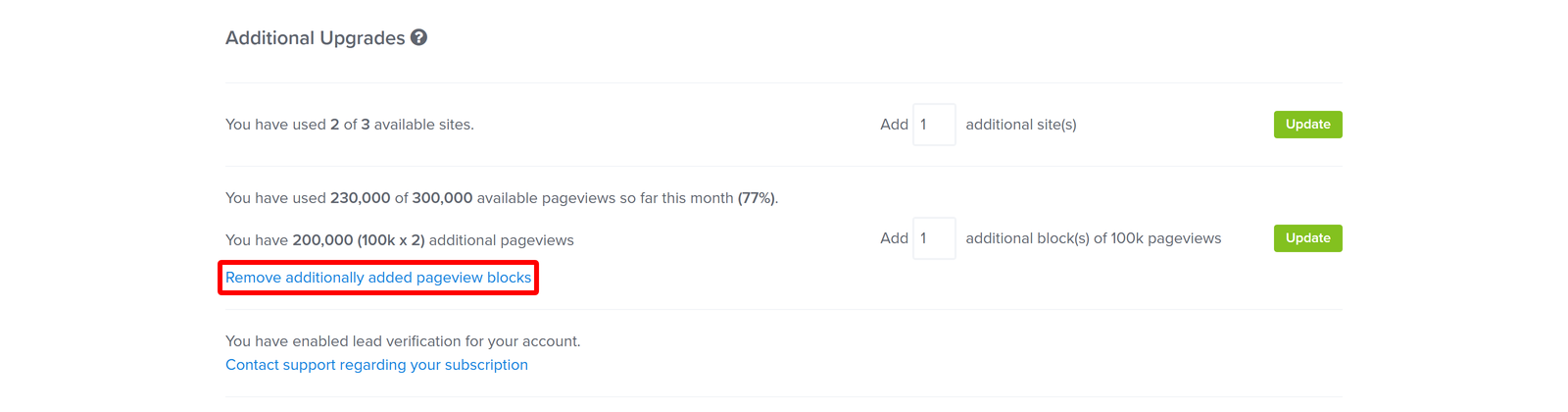
- Next, click the Remove additionally added pageview blocks link in the pageviews row. You’ll only see this link when your account has at least 1 active pageview block.
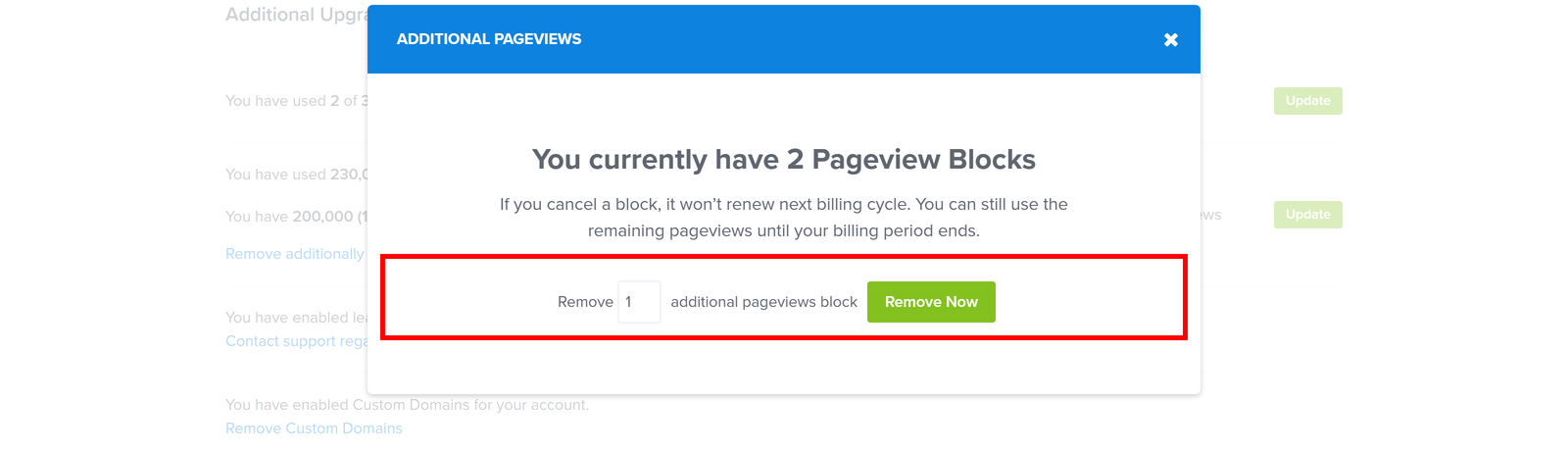
- Then, in the Additional Pageviews popup, enter how many pageview blocks you want to remove. If your account only has 1 block, the popup is already set to remove it.

- When you’re ready, click Remove Now. You’ll see a message confirming that your additional pageview blocks were removed.
You can’t remove a pageview block if doing so puts your account over its pageview limit for this month. In that case, a message shows how far over your limit the removal puts you, and you can try removing fewer blocks instead.
Note: A removed block won’t renew at your next billing cycle, but you can still use its remaining pageviews until your current billing period ends.
FAQs
How many pageviews do I get with a pageview block?
Each pageview block includes 100,000 pageviews and costs $29 per month until you remove the block from your account.
How do I remove a pageview block from my account?
You can remove pageview blocks anytime from the Additional Upgrades section of your Manage Subscription page. From there, click Remove additionally added pageview blocks, choose how many blocks to take off, and confirm with Remove Now. For full details, see the Removing a Pageview Block section above.
Can OptinMonster add pageview blocks for me automatically?
Yes! When your account exceeds the pageviews available on your plan, we can add as many pageview blocks as needed to cover the overage. You can turn this on in your Pageview and Upgrade Preferences.
What happens if I exceed my pageview limit without adding a block?
That depends on your Pageview and Upgrade Preferences. Based on the option you’ve selected, we’ll automatically upgrade your plan, add pageview blocks to cover the overage, or temporarily suspend your campaigns until your pageviews reset at the beginning of the next month.
That’s it! You now know how to add and remove pageview blocks in your OptinMonster account. Want to control exactly what happens when your account reaches its pageview limit?