
An exit intent popup gives you one last chance with the visitors you already paid to get. Instead of interrupting people while they read, it waits for the precise moment someone is about to leave your site, then makes a final offer: a discount, a lead magnet, or a reason to stay. I work at OptinMonster, where we build the Exit-Intent® Technology behind millions of these campaigns, so this guide goes one level deeper than the usual definition.
Here’s what you’ll find: what exit-intent popups are, how the detection actually works on desktop and mobile, proof that they work with real campaign numbers, and a gallery of exit-intent popup examples you can copy.
What Is an Exit-Intent Popup?
An exit-intent popup is an overlay that appears when a visitor’s behavior signals they’re about to leave a website, such as moving the cursor toward the browser’s close button or address bar. Because it triggers on the way out, it can recover abandoning visitors without interrupting anyone who is still reading or shopping.
That timing is the whole point. A welcome popup interrupts, and a scroll-triggered popup guesses. An exit popup fires only when the visit is already ending, so it costs your engaged readers nothing. The visitor was leaving anyway; the popup is the difference between losing them silently and capturing an email, saving a cart, or redirecting them to an offer.
You’ll see the same idea under a few names: exit popups, website exit popups, exit overlays, or exit-intent popups. They all describe the same mechanism, and that mechanism is worth understanding before you look at examples.
How Does Exit-Intent® Technology Actually Work?
Since we build this technology, let’s open the hood properly.
Desktop Detection: Mouse Speed and Trajectory
On desktop, exit detection is a JavaScript listener watching cursor behavior in real time. The script tracks the mouse’s position, velocity, and direction as it moves across the viewport.
Think about what leaving a page physically requires: your cursor has to travel out of the page content and up into the browser chrome, toward the back button, the address bar, the bookmarks, or the tab’s close button. That journey has a recognizable signature. The cursor accelerates, travels in a mostly straight line, and crosses the top boundary of the viewport. When the script sees that pattern, it fires the campaign in the fraction of a second between “decided to leave” and “clicked away.”
- It runs entirely in the browser. There’s no round trip to a server to decide whether to show the campaign, which is why a well-built exit popup appears instantly instead of loading after the visitor is already gone.
- Trajectory beats position. A cursor that drifts near the top of the page while someone highlights a headline is not an exit. A cursor accelerating toward the browser chrome is. Measuring speed and direction, not just location, is what keeps false triggers low.
How Exit-Intent Works on Mobile
There’s no cursor on a phone, so mobile exit detection reads different signals. OptinMonster’s mobile Exit-Intent® triggers when a visitor scrolls back up the page, a strong signal that they’ve stopped consuming content and are reaching for the navigation. Our InactivitySensor™ covers the other common mobile exit: the visitor who simply goes idle and is about to switch apps or tabs.
Across the industry you’ll also see mobile exit popups tied to the back button and tab switching. The principle is the same on every device: find the behavioral tell that precedes leaving, and use the gap it creates.
If most of your traffic is mobile, it’s worth reading our full guide to creating a mobile exit-intent popup, because the design constraints differ as much as the trigger does.
Sensitivity and Frequency: Why It Doesn’t Fire on Every Twitch
Detection is only half the engineering. The other half is restraint.
In OptinMonster, the Exit-Intent® rule has three sensitivity levels: Low, Medium, and High. Medium is the default. High fires the campaign on the smallest hint of an exit and catches the most abandoning visitors, but it can trigger on cursor overshoot. Low waits for an unmistakable exit move, so it fires less often but almost never at the wrong time. You set it right next to a device toggle (mobile, desktop, or all devices), because the ideal sensitivity often differs between the two.
Frequency rules stop the same visitor from seeing the popup on every page. A cookie records that the campaign was shown (or dismissed), so a visitor who said no isn’t asked again five minutes later. This is the difference between an exit popup that recovers revenue and one that trains people to hate your site.
These are documented results from OptinMonster customers using Exit-Intent® campaigns:
| Result | Who | Campaign |
|---|---|---|
| 95,654 email subscribers added in 7 months | Social Media Examiner | Exit-Intent® popup |
| Sales conversion rate more than doubled | Shockbyte | Exit-Intent® popups |
| Nearly 30% of visitors converted in four weeks | Christmas Lite Show | Exit-Intent® lightbox |
| 80% higher conversions on a Contact Sales form | Storyly | Exit-Intent® with content gating |
Michael Hyatt, whose blog audience is exactly the kind you’d expect to resent popups, put it this way after adding one: “I doubled my subscription rate immediately without annoying my users. I haven’t had a single complaint.”
The pattern behind these numbers is consistent: exit-intent campaigns convert well because they only spend attention that was already lost. Your results depend on the offer, which is why the examples below matter more than any average.
Exit-Intent® Popup Examples
Here are exit-intent popup examples from real OptinMonster customer campaigns.
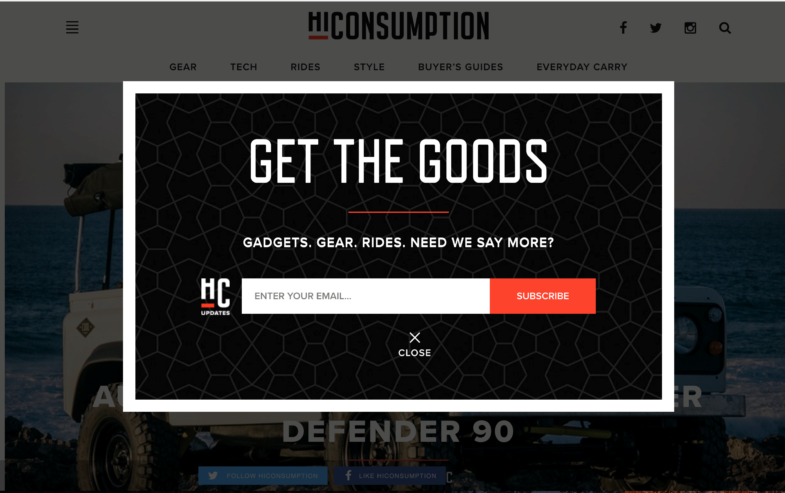
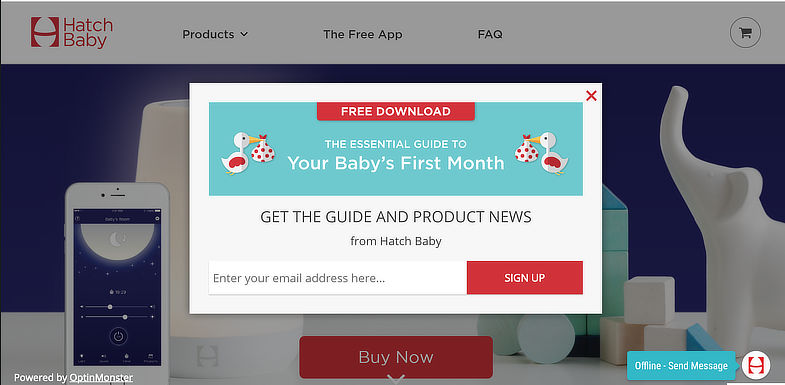
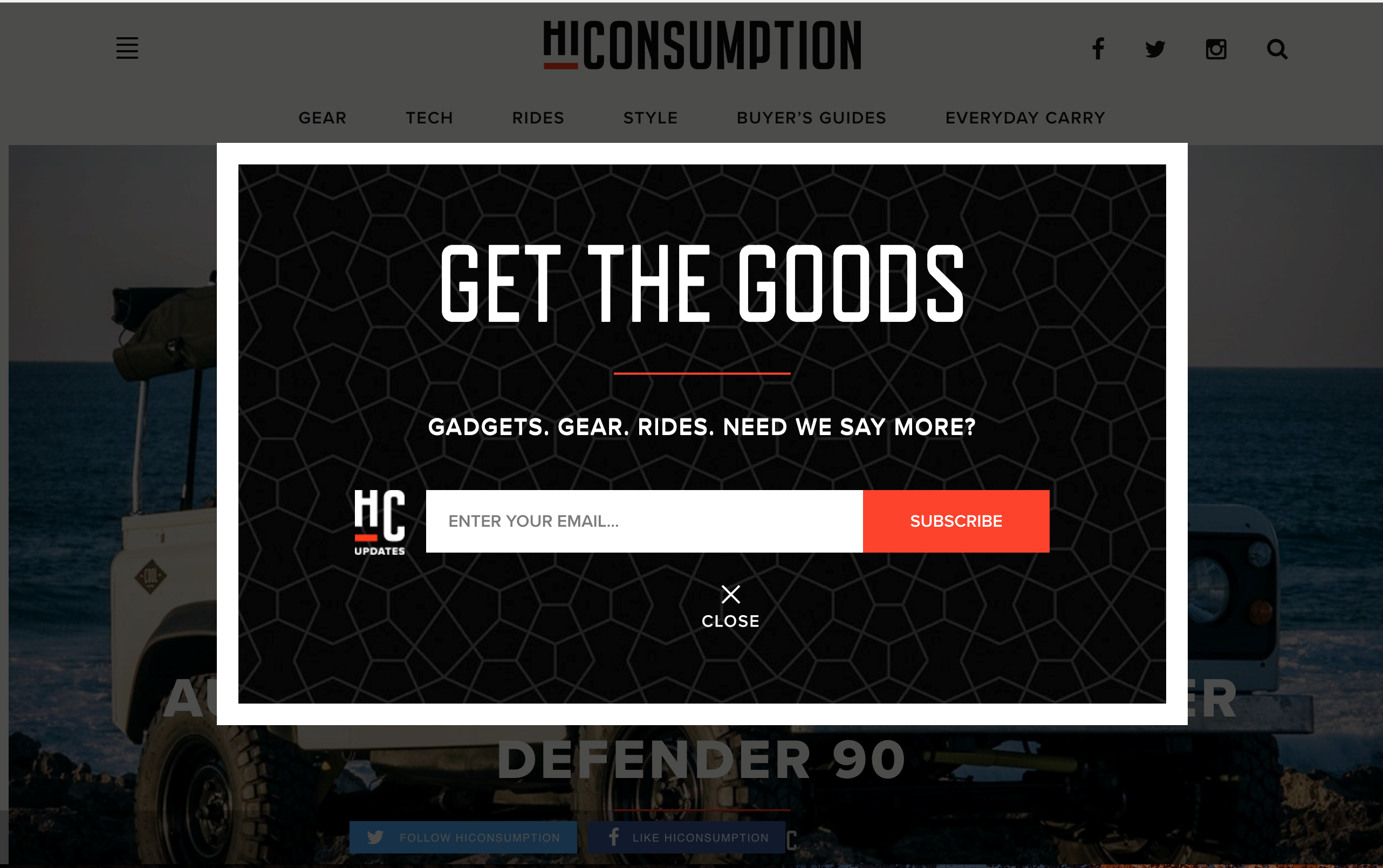
Two campaigns deserve a closer look:
Christmas Lite Show’s four-week sprint. With tickets on sale for only four weeks, Christmas Lite Show ran an Exit-Intent® lightbox and converted nearly 30% of site visitors into a ticket buyer or coupon subscriber. When your selling window is short, catching abandoners is not optional.
Storyly’s gated content play. Storyly combined Exit-Intent® with content locking and saw an 80% higher conversion rate on their Contact Sales form. B2B sites take note: an exit popup can push a sales conversation as easily as a coupon code.
Want more? We keep a much bigger collection in our companion piece: 40 exit popup examples and hacks covers offer formulas, targeting recipes, and design patterns in depth. This page is the how-it-works pillar; that one is the idea vault.
How to Create an Exit-Intent Popup
Yes, OptinMonster is our product. It’s also the fastest way I know to get an exit popup live, and the free plan is available through the OptinMonster WordPress plugin, which has over 1 million active installs.
- Pick a campaign type. Lightbox popups are the default for a reason, but Exit-Intent® also works with fullscreen welcome mats, slide-ins, and floating bars.
- Choose your offer. Match it to the page: discount codes on product and cart pages, lead magnets on blog posts, demo or sales offers on B2B pages. The exit popup examples above are a menu.
- Turn on the Exit-Intent® display rule. Add the “exit detected” rule, pick your device and sensitivity (Low, Medium, or High), and the detection is live. Add page-level targeting so cart visitors and blog readers see different offers.
- Publish and test. Run an A/B test on the headline or offer before you judge the results. Shockbyte’s doubled sales conversions came from exit popups they kept iterating on, not a first draft.
If you run WordPress, start with our comparison of the best WordPress popup plugins to see how the options stack up. On Shopify, our roundup of the best Shopify popup apps does the same. And if you want the full feature rundown first, the Exit-Intent® Technology feature page covers what it does across devices and campaign types.